Message 1 of 12

Not applicable
09-07-2012
06:46 AM
- Mark as New
- Bookmark
- Subscribe
- Mute
- Subscribe to RSS Feed
- Permalink
- Report
I was able to install my student version of 3d max 2013 and activate the key the day before yesterday without incident and was able to open the software.
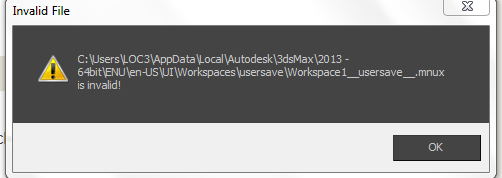
I went to open it yesterday, once I click the desktop icon, the software would load the plug-ins but when it was time to start, I got an error popup titled "Invalid File" and it referenced a file c:user\appdata\local\...... in the message.
Also when I looked at the error report details, it stated: unhandled exceptions
I uninstalled and re-installed and this did not work.
I download the most recent update 5 and this did not work.
Any suggestions would be greatly appreciated.
Thank you
Solved! Go to Solution.