Same look on section marks

Same look on section marks

Marcus.Isacsson
Collaborator Collaborator
2,014 Views
15 Replies
Message 1 of 16

Same look on section marks

Marcus.Isacsson
Collaborator
Collaborator

Hi fellas!

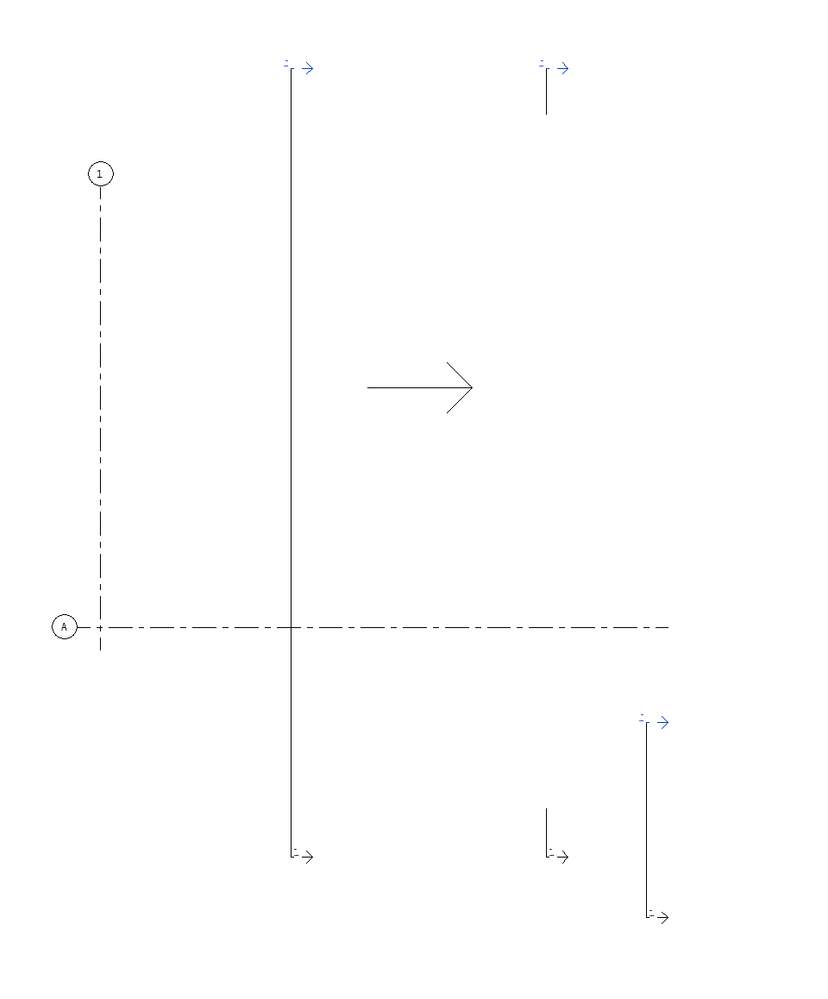
Is it somehow possible to get gaps for sections where the tails look the same?
Right now we've used the "gap" function that you manually have to change for each section. 
Doesn't look good when they're not exactly the same in distance.
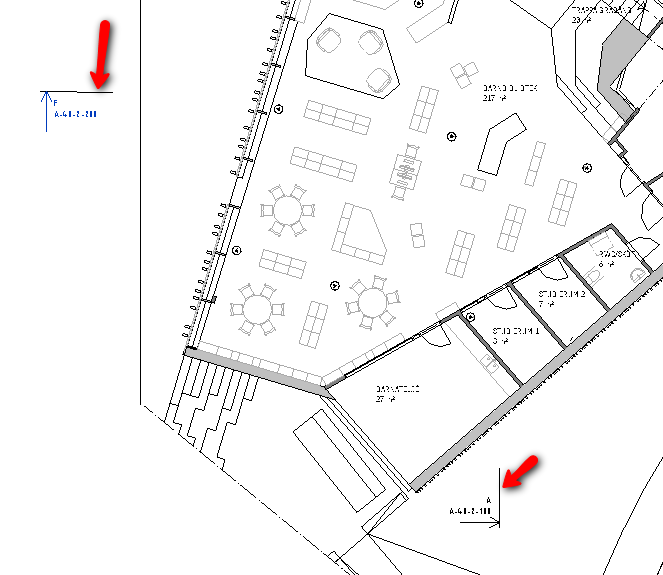


Section marks.png

0 Likes
2,015 Views
15 Replies
Replies (15)
Message 2 of 16

Sahay_R
Mentor
Mentor

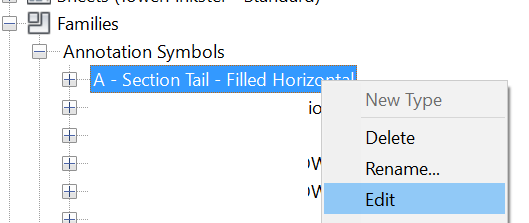
Edit the section tail family.


Untitled.png


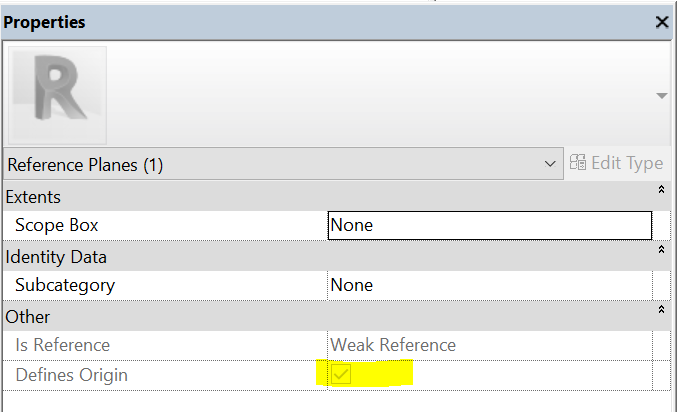
In the family - move the geometry by the desired distance away from the intersection of the reference planes that define the origin of the family. Constrain and lock the dimension so that it stays constant.


Capture.PNG


That will fix the gap for every time the section tail is used.


Rina Sahay
Autodesk Expert Elite
Revit Architecture Certified Professional

If you find my post interesting, feel free to give a Kudo.
If it solves your problem, please click Accept to enhance the Forum.
0 Likes
Message 3 of 16

Marcus.Isacsson
Collaborator
Collaborator

@rsahayUZMK9 wrote:

Edit the section tail family.


In the family - move the geometry by the desired distance away from the intersection of the reference planes that define the origin of the family. Constrain and lock the dimension so that it stays constant.


That will fix the gap for every time the section tail is used.


Hi! Thanks for helping out, but I'm not quite sure I follow. Can you send a sample?

0 Likes
Message 4 of 16

Sahay_R
Mentor
Mentor

After you have followed the step in my previous post, follow the procedure in the attached screencast - 


Rina Sahay
Autodesk Expert Elite
Revit Architecture Certified Professional

If you find my post interesting, feel free to give a Kudo.
If it solves your problem, please click Accept to enhance the Forum.
0 Likes
Message 5 of 16

Marcus.Isacsson
Collaborator
Collaborator

@rsahayUZMK9 wrote:

After you have followed the step in my previous post, follow the procedure in the attached screencast - 


I'm still not sure I follow, maybe we missunderstand each other?
Here's a picture showing what I aim to get.

Right now we're doing it manually with "Gaps in segments" but maybe this can be done in a better way?

Sections.PNG

0 Likes
Message 6 of 16

Sahay_R
Mentor
Mentor

Can you share a file please? 


Rina Sahay
Autodesk Expert Elite
Revit Architecture Certified Professional

If you find my post interesting, feel free to give a Kudo.
If it solves your problem, please click Accept to enhance the Forum.
0 Likes
Message 7 of 16

Marcus.Isacsson
Collaborator
Collaborator

Sure, here you go! 
Revit 2018.

0 Likes
Message 8 of 16

Sahay_R
Mentor
Mentor

Try this. Let me know if it works for you and then I can explain.


Rina Sahay
Autodesk Expert Elite
Revit Architecture Certified Professional

If you find my post interesting, feel free to give a Kudo.
If it solves your problem, please click Accept to enhance the Forum.
0 Likes
Message 9 of 16

Marcus.Isacsson
Collaborator
Collaborator

@rsahayUZMK9 wrote:


Try this. Let me know if it works for you and then I can explain.

I can't see what's changed? 

Changed.PNG


0 Likes
Message 10 of 16

Sahay_R
Mentor
Mentor

I thought that you wanted a consistent gap in the section tails without any repetitive steps? Because that is what has been done in the family.


Rina Sahay
Autodesk Expert Elite
Revit Architecture Certified Professional

If you find my post interesting, feel free to give a Kudo.
If it solves your problem, please click Accept to enhance the Forum.
0 Likes
Message 11 of 16

Marcus.Isacsson
Collaborator
Collaborator

@rsahayUZMK9 wrote:

I thought that you wanted a consistent gap in the section tails without any repetitive steps? Because that is what has been done in the family.


Are you sure that you uploaded the correct file? I couldn't find consistens gap in any of the section marks in the views.

0 Likes
Message 12 of 16

Sahay_R
Mentor
Mentor

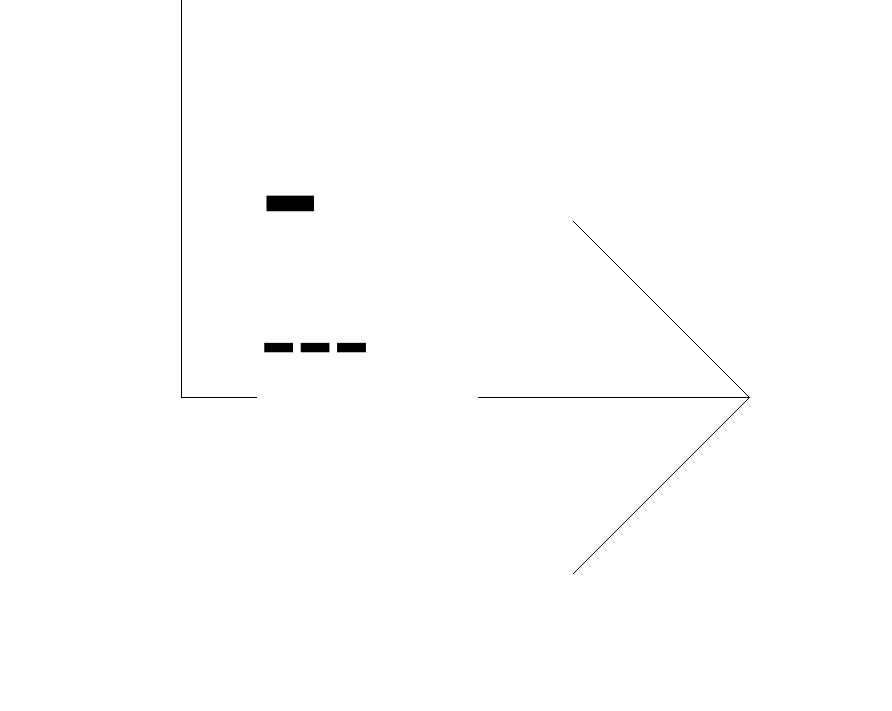
Yup. This is the section tail from my file

Capture.PNG

The highlighted rectangle is the void object that I had added to the family to create the gap. If at all you need it to be larger or smaller, you would need to edit the family.

Capture.PNG


Rina Sahay
Autodesk Expert Elite
Revit Architecture Certified Professional

If you find my post interesting, feel free to give a Kudo.
If it solves your problem, please click Accept to enhance the Forum.
0 Likes
Message 13 of 16

Marcus.Isacsson
Collaborator
Collaborator

@rsahayUZMK9 wrote:

Yup. This is the section tail from my file


The highlighted rectangle is the void object that I had added to the family to create the gap. If at all you need it to be larger or smaller, you would need to edit the family.


Alright, that wasn't the gap I was lookin for. I mean the line between the section tails.


0 Likes
Message 14 of 16

Sahay_R
Mentor
Mentor

Then move the void object in the family to give the required gap.


Rina Sahay
Autodesk Expert Elite
Revit Architecture Certified Professional

If you find my post interesting, feel free to give a Kudo.
If it solves your problem, please click Accept to enhance the Forum.
0 Likes
Message 15 of 16

whitbrs
Alumni
Alumni

Here's a short video I created that may help. Please let me know if it resolves what you are trying to do.


Simon Whitbread

Premium Account Support Specialist BIM, Revit
Message 16 of 16

Marcus.Isacsson
Collaborator
Collaborator

@whitbrs wrote:

Here's a short video I created that may help. Please let me know if it resolves what you are trying to do.


Thanks, I've used that solution. Got a problem when the section is split though. Know how to solve it?
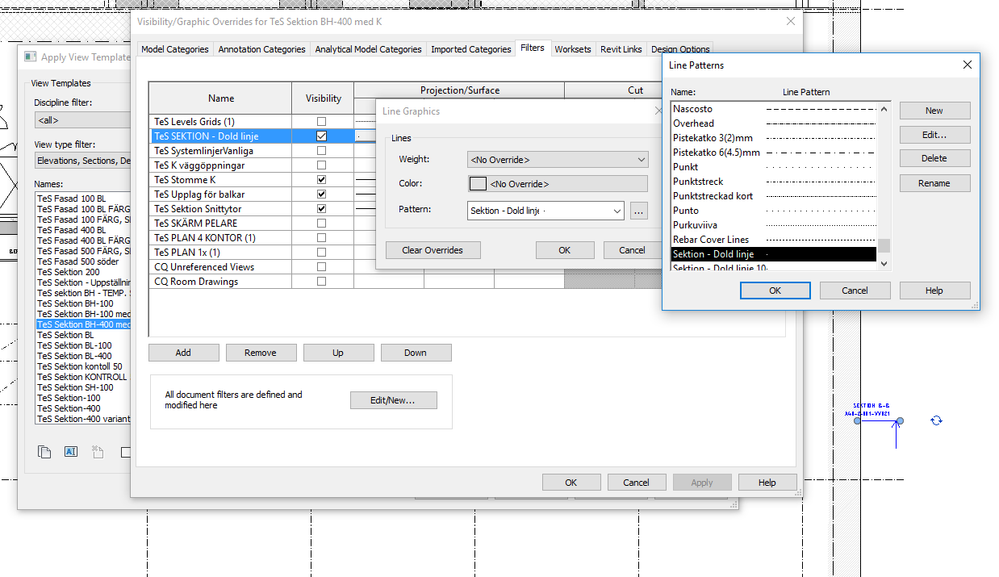
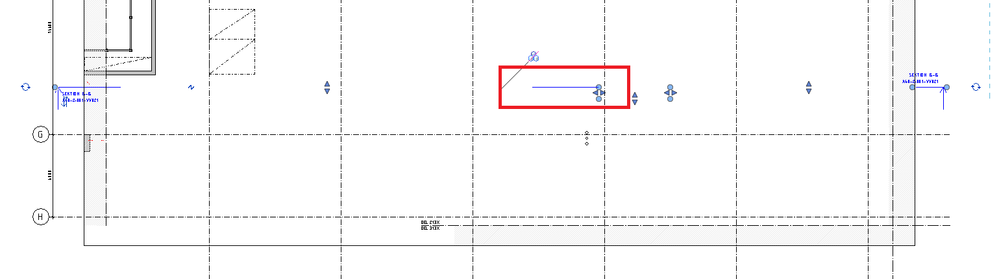
Sektion dold linje.PNGProblem with section.PNG

0 Likes