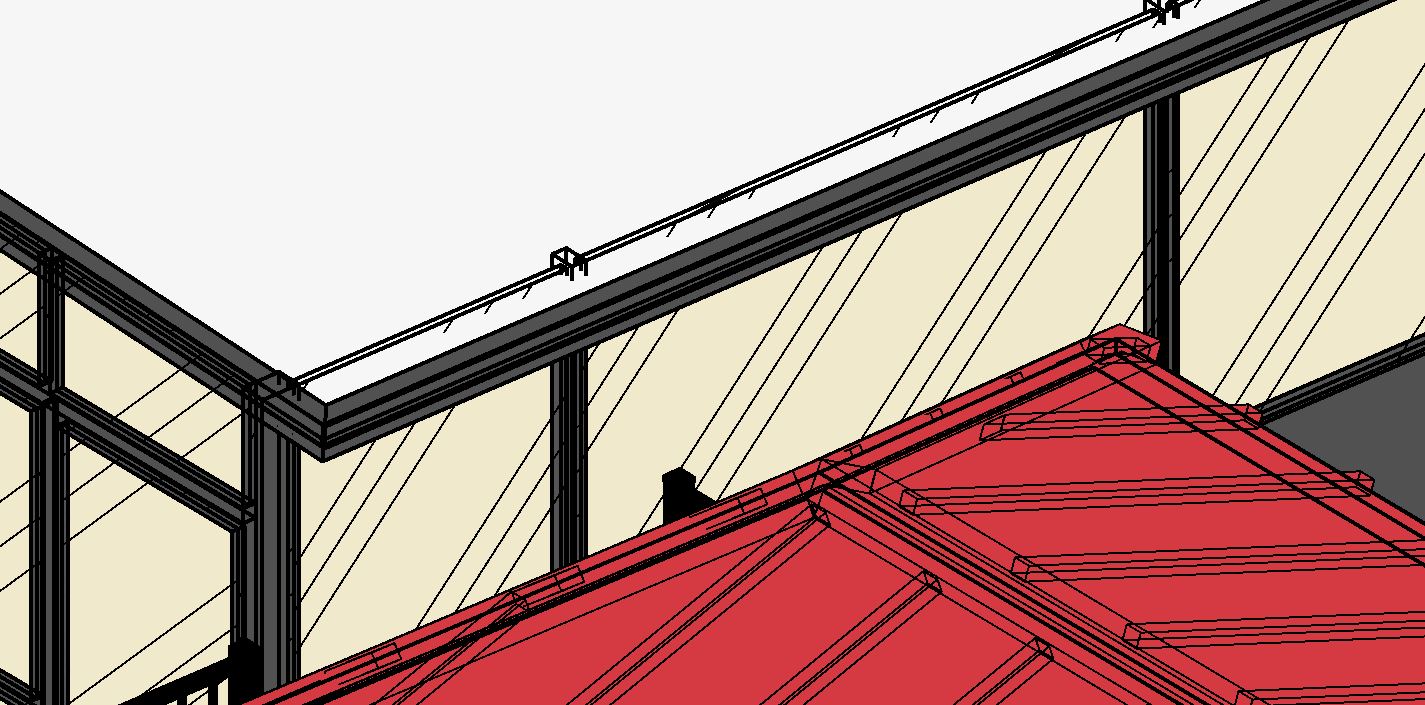
3D issues

3D issues

Anonymous
Not applicable
3,057 Views
27 Replies
Message 1 of 28

3D issues

Anonymous
Not applicable

I’m having problems with my Revit file. 3D views and elevation showing random hidden lines. 

0 Likes
Accepted solutions (3)
3,058 Views
27 Replies
Replies (27)
Message 21 of 28

barthbradley
Consultant
Consultant

Toggle Visibility of your Imported Categories in the View under View Visibility & Graphics Overrides.  


Imported Categories OFF 2.png


ON:


Imported Categories ON.png


OFF:


Imported Categories OFF.png


0 Likes
Message 22 of 28

Anonymous
Not applicable
It took away some lines but not all of them, they are still there.
0 Likes
Message 23 of 28

Anonymous
Not applicable

It took away some lines but not all of them which is weird.


0 Likes
Message 24 of 28

barthbradley
Consultant
Consultant

You also have a rogue element. See if deleting it helps. I did.  


this: 


Rogue Element.png

here:


Rogue Element 1.png


0 Likes
Message 25 of 28

Anonymous
Not applicable

I did, and nope still the same.


0 Likes
Message 26 of 28

barthbradley
Consultant
Consultant
Accepted solution

Reopen the Project with Audit checked. 


Audit2.png


0 Likes
Message 27 of 28

Anonymous
Not applicable

What is Audit, never seem that. What would it do to the project.


0 Likes
Message 28 of 28

Anonymous
Not applicable

Hey, it work man. Perfect. Thank you so much you a life saver.