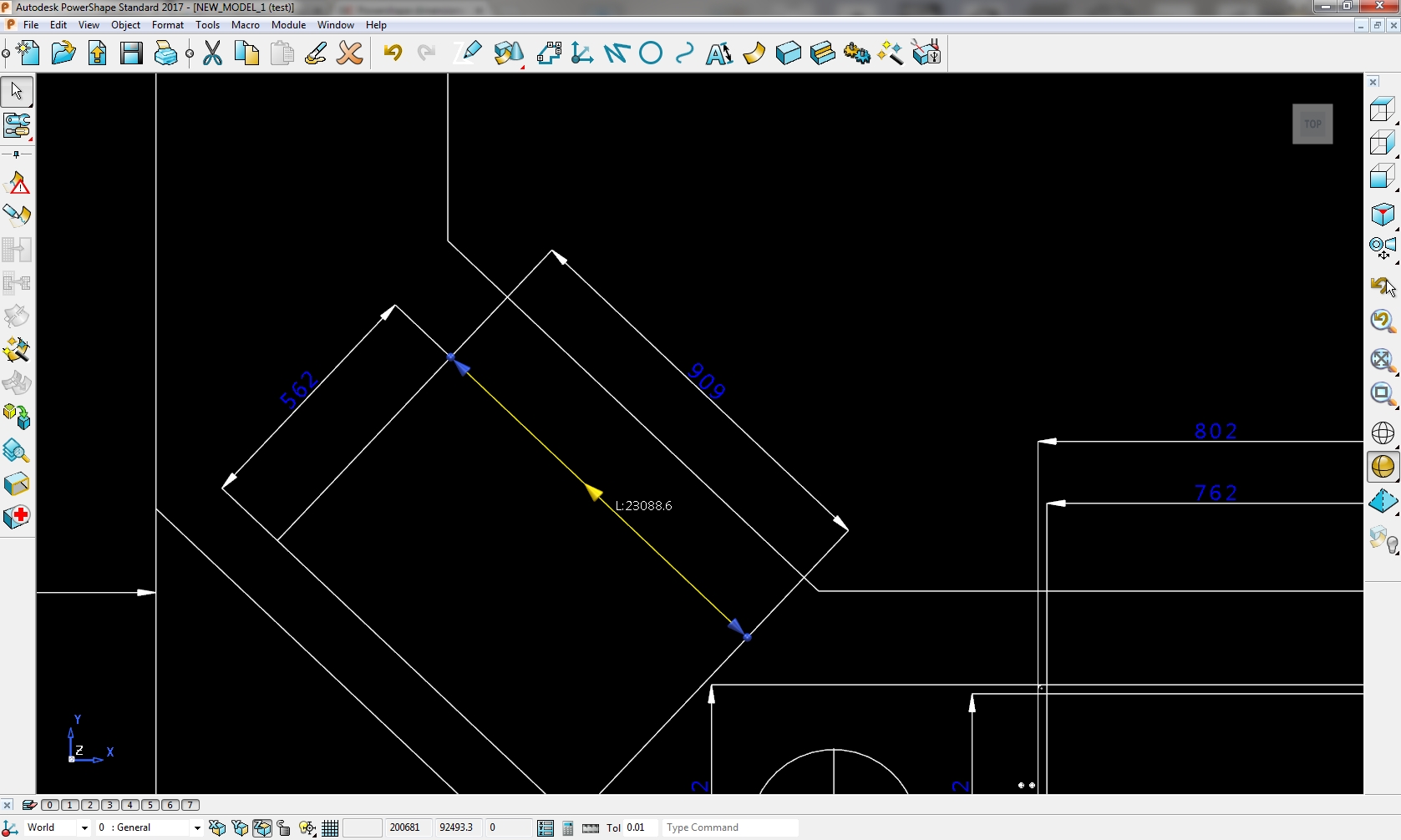
Powershape 2017 SP6 wrong dimensions

Powershape 2017 SP6 wrong dimensions

Anonymous
Not applicable
809 Views
5 Replies
Message 1 of 6

Powershape 2017 SP6 wrong dimensions

Anonymous
Not applicable

Hello, recently I have a problem when importing dwg files to Powershape.

All dimensions are wrong. For example line that is long 909mm in AutoCAD here is 23808.6mm.

Everything is ok with file, and I did not have that problem before. How to fix this?

0 Likes
Accepted solutions (1)
810 Views
5 Replies
Replies (5)
Message 2 of 6

Anonymous
Not applicable

909 x 25.4 = ....you have imperial/metric mix up.  John

Message 3 of 6

Anonymous
Not applicable

Thanks, that is correct, but how can I fix that drawing. Units in my Powershape are metric, and should be ok. Scale down everything by 25.4?

0 Likes
Message 4 of 6

jon.hunwick
Alumni
Alumni
Accepted solution

Yes, scaling by 1/25.4 will correct the problem. 

Jon Hunwick

0 Likes
Message 5 of 6

Anonymous
Not applicable

 I had the same problem as you, but imported files was from completly diffrent CAD software.


I had many files to convert, so to solve this problem I wrote a macro:


// (...)

SelectAll toolbar tools analysis toolbar tools edit EDIT SCALE VALUE 1/25,4 APPLY DISMISS EVERYTHING PARTIALBOX select clearlist VIEW EDIT TOP

// (...)


And put it as a button in custom toolbar:


Bez tytułu.png


My macro a little bit more complicated, with set the lines, circles and dimensions to seperate levels, set the colour and style, set the view on top and set size of dimensions. If you also need something like this, just say it.


Mateusz

0 Likes
Message 6 of 6

Anonymous
Not applicable

Problem is solved. Original files I have receieved were in .dwg format exported from Solidworks. In that conversion something happened and mixed up dimensions. I have tried to export the same files to .dxf and then when imported to Powershape everything is ok. Thanks everyone

0 Likes