Windows/shelves have gone awol!

Windows/shelves have gone awol!

Anonymous
Not applicable
1,588 Views
4 Replies
Message 1 of 5

Windows/shelves have gone awol!

Anonymous
Not applicable

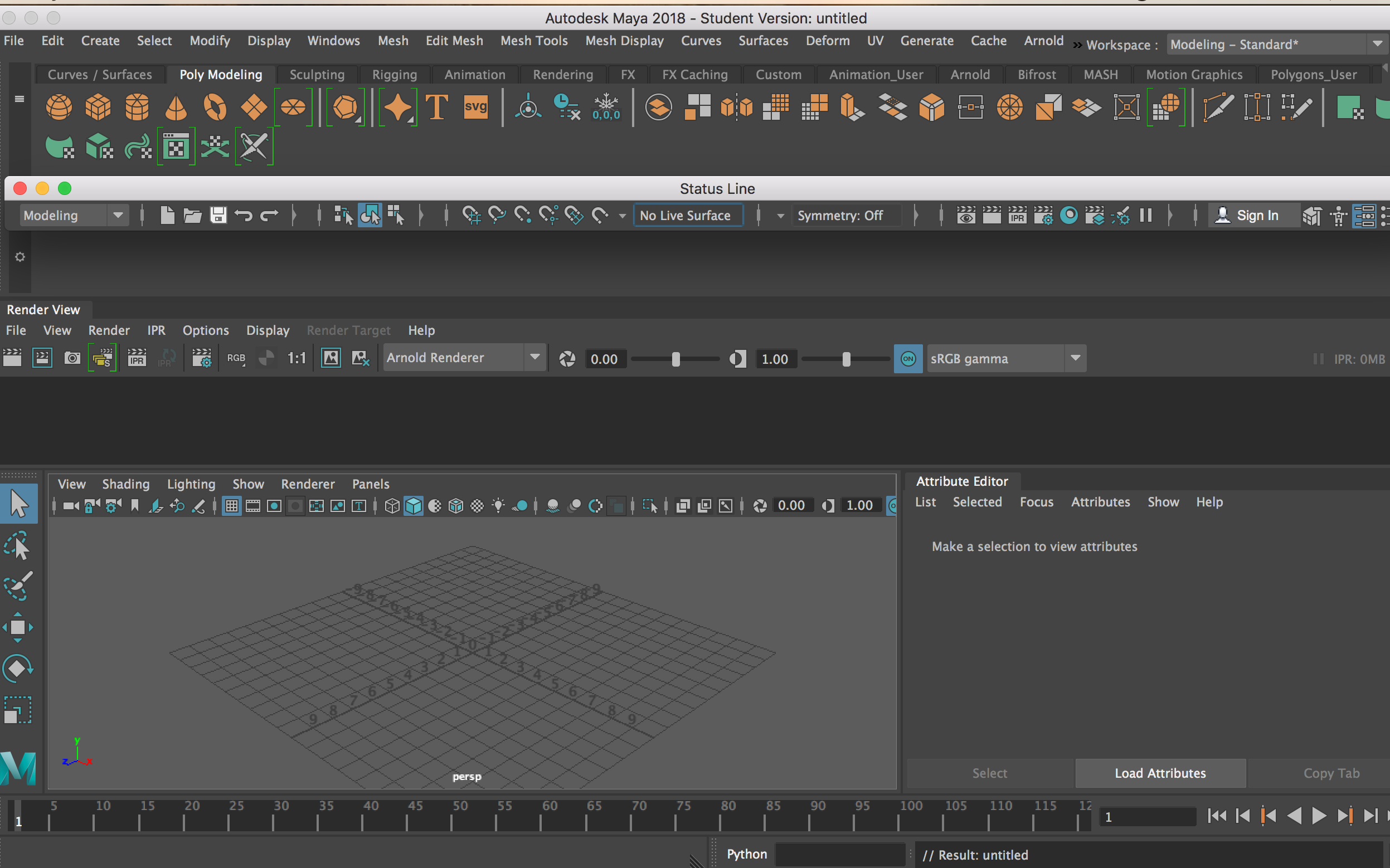
Hiya, I have been click-happy with my windows and even after using Maya for 3months this is the first time I have managed to completely mess up my shelves and windows.

I have tried changing my preferences and creating a new scene to help it go back to normal.

On the Help they recommend that too.


I've also tried to reverse engineer where I've stripped a shelf from its "home" by holding the LMB and trying to insert it back into the shelf.


This doesn't work either.

I've attached a screenshot of my current Maya and a screenshot of my usual/normal Maya setup.


Any ideas? And apologies in advance if it is very obvious and simple, I probably can't see the wood for the trees.


Thanks,

Sinead


0 Likes
Accepted solutions (1)
1,589 Views
4 Replies
Replies (4)
Message 2 of 5

Anonymous
Not applicable
Accepted solution

Hi . In Documents\maya\2018\ delete the pref folder or rename it prefold . open maya , it will ask you to either create new default preferences or copy old , select on create new

Message 3 of 5

Anonymous
Not applicable

Hiya, thanks for the advice.

There is no "2018" folder in Documents/Maya. It only shows Projects.

In the specific project folder could I change something in "Autosave"? or the list shown in the screenshot.

I'm using a Mac - not sure if this makes a difference.


Thanks,

Sinead

0 Likes
Message 4 of 5

Anonymous
Not applicable

What does exist is the following attached in Applications...


0 Likes
Message 5 of 5

Anonymous
Not applicable

Hiya, 

I eventually found the location of Maya/2018...gotta love Macs- life would be too simple otherwise!


Thank you 🙂

Sinead

0 Likes