Maya 2017 Render Options blank

Maya 2017 Render Options blank

Anonymous
Not applicable
22,492 Views
10 Replies
Message 1 of 11

Maya 2017 Render Options blank

Anonymous
Not applicable


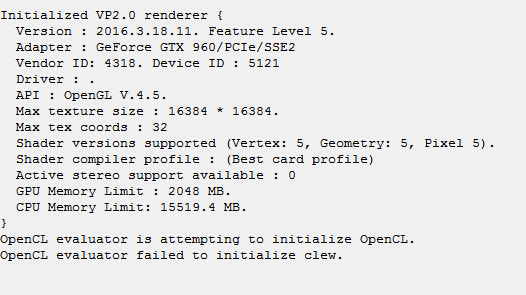
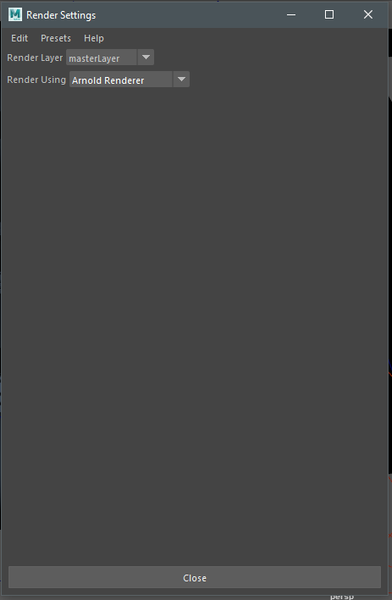
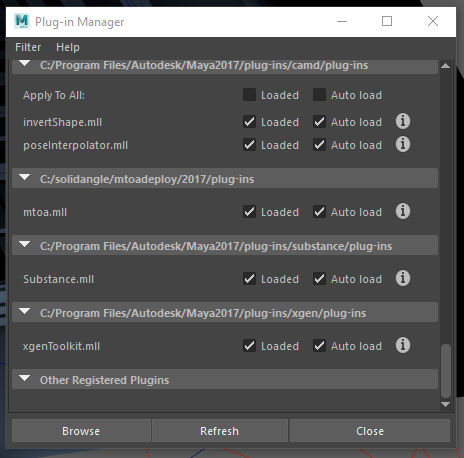
I used Arnold to render out something last night and it was working fine. I opened up a new scene, started modeling, added a spotlight, tried to render and nothing... I can't open up the Arnold Render View. I can only use Maya Software/Hardware/Hardware 2.0... But I can't even get the settings box to display any settings for any of the renderers. I deleted the prefs folder after my shelves started crashing, too. I reloaded the MTOA plugin for Arnold and nothing... I get these errors.


# Error: line 1: AttributeError: file C:\Program Files\Autodesk\Maya2017\Python\lib\site-packages\pymel\core\nodetypes.py line 409: nt.Unknown(u'defaultArnoldRenderOptions') has no attribute or method named 'drivers' #


# Error: line 1: MelError: file C:\Program Files\Autodesk\Maya2017\Python\lib\site-packages\pymel\core\language.py line 992: Error during execution of MEL script: line 1: AttributeError: file C:\Program Files\Autodesk\Maya2017\Python\lib\site-packages\pymel\core\nodetypes.py line 409: nt.Unknown(u'defaultArnoldRenderOptions') has no attribute or method named 'drivers'


1.PNG2.PNG

3.PNG

Accepted solutions (1)
22,493 Views
10 Replies
Replies (10)
Message 2 of 11

Anonymous
Not applicable

:::EDIT:::


Turns out, I reinstalled Maya 2017, and opened up a new scene, modeled did everything as usual and everything was working fine. The render view worked, the render settings popped up. Everything was NORMAL...


I opened up the scene that was giving me trouble and all the issues I was having before return. The only thing that is different in this scene is that I have a spot light with Quadratic Decay, Penumbra Angle is changed, the Drop off is changed and it has a Fog added to it...


I'm assuming that this spotlight with the current settings is giving me trouble. I don't know if its the Fog, or the light itself. But I'll try and find out.

0 Likes
Message 3 of 11

Stephen.Blair
Community Manager
Community Manager
Accepted solution

Hi


Do you have these four nodes in the scene?

- defaultArnoldRenderOptions
- defaultArnoldDriver
- defaultArnoldFilter
- defaultArnoldDisplayDriver

You can check in the Outliner, just clear Display > DAG Objects Only

If so, then try this:

- close the Render Settings dialog
- delete those four nodes
- save the scene (with a new name)
- restart Maya
- load the scene you just saved


Thanks


Stephen

Solid Angle Support


// Stephen Blair
// Arnold Renderer Support
Message 4 of 11

Anonymous
Not applicable

I had the same issue, the render settings window was just blank and after following your easy steps it works absolutley fine! Thanks!

Message 5 of 11

Anonymous
Not applicable

Hi, I face this issues and try these easy step but failure. any suggestion to do other thing to solve these? Thank you

0 Likes
Message 6 of 11

Anonymous
Not applicable

I followed Stephen's instructions and opened the render settings windows only to get the same error.


However, when I executed these (after Stephen's steps) in mel the problem was resolved;


deleteUI unifiedRenderGlobalsWindow;
buildNewSceneUI;

0 Likes
Message 7 of 11

Anonymous
Not applicable

Thankyou


0 Likes
Message 8 of 11

Anonymous
Not applicable

What if the error still appears even if there is no extra nodes? nothing in the outline?

all the suggested steps where tried.

0 Likes
Message 9 of 11

mspeer
Consultant
Consultant

Hi!

You disabled "Display -> DAG Objects Only" in Outliner?

Message 10 of 11

Anonymous
Not applicable

Yes I did and it did not work.


However I have solved the problem - I have just exported geometry and textures and in this new maya scene, Arnold works.

0 Likes
Message 11 of 11

ozbirnryan
Explorer
Explorer

YES THIS WORKED, FINALLY SO APPRECIATE IT!

0 Likes