



Forums Links
Can't find what you're looking for? Ask the community or share your knowledge.
 This page has been translated for your convenience with an automatic translation service. This is not an official translation and may contain errors and inaccurate translations. Autodesk does not warrant, either expressly or implied, the accuracy, reliability or completeness of the information translated by the machine translation service and will not be liable for damages or losses caused by the trust placed in the translation service.
Translate
This page has been translated for your convenience with an automatic translation service. This is not an official translation and may contain errors and inaccurate translations. Autodesk does not warrant, either expressly or implied, the accuracy, reliability or completeness of the information translated by the machine translation service and will not be liable for damages or losses caused by the trust placed in the translation service.
Translate
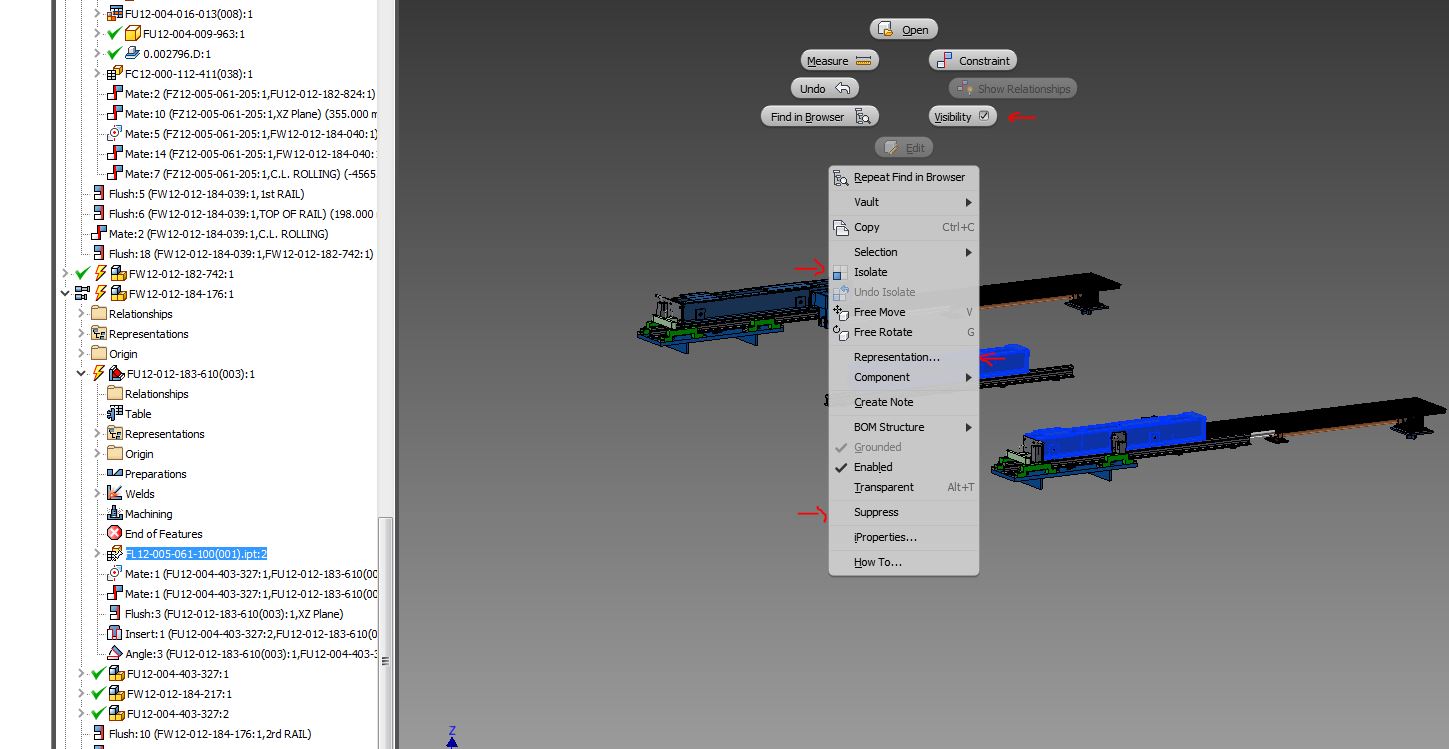
Will be nice if all selected components in BOM will remain selected if we close the window , in the following way is not necessary to search one more time components in hierarchy for hide/suppers or to do other things present in menu mouse right click (see image 2). Perfect will be if following action can be done with window BOM open (see image proposal).
Can't find what you're looking for? Ask the community or share your knowledge.