Orbit

Orbit

Anonymous
Not applicable
10,184 Views
49 Replies
Message 1 of 50

Orbit

Anonymous
Not applicable

Hi!


I'm using inventor 2016.


I've been googling for about two hours now and I've not found a solution to a simple question:


How do I convince Inventor to orbit properly? Whenever I use orbit, I have to zoom in and out and fiddle with the orbit until I get where I want. I am sick to my teeth for Inventor assuming that I want to orbit the entire assembly even if it means that it orbits right off my screen while all I want is to actually orbit around a face to see the face connected to it. It is quite frustrating and counter productive to have to fiddle long seconds in order to find the right face for an assembly constrain and then have to fiddle again until I get back to the second face for my constrain.


I am currently using free orbit. I tried using a constrained orbit but that also has very limited applicability as it prevents me to orbit properly around the object. True, the object no longer orbits out of view, but it's still useless.


It would be very logical to tie the pivot point to the mouse cursor, wouldn't it? If the cursor is on a face, then the model is orbited around that face; to me that's proper orbit.


The point is this: imagine you have a cube in your hand and you want to see the back face, you simply turn the front face away until you get to the back face. You don't begin rotating your arms around in three directions to simply spin the **** thing around. You don't pin the cube to one finger and then move the wrist and the arm to accomplish something as simple as a a spin. You don't use a center of gravity. You don't pick a vertex or an edge, you simply look and spin?


Thankyou


Accepted solutions (2)
10,185 Views
49 Replies
Replies (49)
Message 21 of 50

Anonymous
Not applicable

Just ask around, how many Creo/SWX/etc CAD users INSIST on 3d mouse, vs Inventor.

0 Likes
Message 22 of 50

guymlink
Advocate
Advocate

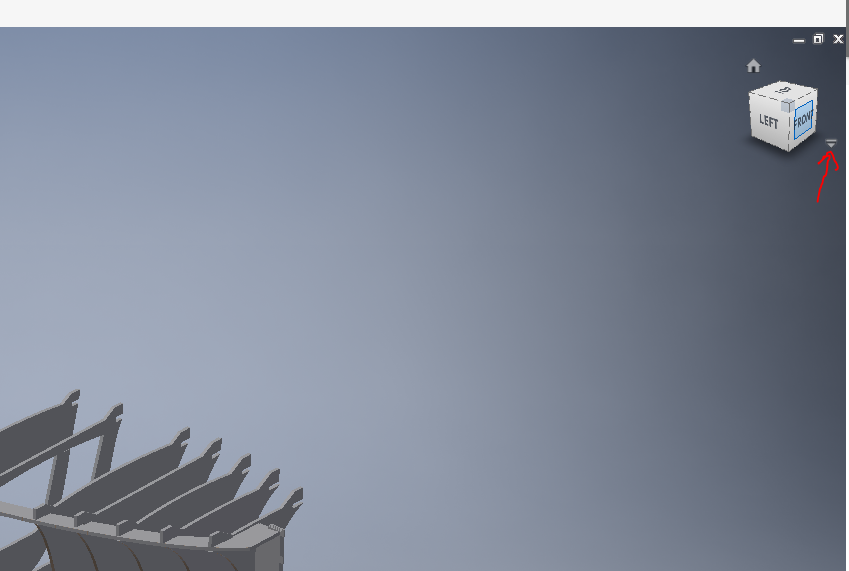
this drove me insane for about half a year. your looking for a turn table style orbit. in inventor its called constrained orbit. inventors orbit seams designed for that mouse that you could by a car for the same price.  click on the drop down under the "orbit cube? I don't remember the name of it" and then click the little dropdown arrow under the orbit tool itself and switch to constrained. I have seen hundreds of form posts and non of witch did anyone ever have the answer... that is if were talking about the same thing. also please tell me you use shift and middle mouse button to orbit.. It seams the pros have something against that.. just glanced at this, didn't see you didn't like the constrained orbit..

0 Likes
Message 23 of 50

Anonymous
Not applicable

No, No, No

Constrained orbit does not solve rotation issue as discussed, center of rotation does not update dynamically as described, still requires a manual process to update center of rotation, still pans the model to snap center of rotation to center of screen, just like free orbit, etc.  Constrained orbit helps with keeping your bearings, but there are times when you need free orbit.  In both orbit types, the user struggles to control rotation when zoomed into small area.  

Message 24 of 50

Anonymous
Not applicable

This is a major Issue autocad needs to fix with its software, It only makes logical sense that I would want to specify the location my model orbits at unless the automated utility works, which it does not, this is a major cost of time and quite infuriating, I have worked with softdesk products for over 20 years and this has been an issue from day one, get your heads out of your ass and fix this issue, none of the things mentioned where solutions just reiterations of the same issue. It should work roughly the way Revits orbit function works where if the software is too inept to select the correct center point, than I can force it to the place I want, it far from works perfect but its a better than autocad and other software's bull**** flying off screen, what a joke, I'm beside myself I'm soo pissed off at softdesk right now. It is horribly annoying that every time I orbit a model in softdesk products my work goes flying off the screen this is highly unprofessional. FIX IT

0 Likes
Message 25 of 50

SBix26
Consultant
Consultant

Did you have something you wanted to discuss (in a calm, professional manner) about Autodesk Inventor?  This is the Inventor forum, but the only references in your rant are to AutoCAD and "softdesk products".  Let us know if we can help with something.


Sam B
Inventor Pro 2020.2.1 | Windows 10 Home 1903
LinkedIn

0 Likes
Message 26 of 50

guymlink
Advocate
Advocate

autodesk could start by having real support instead of relying on smart mouthed community members such as yourself to fix their issues for 1500$ a year programs that fail to accomplish basic functions that software of the same or similar nature have done flawlessly for 5 years. then after that maybe they will make there program listen to your commands, not show you an example of a function your about to apply working perfectly fine then telling you it cannot complete the task when you hit apply, maybe make the copy command in autocad not bring up the circle command half the time let alone the fact that the other half of the time it dose not recognize commands that are standard commands. i can go on. maybe take your attitude somewhere else when someone is frustrated.

0 Likes
Message 27 of 50

SBix26
Consultant
Consultant

One more time: this is the Inventor forum.  Do you have an issue with Inventor that your peers on this forum can help with?


Sam B
Inventor Pro 2020.2.1 | Windows 10 Home 1903
LinkedIn

0 Likes
Message 28 of 50

johnsonshiue
Community Manager
Community Manager

Hi Michael and Guy,


Are you talking about AutoCAD's Orbit behavior? I thought the Orbit behaviors are pretty much standardized within Autodesk major products. I am an expert on Inventor, not on AutoCAD. Do you mind sharing a video or a thread showing the exact behavior you are complaining?

Many thanks!


Johnson Shiue (johnson.shiue@autodesk.com)
Software Test Engineer
0 Likes
Message 29 of 50

guymlink
Advocate
Advocate

autocad is the only autodesk product that lets you navigate the program reasonably and in a standardized way, lol. we cant show you whats wrong with inventor. all we can say is that it is illogical compared to 75% of other 3d software.

0 Likes
Message 30 of 50

prhoads3W8KL
Contributor
Contributor

Hello Johnathan, it has been more than one year since you pledged your support for fixing this archaic behavior so that we stop wasting so much of our time/lives in Inventor.  How is it going getting it fixed?  I test drove Inventor 2020 and I have to say, very, very little has changed.  Y'all added a few enhancements that I don't see many people asking for and do nothing to improve our daily lives.  I have compiled a laundry list of similar issues with Inventor, where the only response from Autodesk is "sorry, take it or leave it".  Why does Autodesk not support Inventor anymore?  All of this is making me want to make the case to my managers to convert to Solidworks, and if I am successful at doing so, I will make sure I make my experience known to the community.  

0 Likes
Message 31 of 50

johnsonshiue
Community Manager
Community Manager

Hi! My name is Johnson, not Johnathan. I have never pledged anything in this thread. All I said was that I would contact our project team and seek room for improvement. @Anonymous articulated the two issues very clearly. One is about the lack of one-button Orbit access (like SWX's mid mouse button). The other issue is lack of dynamic recentering ability when Zoom In/Out during Orbit.

I would like to clarify a few things. 1) We never promote 3DConnexion as the solution to these issues. 2) The Orbit, though not accessible via a mouse button, it is available as a command in Navigation bar. 3) The ability to lock the focus in Orbit is called Constrained Orbit. It is accessible in the dropdown menu under Orbit command. This will lock the focus to one specific area of the model even when Zoom In/Out during Orbit.

Please try it out and see if it works better for you.

Many thanks!


Johnson Shiue (johnson.shiue@autodesk.com)
Software Test Engineer
0 Likes
Message 32 of 50

Anonymous
Not applicable

Hello all.


While I am the originator of this thread, I don't see the point of the current discussion, since I have marked the thread as solved about 3 years ago.


The orbit behaviour in Inventor is indeed bad. But there are ways to get along with it. As I explained in one of my previous posts on this issue, I wish that Inventor actually tracked my mouse cursor and automatically pivoted the orbit around the location of the cursor as long as I hold down a mousekey.


But Inventor does not do simple. Instead there is a heavy-weight navigation bar, with a useless view cube. To get the orbit to kinda work, one has to go through menus and whatnot just to get one orbit done. Heaven forbid you need more than that.


However. It is possible to solve the issue with a mouse, keyboard of gamepad. All you need is to keybind the orbit function on your desired input device and just use the keybind instead of going through menus and such. Once the orbit tool is activated and you have the crosshairs on the view port (I cannot mention just how irritating I find the concept of the cross hairs), you click INSIDE the crosshairs circle to tie the pivot, then you can orbit. To move the desired part of the object inside the crosshair circle, you still click in the circle but in the direction of the element you want to tie the pivot to. And then you keep clicking and clicking until the element lands inside the circle. Once it's in the circle, you can orbit.


If you need to orbit the entire model, don't click in the crosshairs circle. Click and drag he vertical crosshairs (the little lines that define the vertical and horizontal of the crosshairs - do NOT confound horizontal and vertical in this context with ANY axes within the model) and your model will spin along the horizontal axis. Click and drag the horizontal crosshairs and the model will spin along the vertical axis. To rotate you current view along the normal to the crosshair circle's center, hover your mouse cursor on the crosshair circle in the area just above the right side crosshair and your mouse cursor will change into a flat circling arrow.

Another thing: keybinding pan to another key will prevent you from having to drag the crosshair by clicking in the circle to reposition the model. It's just an alternation between pan and orbit and it is fast because of the keybinds.


As a note: the whole navigation bar of Inventor is pointless but the view cube can occasionally be useful to reposition sketches. Personally I don't like to work on flat sketches, so I always misalign the skethes while I work on them, so I keep a sense of the model even while I'm working in a sketch. So I use the view cube to reposition the sketch when needed.


About keybinds: I do not use the so called 3D mouse, I actively despise it. Instead I use a roccat tyon that gives me around 30 keybinds, so I don't have to navigate the button bar when switching between line and circle, then I have extrusion, fille and chamfer tied to the mouse as well. And then, just because I like keybinds, the entire constraint section is bound to 1 out of 3 button pages on a Logitech G13. (The other two button pages are used for assemblies and for the idw creation with all dimensions, breaks, text, bubbles, symmetry lines etc.) Thus, while working in Inventor I only use the numpad on my keyboard to enter values for my parameters and the button bar is only used for tools that I don't use very often: if I need one or two mirrors and a couple of patterns for a part, then I can live with clicking the buttons in the button bar.


Also about keybinds: Inventor comes with some very specific already reserved keybinds, which I have never used. It is possible to bind the functions you need to a keyboard but you will end up needing both hands for something along the lines of ctrl+alt+shift+2 for an orbit. Not worth the hassle. But both the Logitech and the Tyon allow the user to set up macros, which makes it a lot easier to deal with this whole thing.


And, since I am still in love with the simplicity of sketchup make (2017), Autodesk could learn a whole lot about how less is a lot more. And while SketchUp cannot be called a professional CAD, like Inventor, it is a splendid tool for concept design. And.... shockingly.... it does not need a mouse click event to tie the pivot to the cursor position... there it actually knows where your cursor is and as soon as you activate the orbit tool, it just orbits around the mouse... it's... MAGIC 😛


Anyhow, I hope this helps. And sorry for being so verbose 😛

Message 33 of 50

Anonymous
Not applicable

This thread was hilarious though. I think it will stay alive as long as Inventor keeps its try-hard navigation system just to differentiate.

Message 34 of 50

prhoads3W8KL
Contributor
Contributor

Hello JohnsonShiue,


FYI, I am peter.rhoads.bills, that was me posting under my personal account.  

The suggestion that constrained orbit fixes the issue as described was also proposed by someone else and also dispelled.  Constrained orbit only constrains the Z-axis to be vertical, it does not do ANYTHING different from free orbit in regards to center of rotation repositioning.  


You pledged your SUPPORT in pushing Autodesk for this fix.  So far, after 2 years of releases (2020 and 2021), no fix.  I am interested to know if you actually raised this issue to the production team or not?  What was their response?  

In the meantime, my overlay solution using Autohotkey scripting is working well.  It programs the middle button to perform a series of steps while in Inventor, firstly to invoke the navigation steering wheel, then activate the orbit side of the steering wheel, then perform a Ctrl-left click (sets the center of rotation without repositioning/panning the model), then exits the steering wheel, then performs a Ctrl-middle click to invoke the orbit tool.  It took a lot of tweaking to get it to work correctly, and it still suffers from different behavior under different conditions, such as when in drawing mode and when a part feature command is in process.  Therefore, I still wait on Autodesk for a proper fix.  

It would help my overlay solution if you could advise me if there is method in vba to invoke the specific mode of the orbit command currently only found under the steering wheel. 

Peter

0 Likes
Message 35 of 50

johnsonshiue
Community Manager
Community Manager

Hi Peter,


Many thanks for raising the concern! Yes, we had quite a few internal discussions about the issue and the need to make change. Regardless of intention to change, there is cost associated with the change. So far, the project teams have not yet found a better cost-effective solution than setting Constrained Orbit.

I understand it is disappointing but I cannot promise anything beyond my ability. I am sorry.

Thanks again!


Johnson Shiue (johnson.shiue@autodesk.com)
Software Test Engineer
0 Likes
Message 36 of 50

prhoads3W8KL
Contributor
Contributor

Since setting Constrained Orbit is not a solution in any sense, I would like to clarify that "the project teams have not yet done anything on this problem"


You have not answered the questions I asked in my last post: 


1. Did you raise this issue with the product team?

2. What was their specific response?

0 Likes
Message 37 of 50

johnsonshiue
Community Manager
Community Manager

Hi! I am a QA engineer on Inventor product team. I happen to know Inventor product very well. And, I think I have answered your questions clearly.

Yes, we as a product team have investigated this particular issue thoroughly. We do want to offer a better solution. Unfortunately, we have not found a more cost-effective solution than Constrained Orbit at the moment. I understand your concern and you are not the first one raising the issue. Please feel free to contact Autodesk Support or our resellers to escalate the issue.

Many thanks!


Johnson Shiue (johnson.shiue@autodesk.com)
Software Test Engineer
0 Likes
Message 38 of 50

brandon.rodriguezN68U2
Contributor
Contributor

Sorry to resurrect a zombie thread, but has there been any development on this?


I'm an ex-Creo Parametric user new to Inventor and am having a hard time understanding how to simply make models rotate about a point other than the model's center. In Creo, there was a simple button that switched between rotating a model about a fixed point and about a position on the model based on your cursor's position.


Am I reading right that this functionality doesn't exist in Inventor? This is seemingly the most basic function of 3D modeling - efficiently being able to focus on/review different areas of the part by dynamically changing the spin center based on your cursor's position. Is this seriously not possible in Inventor?


Hitting free orbit puts this huge, hideous crosshair all over my screen and I'm not sure what its purpose is. Am I missing something?

0 Likes
Message 39 of 50

JDMather
Consultant
Consultant

@brandon.rodriguezN68U2 wrote:

...dynamically changing the spin center based on your cursor's position.  Am I missing something?


This is easy to do.

It probably would have been best to start a new thread and provide link to this thread as reference.


-----------------------------------------------------------------------------------------
Autodesk Inventor 2019 Certified Professional
Autodesk AutoCAD 2013 Certified Professional
Certified SolidWorks Professional


0 Likes
Message 40 of 50

johnsonshiue
Community Manager
Community Manager

Hi Brandon,


I think I know what you are talking about. There is an option to control the rotation center. It is called "Constrained Orbit." Go to Tools -> App Options -> Display -> Default Orbit Type -> select Constrained. Please try it out and see if you like it better.

Many thanks!


Johnson Shiue (johnson.shiue@autodesk.com)
Software Test Engineer
0 Likes