Fusion 360 with ITAR and export controlled files

Fusion 360 with ITAR and export controlled files

5X-machines
Enthusiast Enthusiast
8,032 Views
27 Replies
Message 1 of 28

Fusion 360 with ITAR and export controlled files

5X-machines
Enthusiast
Enthusiast

Hi everyone,


I am hoping I can get a response from someone on the Autodesk team but I am wondering if there is a procedure in place for handling export controlled files given that Fusion is a cloud based software.


Best I could find is a bunch of skeptics saying it isn't possible for Fusion to handle such files but I would like a more concrete answer from the Autodesk team. For instance if the  servers are located on US soil and Autodesk insures only US citizens from their team are able to access user files then there should not be any risk of an ITAR export violation. Or if there is a way to mark files to prevent them from being put on the cloud, that should also work.


If Fusion currently has no way of handling export controlled documents, then is there a roadmap for a release in which it will support them?


Thanks

0 Likes
Accepted solutions (1)
8,033 Views
27 Replies
Replies (27)
Message 2 of 28

5X-machines
Enthusiast
Enthusiast

Does this mean there is no answer?

0 Likes
Message 3 of 28

jodom4
Community Manager
Community Manager

Hey 5X-machines,

This post has been sent to the senior development manager in charge of this area. Please check back here for a response or ping me if much more time goes by without you hearing from us.


Jonathan Odom
Community Manager + Content Creator
Oregon, USA

Become an Autodesk Fusion Insider


Message 4 of 28

5X-machines
Enthusiast
Enthusiast

@jodom4


Thanks for forwarding it on. Unfortunately I have not heard anything yet.

0 Likes
Message 5 of 28

Anonymous
Not applicable

I too need an answer to this. Please respond to this thread.

0 Likes
Message 6 of 28

5X-machines
Enthusiast
Enthusiast
Accepted solution

Hi @Anonymous


The answer is that they are working on it but currently Fusion 360 does not have an approved method of handling export controlled files.

0 Likes
Message 7 of 28

Anonymous
Not applicable

That would be perfect, I need the same thing and just wish I could at least choose which files to upload to the cloud and which I can work locally. Please let us know if you hear back on any good news.

0 Likes
Message 8 of 28

Anonymous
Not applicable

First, thank you for the response.


Any insight into a timeline? This year? Next year? Not actively pursuing, but passively?


I'm just trying to understand if we need to be proactive about moving to a different CAD software for generating 3D CAD model for ITAR programs or can we expect something in the near future.


For now we are instead relying on Solidworks module to import our BRD file and generate our 3D CAD model, but this does a really poor job at  getting the sizes right. We then have the ME fix the model manually which is time consuming. So when I heard that Eagle can do the Generation now, we were thrilled, and still are for the non ITAR programs.


Thank you for any additional information you can provide.

0 Likes
Message 9 of 28

5X-machines
Enthusiast
Enthusiast

I can't speak for Autodesk so you'd need to have one of them give you an answer on timeline.


maybe @jodom4 can help you there.

0 Likes
Message 10 of 28

jodom4
Community Manager
Community Manager

Hey ihelmuth,

All I can say is that it's not on the roadmap for this year. Sorry that's not a very satisfying answer! 


Check back on the Fusion blog for future updates on this and other features: https://www.autodesk.com/products/fusion-360/blog/fusion-360-fall-2018-roadmap-update/


Jonathan Odom
Community Manager + Content Creator
Oregon, USA

Become an Autodesk Fusion Insider


0 Likes
Message 11 of 28

andy.c
Advocate
Advocate

Hello,


It's 10 months later now. Any movement on the ITAR front? It is an important feature for independent consultants. I assume independent consultants are part of your client base.


Thank you.


Andy

Message 12 of 28

5X-machines
Enthusiast
Enthusiast

No new developments as far as I know but you'd have to talk to someone from Autodesk. Maybe @jodom4  can weigh in.

0 Likes
Message 13 of 28

jodom4
Community Manager
Community Manager

Hey 5X-machines,

Sorry, I still don't have any updates on this topic.


Jonathan Odom
Community Manager + Content Creator
Oregon, USA

Become an Autodesk Fusion Insider


0 Likes
Message 14 of 28

Anonymous
Not applicable

I know it hasn't been that long since the last response saying there hasn't been much activity on this front, but I really think this is an area that is crippling to a lot of potential customers. I know Autodesk is pretty active on listening to the community, so I figured I would add to the list of people who would really like to see this implemented.


Of course, for anyone else reading this, there is a workaround, albeit not the best solution. However, if you purchase the PDM license, inluded in that package is Inventor. Inventor (from a CAM perspective), has the same skeleton as Fusion 360, so the CAM side of things will feel very familiar. The button layouts are a little different, so it takes some getting used to, but for the most part, its the same. 


My current workflow is anything that I am working on that is ITAR restricted, is done solely in Inventor. Everything else is done in Fusion. I really like Fusion much better than Inventor, the layout just feels more smooth and natural. Of course, everyone will have their own opinion. 


My job consists of mostly machining parts that my mechanical engineers have designed which is done in an entirely different software anyways, so for me, this is an easy solution since 90% of what I do is in the CAM arena. I do a lot of modeling as well, but its mostly for internal projects or fixtures, so I use Fusion for that. I would love to see an ITAR compliant version or addition to Fusion, as that would be an absolute game changer in my opinion. To be able to streamline my workflow into 1 single program would be awesome. 


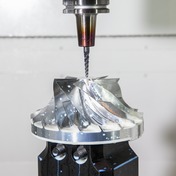
I used Mastercam exclusively for over a decade, and after making the jump to Fusion, I would really not like to go back. After programming in Fusion and realizing how much faster and more efficient Fusion is, it really make Mastercam feel incredible outdated. I installed Mastercam 2020 this afternoon, and to see that after almost a year of using Fusion, Mastercam just feels so clunky to me now and I hate it. Of course, you are going to find Mastercam purists out there arguing that Fusion pales in comparison, but unfortunately they are just wrong. Sure, there are some areas that Mastercam does better than Fusion, but for all the upsides Fusion offers, Mastercam is going to have to really step it up in the next few years (and drop their absolutely insane price tag), or they are going to consistently lose out to people making the switch to Fusion.


Once Fusion is ITAR compliant, I really feel it would bring a huge market over to Fusion. I have had many discussions with people about Fusion, and many of them dont want to make the switch due to their restrictions, which is absolutely understandable. Once that hurdle is overcome, I think Autodesk will see a huge influx of new customers. 
Message 15 of 28

Anonymous
Not applicable

The last I heard from one of the autodesk reps (Months and months ago) was that they have no push or priority on this whatsoever.  I agree on all aspects that this software would be a game changer if they would get it ITAR approved.  Im guessing at the same time it would hurt themselves on their other software maybe? Im not sure the reason why they wouldnt want this, it would improve sales vastly! I would switch to it in a heartbeat but have to stick with HSMworks for now.  Or Im just gonna switch to a more powerful software like Mastercam.


Also, like another user had commented... Why would they have Titan teaching an aerospace series when you cant even make aerospace parts in fusion? Almost all of aerospace is ITAR controlled, so why get anyones hopes up?


Im sure our opinions dont matter much to autodesk but Im sure they have their reasons why they are not interested in ITAR control.  

Message 16 of 28

Anonymous
Not applicable

It's not that they dont care...its just that ITAR controls on a cloud based platform would require a tremendous expense. The security alone is a huge task...but now you also have to worry about access rights and such. 


I'm sure it's possible to do...but by no means is it trivial or cheap.

0 Likes
Message 17 of 28

5X-machines
Enthusiast
Enthusiast

@Anonymous 


...Why not just have a "local save file only" check box when creating a new file?

Message 18 of 28

andy.c
Advocate
Advocate
Hello,

I can appreciate all that you said. My take is that Autodesk isn't some
small startup but does have resources. If they are serious about market
share they should make the effort. They can charge a premium like do for
generative design.
0 Likes
Message 19 of 28

andy.c
Advocate
Advocate
You can save to a local drive as archive files. It would be great if they
also saved thumbnail pics of the models to maker it easier to select files
from the local drive. You can also work offline but it is very clumsy. You
have to upload the files to work on them.
0 Likes
Message 20 of 28

wojtczak9
Explorer
Explorer

So just to be clear.  Fusion 360 is NOT ITAR compliant?   and has no plans on becoming.  

I have been told to just use inventor instead.  I don't like inventor.  I like using fusion.  We really need someone from Autodesk to respond on this issue.  I need some kind of ITAR compliance.  and I need it in fusion.  and we need it like now.