Multiple Section Views

Multiple Section Views

Anonymous
Not applicable
15,053 Views
22 Replies
Message 1 of 23

Multiple Section Views

Anonymous
Not applicable

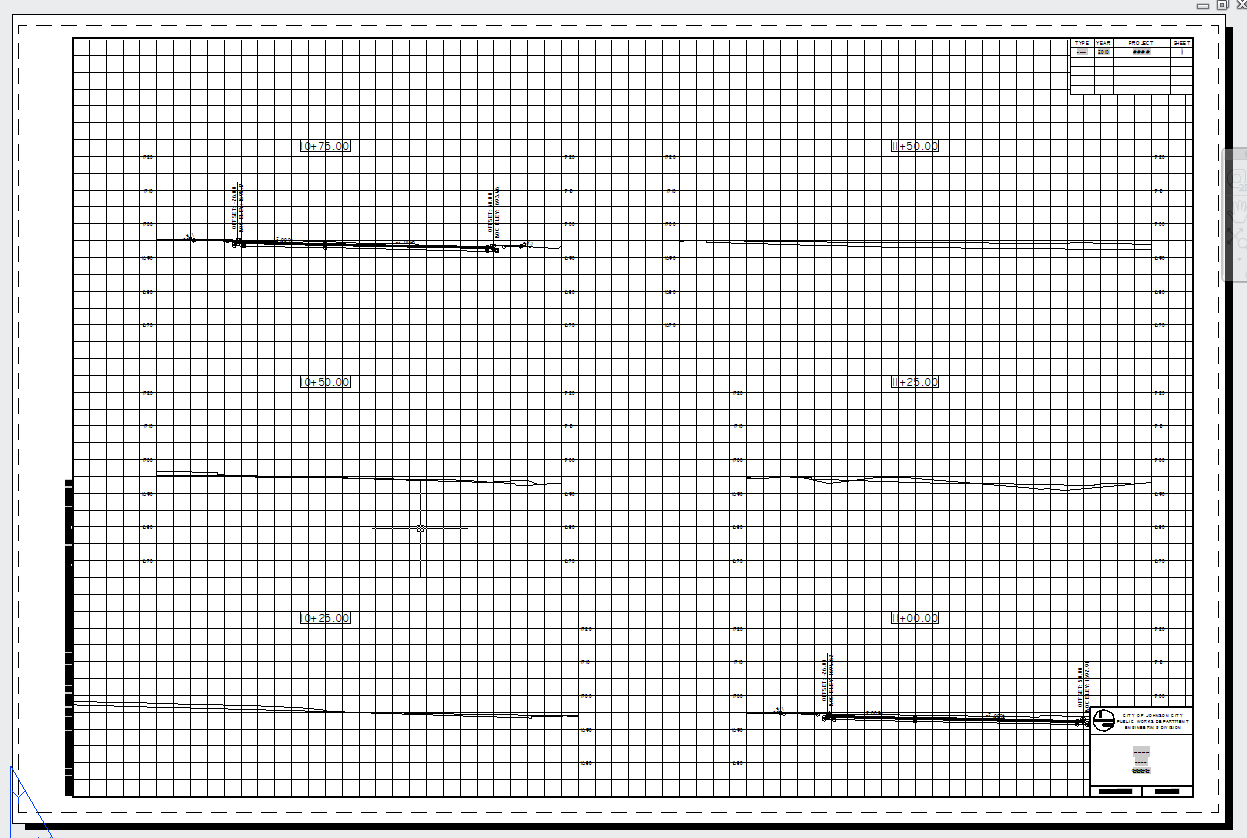
How do I change the number of section views per row/column when using the create multiple section views command?  It's defaulting to 8 per row.

Accepted solutions (1)
15,054 Views
22 Replies
Replies (22)
Message 2 of 23

Joe-Bouza
Mentor
Mentor

look at the settings of your sytle - its there

Joe Bouza
Did you find this post helpful? Feel free to Like this post.
Did your question get successfully answered? Then click on the ACCEPT SOLUTION button.

EESignature

0 Likes
Message 3 of 23

Anonymous
Not applicable

Can you be more specific on where that setting is?  Thanks.

0 Likes
Message 4 of 23

Conrad_A
Contributor
Contributor

I'm having problems with the display of my sections too. You can manage different settings through the settings in your Toolspace. It would be under section view and which ever group plot style you are using.


Does anyone have any links to some good step by step tutorial articles (with pics) or videos on creating multiple section views with a custom created template in Civil 3D. I've been using the Autocad Help and I'm still having some difficulties.


Thanks in advance.

0 Likes
Message 5 of 23

Anonymous
Not applicable

I looked there, and under the "array" tab, I don't have any options for that.  It says "by rows" and "by columns", and I can select the start corner, and the space between rows and columns, but I cannot tell it how MANY rows or columns. 


Can anyone tell me what tab, etc. the option I need is on?  It would be much appreciated.  Thanks.

0 Likes
Message 6 of 23

Conrad_A
Contributor
Contributor

Someone feel free to correct me if I'm wrong, but I think it is controlled by the section template you are using rather than just inputting the amount of section you want to display per row or column. 


What version are your using of Civil 3D?

0 Likes
Message 7 of 23

Jason.Hickey
Alumni
Alumni

The version of Civil 3D that you are using would be very helpful here. This option was taken out of the 2011 release because the template scale will determine automatically how many rows and columns are available. There is no way to manually control it.


Jason Hickey
Premium Services Specialist
Autodesk, Inc.

0 Likes
Message 8 of 23

Anonymous
Not applicable

2010

0 Likes
Message 9 of 23

Jason.Hickey
Alumni
Alumni
Accepted solution

I just checked, and this was actually taken out in the 2010 release. The last release that this was an option was the 2009 release.


Jason Hickey
Premium Services Specialist
Autodesk, Inc.

0 Likes
Message 10 of 23

Conrad_A
Contributor
Contributor

Is the scale your referring too the viewport scale on the section template?


When I create multiple section views using production all of my sections come in one column with the starting station at the bottom. 

0 Likes
Message 11 of 23

Jason.Hickey
Alumni
Alumni

Yes. The program will take the scale and the size of the section views and insert accordingly.


Jason Hickey
Premium Services Specialist
Autodesk, Inc.

0 Likes
Message 12 of 23

Anonymous
Not applicable

So, you're telling me there's no way to get my section views to have 5 per row, instead of 8, while my drawing remains at 30 scale, and my spacing is what it is now???

Message 13 of 23

Jason.Hickey
Alumni
Alumni

You can still specify spacing, but you can no longer set a hard number of sections to put in a column or row. 


Jason Hickey
Premium Services Specialist
Autodesk, Inc.

0 Likes
Message 14 of 23

Anonymous
Not applicable

Why would Autodesk reduce functionality for a newer version of AutoCAD?  This is going to make my plan production very diificult now.  I can only fit a 2x5 grid of section views onto my title blocks.

Message 15 of 23

Jason.Hickey
Alumni
Alumni

Functionality wasn't reduced in 2010, it was added. In the 2010 release, intelligence was added to the create multiple section views command that will calculate the maximum rows and columns that will fit on a page (the page is defined under the Page Layout Tab.) This intelligence did not exist in prior versions of the software.


Jason Hickey
Premium Services Specialist
Autodesk, Inc.

0 Likes
Message 16 of 23

Anonymous
Not applicable

Okay, then, how do I change the sheet style properties?  I can only see how to change the margins, but the not overall sheet size.

0 Likes
Message 17 of 23

Jeff_M
Consultant
Consultant

Choose a Page Layout. These are the same layouts you specify when plotting. So if the layout is set to plot a 24"x36" sheet, it will use that size sheet scaled appropriately in model space, then it will fill the sheet with the correct number of sections. Adjust the margins as needed to get the desired result.

Jeff_M, also a frequent Swamper
EESignature
0 Likes
Message 18 of 23

Cadguru42
Advisor
Advisor

I'm using Civil 3D 2011.  I have a plan production template created using our borders (which mimic TDOT's), but when I create the section views they are clipped in my layout (created from the Create Section Sheet wizard).  


I have attached two screen shots.  One showing the sheet in model space and the other from the layout that was created by the Create Section Sheet ribbon command.  I tried selecting the sheet & then going to Edit Sheet Style in the ribbon, but it does nothing.  Then I remembered that Autodesk got rid of the sheets.  So, how do I control where the grid placement is and how can I get my sections to fit our border better?  


I never had this problem before Autodesk got rid of the earlier functionality...I mean....added the new and improved functionality.


C3D 2024-2026
Windows 11
32GB RAM
Message 19 of 23

Anonymous
Not applicable

Im using C3D 2012. How do you change the number of columns/ rows from the default of 8?


I dont want to create a template for a layout. I want to plot my sections to model space at 20 scale with four columns per row and reference them into sheet drawings for my plan set...Capture.JPG


0 Likes
Message 20 of 23

Ntuthuko.
Advocate
Advocate

Good Day


Where do you choose this page layout?


Thanks

0 Likes