Changing Dynamic Block Visibility with a macro

Changing Dynamic Block Visibility with a macro

Anonymous
Not applicable
6,687 Views
23 Replies
Message 1 of 24

Changing Dynamic Block Visibility with a macro

Anonymous
Not applicable
Hi,

I'd like to modify the code below (posted by Allen Johnson on Dynamic Blocks Forum) so that instead of modifying the visibility of "cirtagleader" block, I could modify the visibility of all the blocks in my drawing that the name start with SYM-M.

Can any one help?

Private Sub ScanBlks()
Dim dybprop As Variant, i As Integer
Dim bobj As AcadEntity
For Each bobj In ThisDrawing.ModelSpace
If bobj.ObjectName = "AcDbBlockReference" Then
If bobj.IsDynamicBlock Then
If bobj.EffectiveName = "cirtagleader" Then
dybprop = bobj.GetDynamicBlockProperties
For i = LBound(dybprop) To UBound(dybprop)
If dybprop(i).PropertyName = "Visibility" Then
dybprop(i).Value = "Leader Off"
End If
Next i
End If
End If
End If
Next

End Sub


Thanks a lot,

Maxime Sanschagrin
0 Likes
6,688 Views
23 Replies
Replies (23)
Message 2 of 24

Anonymous
Not applicable
wrote in message
news:[email protected]...
Hi,

I'd like to modify the code below (posted by Allen Johnson on Dynamic Blocks
Forum) so that instead of modifying the visibility of "cirtagleader" block,
I could modify the visibility of all the blocks in my drawing that the name
start with SYM-M.

Can any one help?

Private Sub ScanBlks()
Dim dybprop As Variant, i As Integer
Dim bobj As AcadEntity
For Each bobj In ThisDrawing.ModelSpace
If bobj.ObjectName = "AcDbBlockReference" Then
If bobj.IsDynamicBlock Then

'>>>>>change here
'If bobj.EffectiveName = "cirtagleader" Then
If bobj.EffectiveName Like "SYM-M*" Then
'>>>>>

dybprop = bobj.GetDynamicBlockProperties
For i = LBound(dybprop) To UBound(dybprop)
If dybprop(i).PropertyName = "Visibility" Then
dybprop(i).Value = "Leader Off"
End If
Next i
End If
End If
End If
Next

End Sub

hth
Mark
0 Likes
Message 3 of 24

Anonymous
Not applicable
Bingo!!!

Thanks a lot MP.

Maxime
0 Likes
Message 4 of 24

Anonymous
Not applicable
I would also strongly advise checking that there is a visibility state of "Leader Off"
before making the change or else the routine will error out.
Phil Custer, P.E.
Custer Services, Inc.
[email protected]

On Wed, 18 Oct 2006 09:08:21 +0000, MP wrote:

> wrote in message
>news:[email protected]...
>Hi,
>
>I'd like to modify the code below (posted by Allen Johnson on Dynamic Blocks
>Forum) so that instead of modifying the visibility of "cirtagleader" block,
>I could modify the visibility of all the blocks in my drawing that the name
>start with SYM-M.
>
>Can any one help?
>
>Private Sub ScanBlks()
>Dim dybprop As Variant, i As Integer
>Dim bobj As AcadEntity
>For Each bobj In ThisDrawing.ModelSpace
>If bobj.ObjectName = "AcDbBlockReference" Then
>If bobj.IsDynamicBlock Then
>
>'>>>>>change here
>'If bobj.EffectiveName = "cirtagleader" Then
>If bobj.EffectiveName Like "SYM-M*" Then
>'>>>>>
>
>dybprop = bobj.GetDynamicBlockProperties
>For i = LBound(dybprop) To UBound(dybprop)
>If dybprop(i).PropertyName = "Visibility" Then
>dybprop(i).Value = "Leader Off"
>End If
>Next i
>End If
>End If
>End If
>Next
>
>End Sub
>
>hth
>Mark
0 Likes
Message 5 of 24

Anonymous
Not applicable
I don't have any knowledge of VB. What happens if the "routine will error out"? I tried it and it worked, but not all of my blocks have the visibility "Leader Off". I don't want to mess things up.

Thanks,

Maxime.
0 Likes
Message 6 of 24

Anonymous
Not applicable
What I was refering to was checking the ".AllowedValues" variant array to insure that your
visibility state is there. It is not good practice to depend on AutoCAD VBA not producing
an error in this version (they change the way things work with every version).

Base on your previous code it would look like.

[code]
Private Sub ScanBlks()
Dim dybprop As Variant, i As Integer
Dim bobj As AcadEntity
Dim varAllowVis as Variant
For Each bobj In ThisDrawing.ModelSpace
If bobj.ObjectName = "AcDbBlockReference" Then
If bobj.IsDynamicBlock Then
If bobj.EffectiveName Like "SYM-M*" Then
dybprop = bobj.GetDynamicBlockProperties
For i = LBound(dybprop) To UBound(dybprop)
If dybprop(i).PropertyName = "Visibility" Then
Rem New Code Here
varAllowVis = dybprop(i).AllowedValues
For j = 0 to UBound(varAllowVis)
If varAllowVis(j) = "Leader Off" Then
dybprop(i).Value = "Leader Off"
Exit For
End If
Next j
Rem End of New Code
End If
Next i
End If
End If
End If
Next
End Sub
[/code]

Phil Custer, P.E.
Custer Services, Inc.
[email protected]

On Thu, 19 Oct 2006 15:03:17 +0000, Maxime Sanschagrin <> wrote:

>I don't have any knowledge of VB. What happens if the "routine will error out"? I tried it and it worked, but not all of my blocks have the visibility "Leader Off". I don't want to mess things up.
>
>Thanks,
>
>Maxime.
0 Likes
Message 7 of 24

Anonymous
Not applicable
Thanks a lot Phil! Really nice of you to help someone like me who doesn't know nothing about VBA. I'll be taking VBA lessons soon and I hope I'll be able to help people instead of "begging" for help ;o)

Maxime
0 Likes
Message 8 of 24

Anonymous
Not applicable
Trust me I need the help just as much as anyone!

On Fri, 20 Oct 2006 12:41:06 +0000, Maxime Sanschagrin <> wrote:

>Thanks a lot Phil! Really nice of you to help someone like me who doesn't know nothing about VBA. I'll be taking VBA lessons soon and I hope I'll be able to help people instead of "begging" for help ;o)
>
>Maxime
0 Likes
Message 9 of 24

Anonymous
Not applicable

Hey,


im curious as to what i have to change to get it to look in paper space instead of model? 


ive tryed changing 


For Each bobj In ThisDrawing.ModelSpace

to 

For Each bobj In ThisDrawing.ActiveLayout


but i just get errors. any help would be great thanks.

0 Likes
Message 10 of 24

Anonymous
Not applicable

Hi, I'm trying to switch off/on the visibility of my block, but I'm trying to do this with a command Button. How do I make this?


I would  like to click in a Check box, activating and deactivating the visibility, of various dynamics blocks. For example 4 dynamic blocks. How can I do it?


Private Sub CommandButton1_Click()

Dim dybprop As Variant
Dim i As Integer
Dim bobj As AcadEntity
For Each bobj In ThisDrawing.ModelSpace
If bobj.ObjectName = "AcDbBlockReference" Then
If bobj.IsDynamicBlock Then
If bobj.EffectiveName = "Luminaria_Dinamica" Then
dybprop = bobj.GetDynamicBlockProperties
For i = LBound(dybprop) To UBound(dybprop)
If dybprop(i).PropertyName = "Visibility" Then
dybprop(i).Value = "leader off"
End If
Next i
End If
End If
End If
Next

0 Likes
Message 11 of 24

kasperwuyts
Collaborator
Collaborator

For Each bobj In ThisDrawing.ModelSpace

to 

For Each bobj In ThisDrawing.ActiveLayout.block


Might seem unlogical at first, but the 'block' part of a layout contains all the geometry and is the equivalent of 'ModelSpace'. 'PaperSpace' would work too, but ActiveLayout.block is more universal.


Best regards
Kasper Wuyts
_______________________________________________________________________________
If this post solves your problem, clicking the 'accept as solution' button would be greatly appreciated.
Message 12 of 24

Anonymous
Not applicable

Hello everyone, I am trying to do something very similar to the original macro provided but for some reason it's not working for. I think this might be a simple solution but I just wanted to see if you guys have some input, as i am running out of ideas. Any and all help will be appreciated. Thanks!


macro not working.PNG

0 Likes
Message 13 of 24

Ed__Jobe
Mentor
Mentor

You need to tell us more than "Its not working". What errors are you getting? I see you are in break mode. What line is failing to complete? Describe your problem in more detail.

Ed


Did you find this post helpful? Feel free to Like this post.
Did your question get successfully answered? Then click on the ACCEPT SOLUTION button.
How to post your code.

EESignature

0 Likes
Message 14 of 24

Anonymous
Not applicable

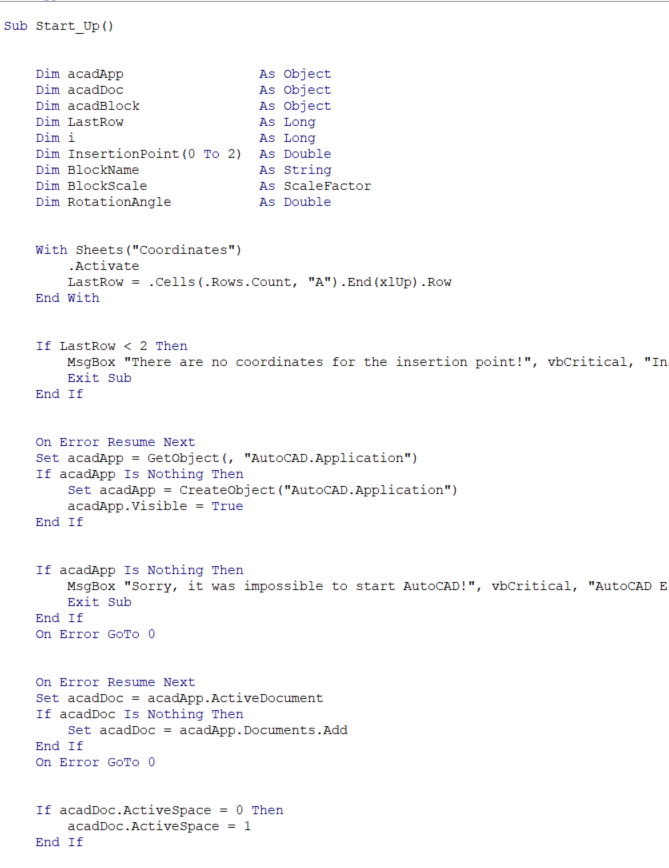
Thank you for replying so quickly! When I try to run it I get the "Run time error '424': Object Required"; Messagebox gives me the option to end or debug, I click end and nothing happens or I click debug and  it highlights "For Each bobj In ThisDrawing.ModelSpace". I'm not sure what the problem is because I also have turned on the references to the AutoCAD libraries so I think it should be able to understand the autocad references.  I'm not sure what the issue is. I have another code I use (to insert blocks) where the libraries are not needed ( non-binding, i think it's called) and the autocad references are dimmed as objects and such and I'm not sure if maybe I should try to translate this code into that manner. But with this code i am trying to incorporate control over visibility.  Please let me know if

I missed anything, thank you!ACAD libarary.PNGsnip.PNG

0 Likes
Message 15 of 24

Ed__Jobe
Mentor
Mentor

The code you show in your last post doesn't appear to have anything to do with your first post. However, it looks like you are running inside xl. The ThisDrawing object doesn't exist in xl. You need to dim it and then instantiate it via

Set ThisDrawing = AcadApplication.ActiveDocument


Also, when you show code, don't give us a picture of it. Paste the actual code into a code window using the </> symbol on the reply toolbar.

Ed


Did you find this post helpful? Feel free to Like this post.
Did your question get successfully answered? Then click on the ACCEPT SOLUTION button.
How to post your code.

EESignature

0 Likes
Message 16 of 24

Anonymous
Not applicable

Correct, the code in the last picture doesnt have anything to do with this one I just wanted to show you a reference of how I got blocks to be inserted in a different code. Also, you're right, I am doing this via Excel. Now I've dimmed ThisDrawing As AcadDocument and the code doesn't break when I run it anymore, but now nothing is happening, no the dynamic block on AutoCAD is not changing at all. Here's what I have : 

Private Sub ScanBlks()
Dim dybprop As Variant, i As Integer
Dim bobj As AcadEntity
Dim ThisDrawing As AcadDocument
Set ThisDrawing = AcadApplication.ActiveDocument
For Each bobj In ThisDrawing.ModelSpace
If bobj.ObjectName = "AcDbBlockReference" Then
If bobj.IsDynamicBlock Then
If bobj.EffectiveName = "FSM4L-ENDCAPS" Then
dybprop = bobj.GetDynamicBlockProperties
For i = LBound(dybprop) To UBound(dybprop)
If dybprop(i).PropertyName = "Visibility" Then
dybprop(i).Value = "FSM4L-TF-ENDCAP"
End If
Next i
End If
End If
End If
Next

End Sub
0 Likes
Message 17 of 24

Ed__Jobe
Mentor
Mentor

Can you post a dwg with your block in it?

Ed


Did you find this post helpful? Feel free to Like this post.
Did your question get successfully answered? Then click on the ACCEPT SOLUTION button.
How to post your code.

EESignature

0 Likes
Message 18 of 24

Anonymous
Not applicable

Yes I can. Thank you!

0 Likes
Message 19 of 24

Anonymous
Not applicable

I sure can, Thank you!

0 Likes
Message 20 of 24

Ed__Jobe
Mentor
Mentor

I made the following changes in red.

Public Sub ScanBlks()
    Dim dybprop As Variant, i As Integer
    Dim bobj As AcadEntity
    Dim ThisDrawing As AcadDocument
    Set ThisDrawing = AcadApplication.ActiveDocument
    For Each bobj In ThisDrawing.ModelSpace
        If bobj.ObjectName = "AcDbBlockReference" Then
            If bobj.IsDynamicBlock Then
                If bobj.EffectiveName = "FSM4L-ENDCAPS" Then
                    dybprop = bobj.GetDynamicBlockProperties
                    For i = LBound(dybprop) To UBound(dybprop)
                        If dybprop(i).PropertyName = "Visibility1" Then
                            dybprop(i).Value = "FSM4L-TF-ENDCAP"
                            ThisDrawing.Regen acActiveViewport
                        End If
                    Next i
                End If
            End If
        End If
    Next

Ed


Did you find this post helpful? Feel free to Like this post.
Did your question get successfully answered? Then click on the ACCEPT SOLUTION button.
How to post your code.

EESignature

0 Likes