installing Robot 2015

installing Robot 2015

Anonymous
Not applicable
1,673 Views
18 Replies
Message 1 of 19

installing Robot 2015

Anonymous
Not applicable

Is 8GB RAM required for installing ARSA 2015? if yes , how can i upgrade 2014 to 2015 and i have only 4GB RAM ?

Best Regards

0 Likes
Accepted solutions (2)
1,674 Views
18 Replies
Replies (18)
Message 2 of 19

StefanoPasquini6790
Advisor
Advisor

Hi noradeen,


I have to suggest you to upgrade your RAM. Try to visit www.crucial.com, there is a scan system that check your PC and find the perfect solution for your RAM upgrade.


Greetings


PasProStudio

www.pasquiniprogetti.eu

Structural + Detailing engineers
0 Likes
Message 3 of 19

Artur.Kosakowski
Autodesk Support
Autodesk Support

The minimum RAM requirements for Robot 2015 is 8GB.


Artur Kosakowski
0 Likes
Message 4 of 19

Rafal.Gaweda
Autodesk Support
Autodesk Support

Noradeen


My W7 system after starting eats 3,2 GB RAM itself and no user program is run so 4 GB RAM seems to be a little bit small amount.


Rafal Gaweda
0 Likes
Message 5 of 19

Anonymous
Not applicable

Dear sir  

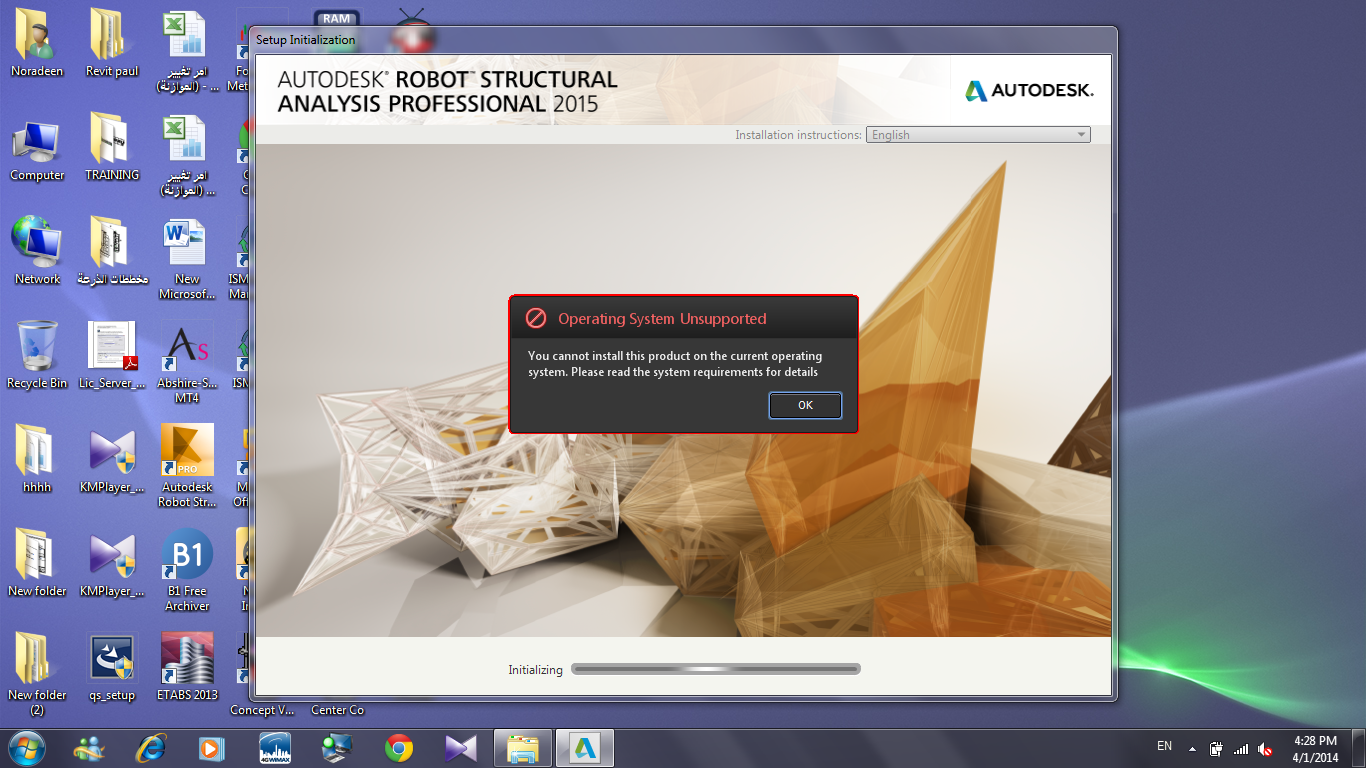
i upgraded my PC RAM to 8GB and when i install i get this message ( attached files)
Best Regards
message.pngsystem.png
0 Likes
Message 6 of 19

Anonymous
Not applicable

Thanks

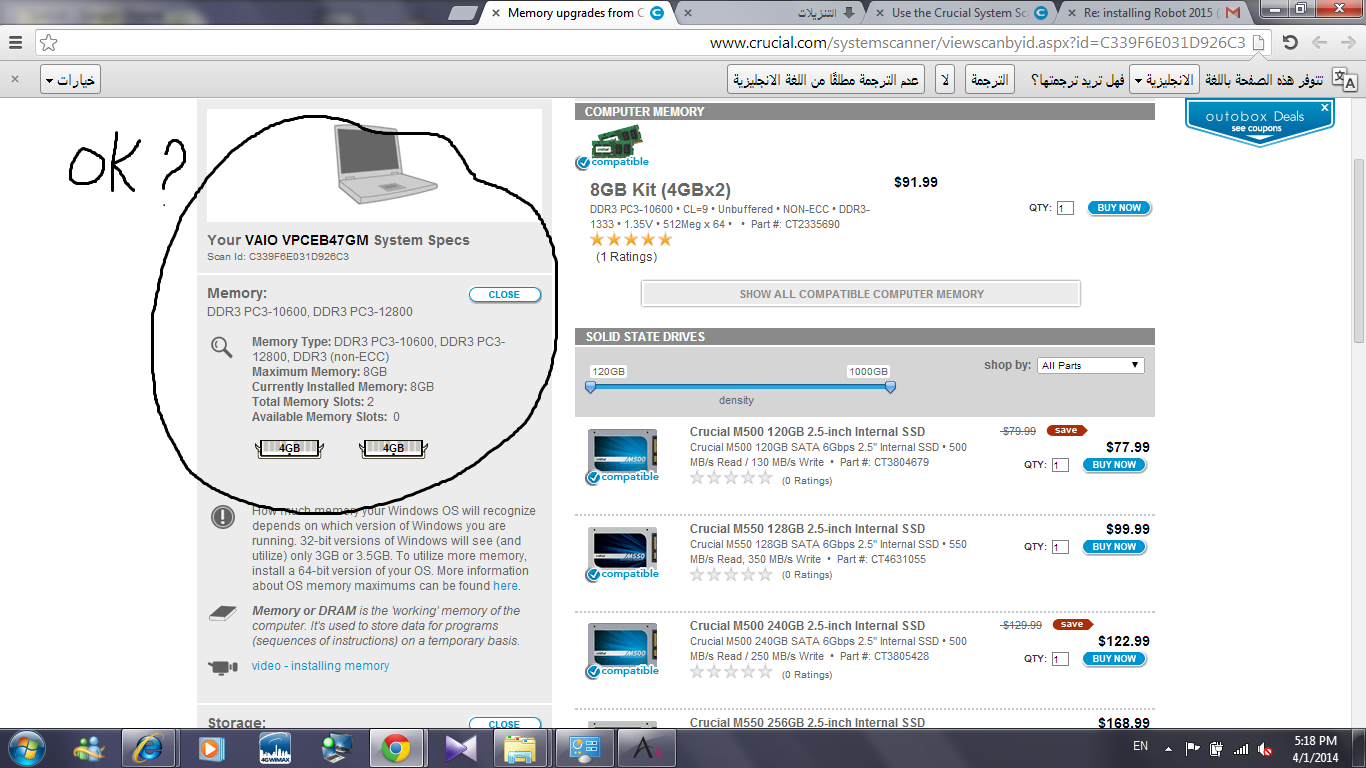
I did what you said and i upgraded to 8 GB but no result .


RegardsRAM 8GB.png

0 Likes
Message 7 of 19

Rafal.Gaweda
Autodesk Support
Autodesk Support
May I ask you from where you have got , downloaded version 2015?
It is not published yet.


Rafal Gaweda
0 Likes
Message 8 of 19

Anonymous
Not applicable

8 Gb of RAM? Tell me that this is a April's Fool Joke........

0 Likes
Message 9 of 19

Rafal.Gaweda
Autodesk Support
Autodesk Support
This is a MINIMUM.


Rafal Gaweda
0 Likes
Message 10 of 19

Rafal.Gaweda
Autodesk Support
Autodesk Support

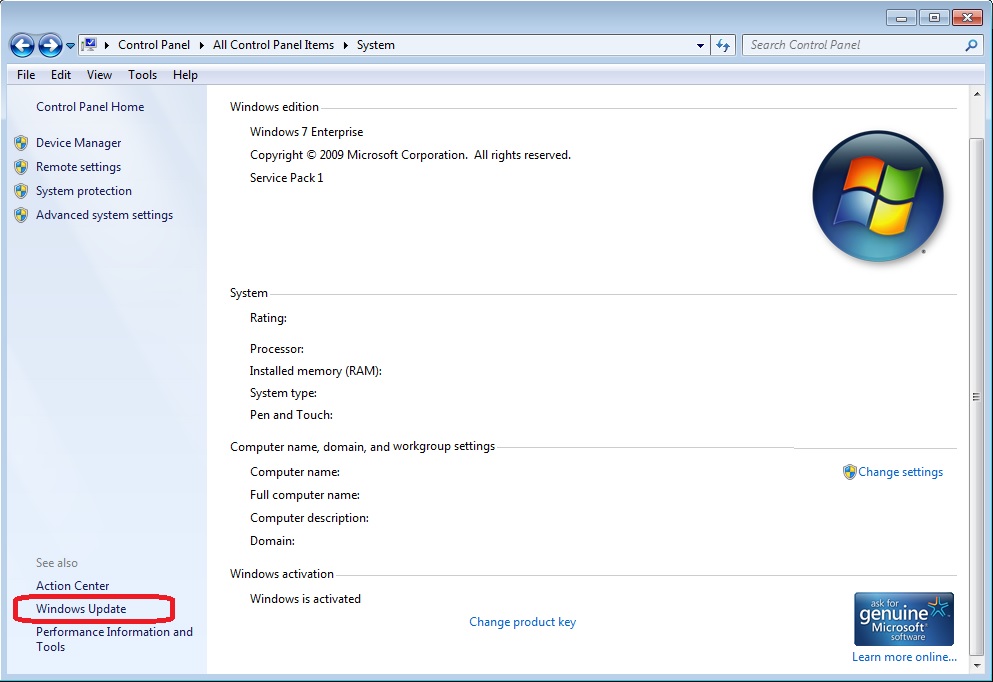
BTW - system requirement is W7 SP1, you have W7 only.

Upgrade your windows system.


Rafal Gaweda
0 Likes
Message 11 of 19

Anonymous
Not applicable

So, if i have 4 Gb, will it be possible to install Robot 2015? In Robot 2014 says 8Gb too.... (http://knowledge.autodesk.com/support/robot-structural-analysis-products/troubleshooting/caas/CloudH... i'm running it with 4Gb.

0 Likes
Message 12 of 19

Rafal.Gaweda
Autodesk Support
Autodesk Support

Will be possible to install but it is below minimum requirements so we do not guarantee how this will work and such version will be out of ADSK service.


Rafal Gaweda
0 Likes
Message 13 of 19

Anonymous
Not applicable

Thanks Mr Rafal 

May i know how can i upgrade the OS . ? to be suitable for RSA .

regards

0 Likes
Message 14 of 19

Anonymous
Not applicable
0 Likes
Message 15 of 19

Rafal.Gaweda
Autodesk Support
Autodesk Support

winupdate.jpg


Rafal Gaweda
0 Likes
Message 16 of 19

Anonymous
Not applicable

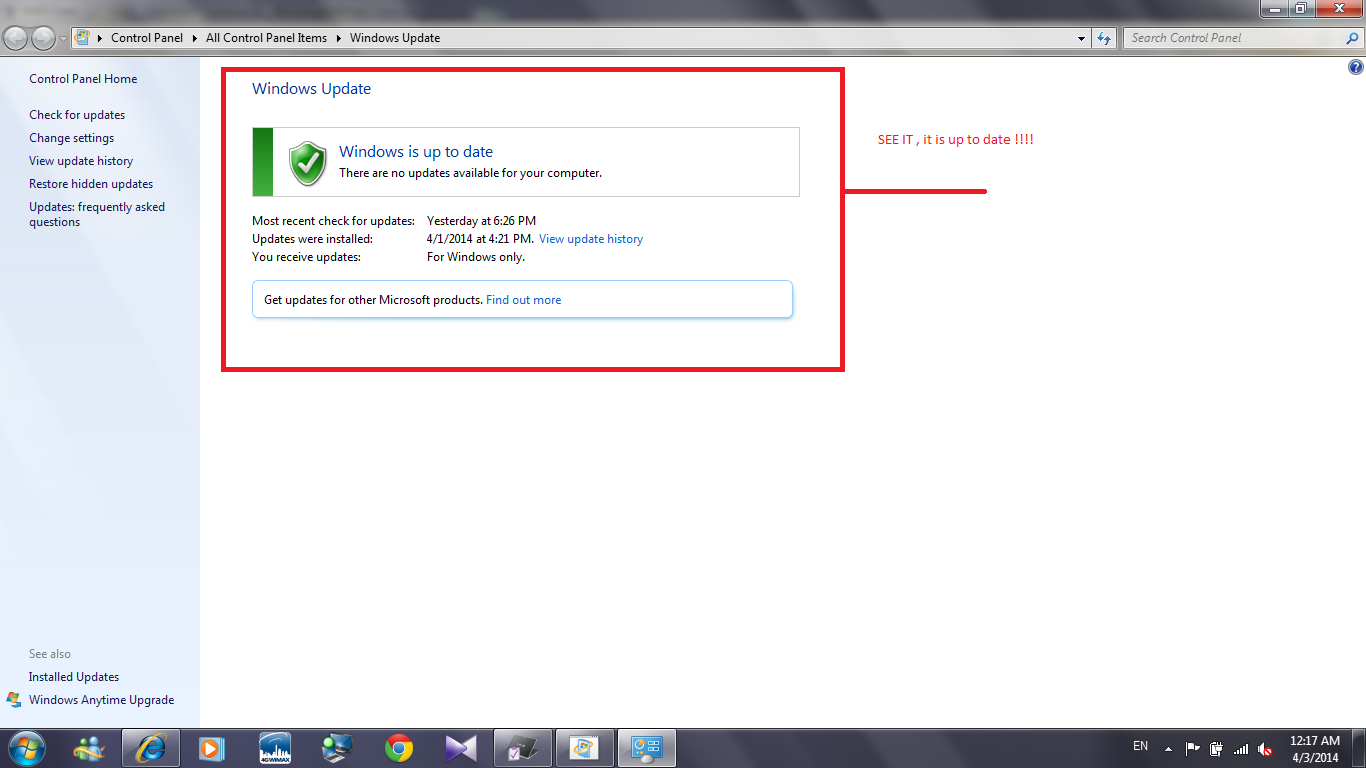
Hi , kindly see the pic to be sure that my PC is up to date update.png

0 Likes
Message 17 of 19

Rafal.Gaweda
Autodesk Support
Autodesk Support
Accepted solution

w7sp1.jpg


Rafal Gaweda
0 Likes
Message 18 of 19

Artur.Kosakowski
Autodesk Support
Autodesk Support

MInd that for Robot 2015 you have to have SP1 for W7 installed. Only 64-bit OS are supported. XP is not supported.


If you find your post answered press the Accept as Solution button please. This will help other users to find solutions much faster. Thank you.


Artur Kosakowski
0 Likes
Message 19 of 19

Anonymous
Not applicable
Accepted solution

Hi Rafal , thanks for your help , RSA 2015 Trail version is now installed Robot2015.png

0 Likes