Message 1 of 21

- Mark as New
- Bookmark
- Subscribe
- Mute
- Subscribe to RSS Feed
- Permalink
- Report
Is there a way to create sort of wall made from tires so dont have to place them individualy? would save a lot of time 🙂
Solved! Go to Solution.
Announcement: We’re aware of an issue affecting starting a new topic from category pages and creating new blog posts. New topics can still be started directly from the relevant board. Learn more here.

 Enthusiast
Is there a way to create sort of wall made from tires so dont have to place them individualy? would save a lot of time 🙂
Solved! Go to Solution.
Yes, just create a line-based component that repeats your tires!
François-Gabriel
Francois-Gabriel Perraudin
BIM management and coaching
screencast to come!
Francois-Gabriel Perraudin
BIM management and coaching
Alright, here is a screenshot of the family template you need to pick:
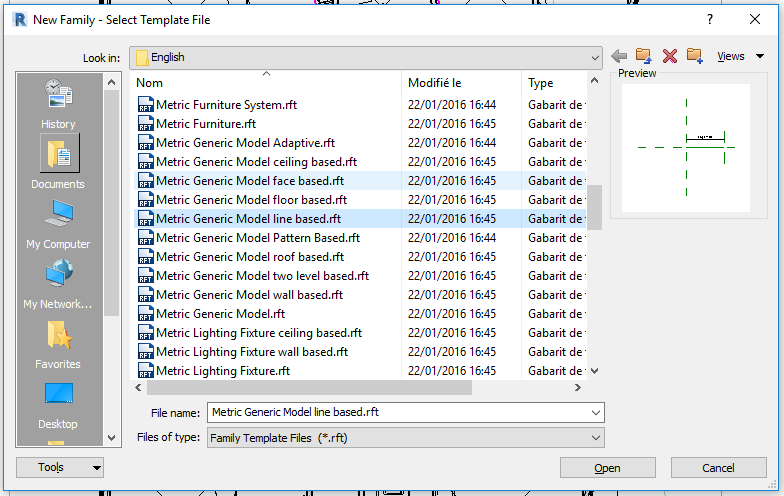
Here it is:
Francois-Gabriel Perraudin
BIM management and coaching
Awsome, one more litle thing can it be made to go in arcs or circles ?
Create a family with the generic model adaptive template. Create a circle, and do Create Form.
In your project, use In Place-Mass. Create a circle or an arc as a reference line. Select arc or circle and use Divide Path.
Put the "tire" family, by face, on one of the nodes of the divided path.
Repeat the "tire".
Finish the In Place-Mass.
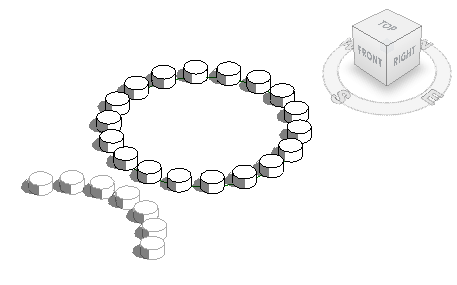
There are many ways to create it as already mentioned. I would favor @Alfredo_Medina's divided path and adaptive family approach since it could create curved walls, even on a slope more easily.
Yes, well it all depends on the level of BIM you want to attain.
In -place mass is a MASS, and will be treated as such.
Line based component can be attributed to a different category (furniture, etc...)
It all depends of how your model is used in the aftermath!
François-Gabriel
Francois-Gabriel Perraudin
BIM management and coaching
Created a costume rail sistem works like a charm thank you all for the help 🙂
Hi
Can anyone help me to stack the tyres on top of each other to create a wall for a shooting range
Please help
Hi
Stacked
I need one line of tyres 3m high and one line that is 5m high. Straight lines will be perfect
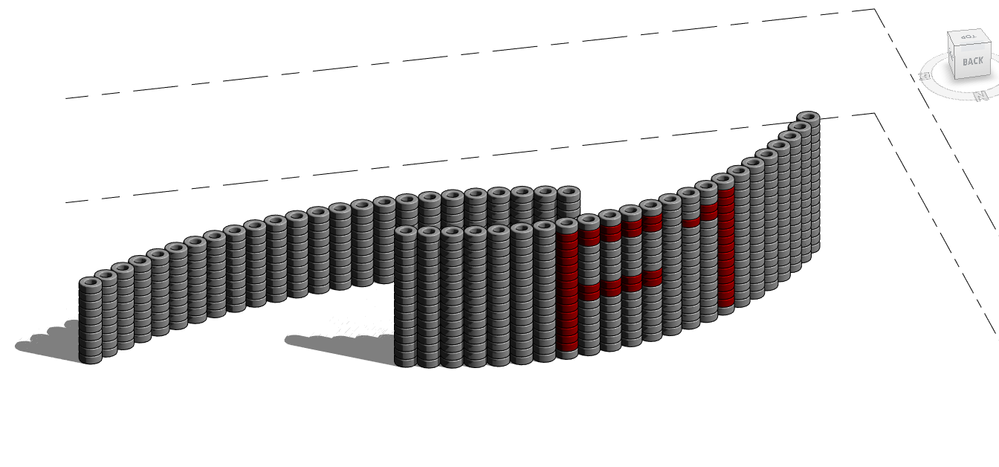
See attached file. Copy the curtain wall and paste it onto your model. You can draw it in any shapes and change the height to however you want. You can edit the tire family and give it a material parameter if you want to paint them in different colors.
Hi
That looks perfect, this is going to sound stupid but how do I get that revit file in my existing project
Thanks again
Thanks got it.
How can I change it into a straight line