Interior Render

Interior Render

Anonymous
Not applicable
2,080 Views
8 Replies
Message 1 of 9

Interior Render

Anonymous
Not applicable

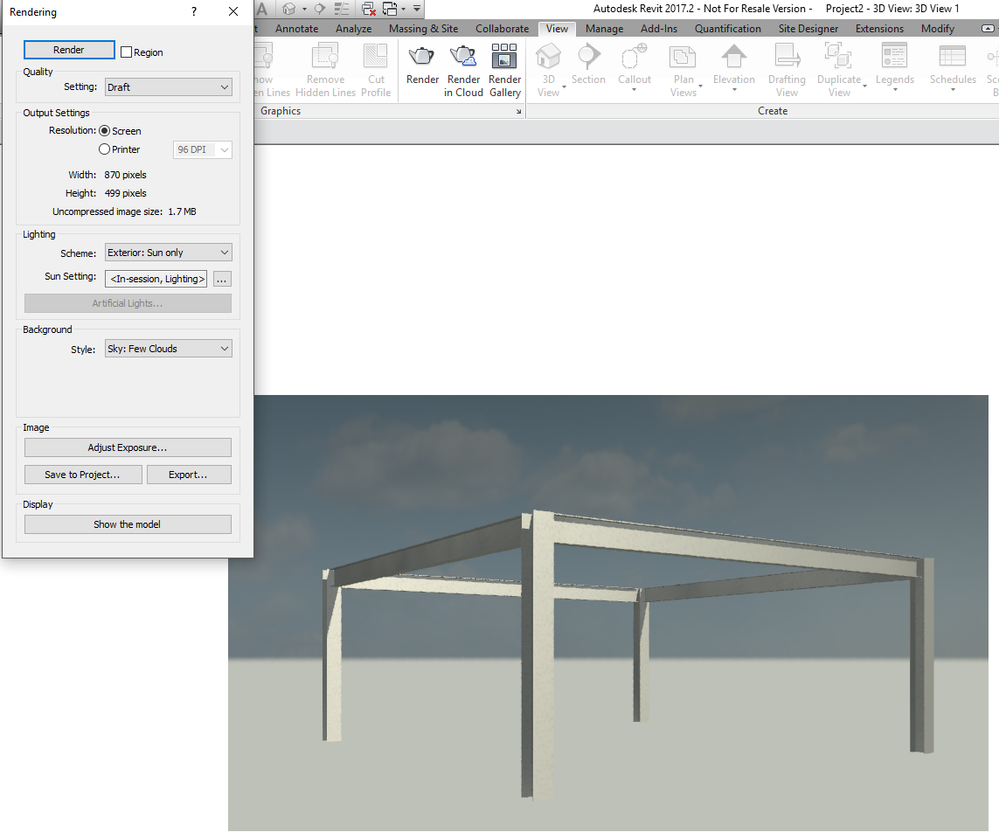
When I render an interior shot, I get a weird orange back round that is not in the original realistic 3D view (Look at the picture). How do I get rid of it?

0 Likes
Accepted solutions (1)
2,081 Views
8 Replies
Replies (8)
Message 2 of 9

ToanDN
Consultant
Consultant

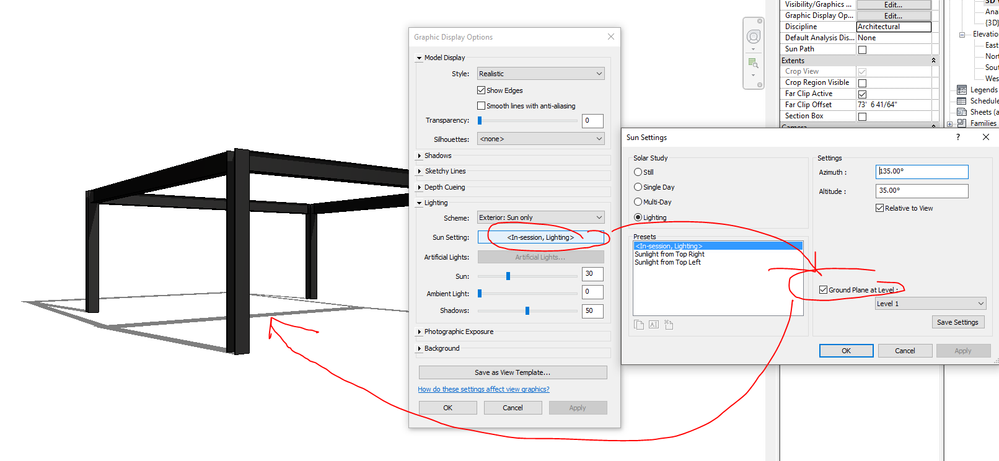
That is the ground plane set in your Graphic Display which is only visible when render the view.


Capture.PNGCapture1.PNG

0 Likes
Message 3 of 9

Anonymous
Not applicable

Is there any way to turn it off? Even when I turn off ground plane it still seems to show.

0 Likes
Message 4 of 9

ToanDN
Consultant
Consultant

Sorry I was wrong.  The gray in my render is not a ground plane, but from the background sky.  I need to look some more.


0 Likes
Message 5 of 9

Anonymous
Not applicable

Does ground plane have anything to do with topo surface?

0 Likes
Message 6 of 9

Anonymous
Not applicable

Yeah the orange back round is still there even after ground plane is turned off.

0 Likes
Message 7 of 9

ToanDN
Consultant
Consultant
Accepted solution


@Anonymous wrote:

Does ground plane have anything to do with topo surface?


No.  It is to show a imaginary Ground Plane to present shadows in non-rendered views (I was wrong in my initial statement sorry).  What you have there looks like an actual topo surface.  It's there in both your images.  Try turn it off for that 3d view.


Capture.PNG

0 Likes
Message 8 of 9

Anonymous
Not applicable

The grey in the non rendered image is the topo surface. When i render it brings it even higher. Is there any way to get rid of it?

0 Likes
Message 9 of 9

chrisplyler
Mentor
Mentor

Select it and hide it from the view before you render.

0 Likes