


CompSci: PC performance slow, even though PC Resources not at 100%

- Mark as New
- Bookmark
- Subscribe
- Mute
- Subscribe to RSS Feed
- Permalink
- Report
Hello,
I have quite an intricate family and when I change a parameter or create multiple copies of the family it takes long to respond. I'm trying to understand what is causing the family to be so slow? When viewing the resource manager neither the CPU, GPU, memory, nor disk are ever running near 100%. However some of the CPU core's seem to run close to 100%, leaving the total average at about 17%. (I'm assuming that Revit can only utilise a few cores at a time?)
Resource Usage:

CPU Processors 0-4:
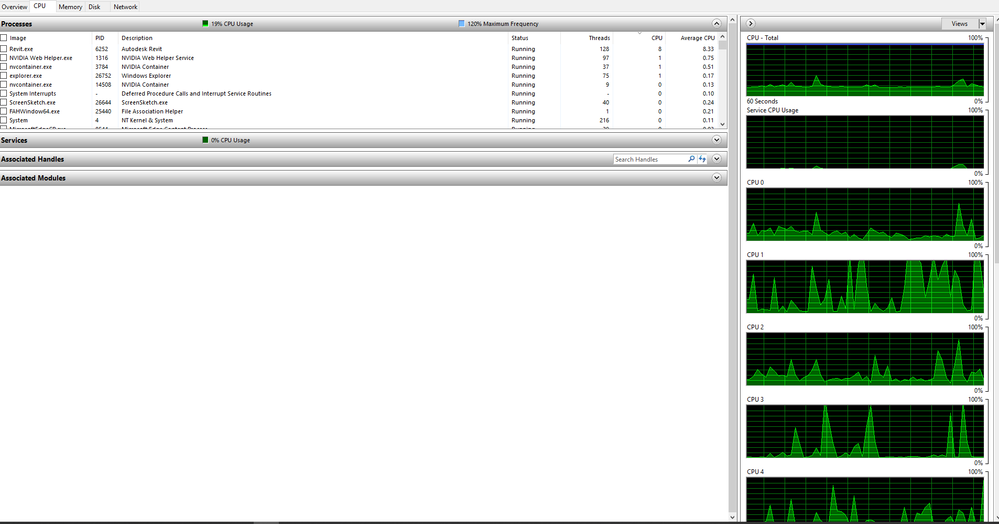
CPU Processors 5-11

*Revit was not responding briefly during screenshot, but otherwise it went back to normal processing as in the screenshot before (CPU processor 0-4).
What is causing the PC to take so long to respond if the PC is not under complete stress in any areas?
Thanks in advance!
Connor