


Message 1 of 9
Export the sheet to pdf and suppress the dialog to save the file location

Not applicable
03-06-2018
04:19 AM
- Mark as New
- Bookmark
- Subscribe
- Mute
- Subscribe to RSS Feed
- Permalink
- Report
Hello all,
I'm trying to export sheet in PDF format by using @jeremytammik solution (link here). So far the solution is perfect. However, whenever I try to export the sheet a dialog box appears to choose the location to save. I was wondering Is it possible to override the print driver settings, without a dialog popping up? I want to automatically choose the locations, rather than clicking it in the file system each time.
Here's the code:
        public static void ExportSheetToPDF(Document doc, string path)
        {
            using (Transaction tx = new Transaction(doc))

            {

                tx.Start("Exportint to PDF");
                PrintManager pm = doc.PrintManager;

                pm.SelectNewPrintDriver("Adobe PDF");
                pm.PrintRange = PrintRange.Current;
                pm.CombinedFile = true;
                pm.PrintToFile = true;
                pm.PrintToFileName = path + @"\PDF\" + "test.pdf";

                pm.SubmitPrint();
                tx.Commit();

            }

        }
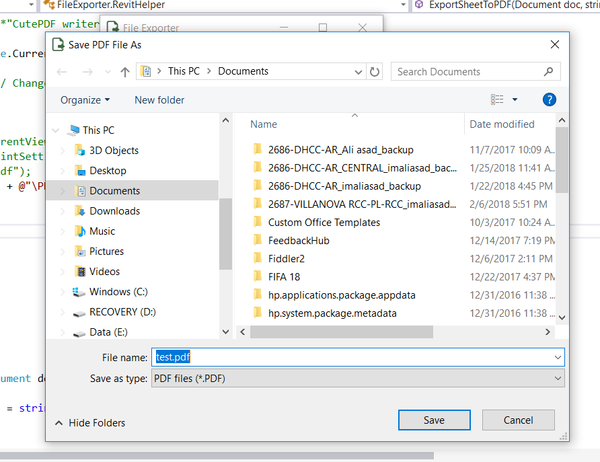
Update:
Also, I don't want to change the 'Printing Preferences' setting because in that case dialog will be suppressed but the location where the pdf will be saved get hard coded. I would like to provide the filepath value from code dynamically.





 Developer Advocacy and Support +