Message 1 of 49
Maya 2020 Wacom Right Mouse Button is not working

- Mark as New
- Bookmark
- Subscribe
- Mute
- Subscribe to RSS Feed
- Permalink
- Report
Hello,
I am on a PC
Windows 10
Nvidia Quadro M2200/PCIe/SSE2
Maya 2020.1
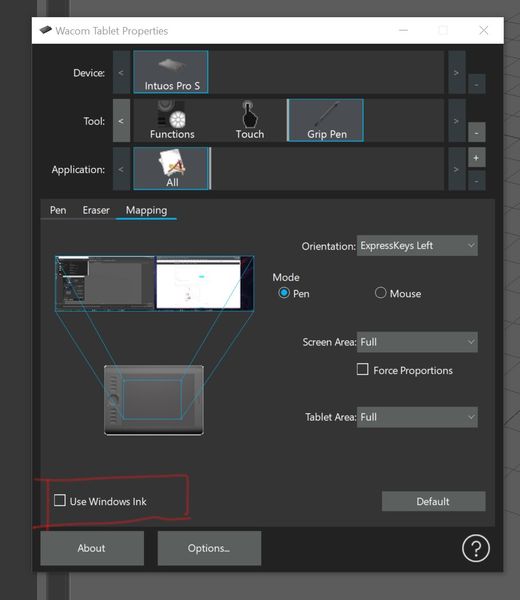
For some reason Maya 2020 will not recognize the Right Mouse Button on my Wacom Tablet Pen Intuos Pro.
All I get is a circle with the mouse arrow Icon.
I can get the Functions to work as a Right Click, however as soon as I bring the pen onto the tablet it does not work.
I have tested this with a different Intuos tablet and get the same results.
This appears to be an issue with Maya 2020
The functionality is fine on Maya 2018 and Mudox 2020.
This is a clean install with default prefs.
Wacom tablet is up to date driver.
I tried to copy the Maya 2018 prefs, hoping that there is some setting, however this did not work.
If anyone could help I'd greatly appreciate it.
Best