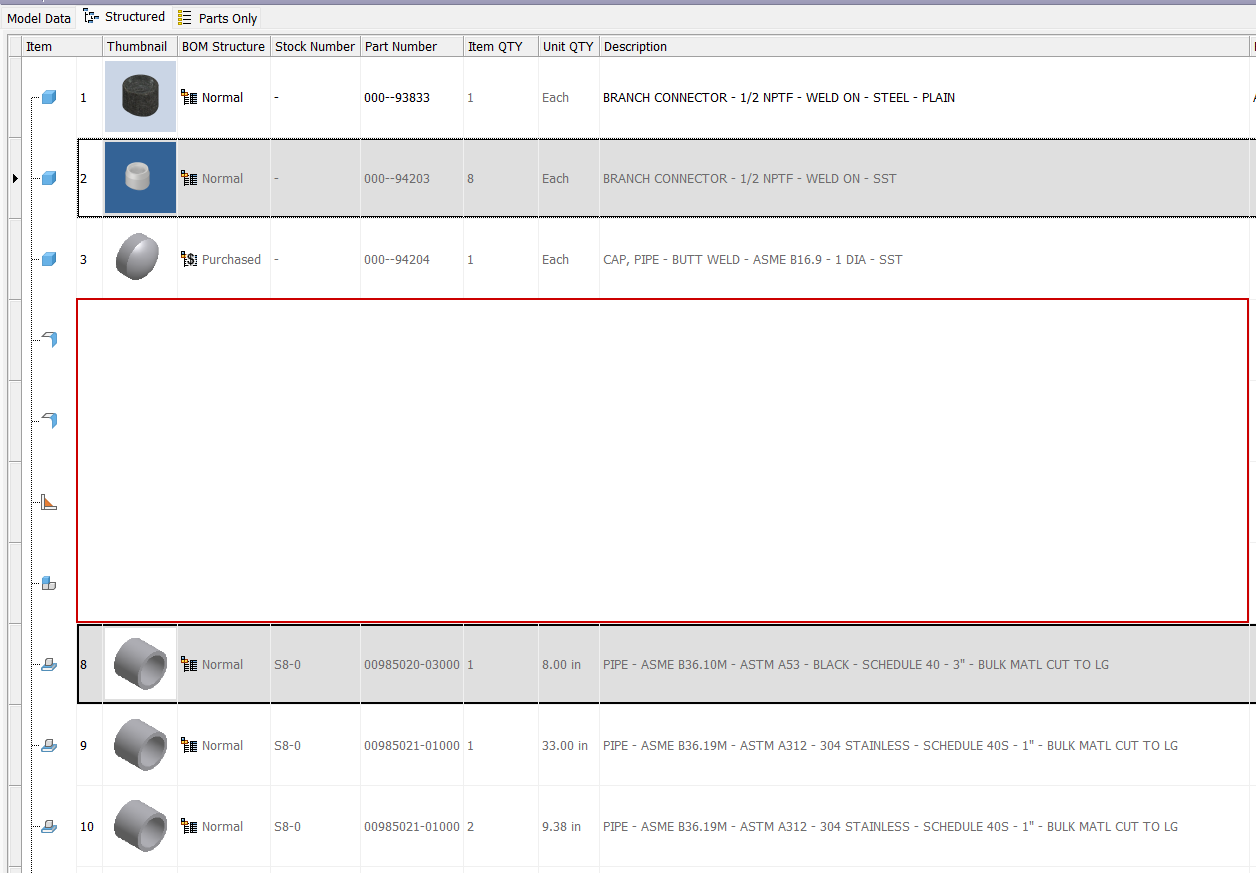
Unit Qty in Assembly BOM shows "EACH" for non-bulk parts, but in drawing parts list it shows as "1"

Unit Qty in Assembly BOM shows "EACH" for non-bulk parts, but in drawing parts list it shows as "1"

kroachA6Y6L
Contributor Contributor
477 Views
5 Replies
Message 1 of 6

Unit Qty in Assembly BOM shows "EACH" for non-bulk parts, but in drawing parts list it shows as "1"

kroachA6Y6L
Contributor
Contributor

We have a mix of bulk (cut to length) parts like pipes, and regular parts (buy 3 of this thing) parts. I need to show both ITEM QTY meaning count, and UNIT QTY meaning either "EACH" or e.g.: 12.375 in. 


This just works in the assembly bom window, but in a drawing parts list those "EACH" values in the UNIT QTY field show as "1" instead.


How do I fix this?!?  I want my drawings to show "EACH" for non-bulk parts.

 

478 Views
5 Replies
Replies (5)
Message 2 of 6

Ihor_Radikhovskyi
Collaborator
Collaborator

Hi, @kroachA6Y6L 

This is normal Inventor behavior.

In the Assembly BOM, non-bulk components display Unit Qty as “Each”, but when the data is transferred to a Drawing Parts List, Inventor converts that value to 1. Bulk items retain their length-based values, while standard components do not keep the “Each” text.

If you need to display “Each” on the drawing, the usual workaround is to use a custom iProperty/BOM column or edit the Parts List style and map it to a custom field rather than the built-in Unit Qty column.

0 Likes
Message 3 of 6

johnsonshiue
Community Manager
Community Manager

Hi! I suspect there is an inconsistency between settings or there is a bug. Please share the Inventor files here. I would like to understand the behavior better.

Many thanks!


Johnson Shiue ([email protected])
Software Test Engineer
Message 4 of 6

kroachA6Y6L
Contributor
Contributor

Here is a sample assembly showing the misbehavior on the drawing parts list.:

0 Likes
Message 5 of 6

johnsonshiue
Community Manager
Community Manager

Hi! Many thanks for sharing the files! I am sorry I was mistaken. It seems that this is an old behavior. "Each" is not shown in the PartsList. Instead, '1' is shown as the Unit QTY. I am able to reproduce the same behavior on Inventor 2019.

Thanks again!


Johnson Shiue ([email protected])
Software Test Engineer
0 Likes
Message 6 of 6

kroachA6Y6L
Contributor
Contributor

Just because it's an old bug doesn't mean it's not a bug.


We have a workaround in place now.  We use a conditional substitution for the base unit field which is either "in" or "EACH" (no #/value) and then map that substitution to a custom parameter on our bulk parts.  This means that we either get "Each" or the substituted length from the custom parameter.  It required adding a parameter to our custom content center bulk parts like pipes and threaded rods, and figuring out the model substitution process for cc parts, which wasn't straightforward.  The substitution doesn't work for anything out of the box from the autodesk CC library, and the CC library parts don't all have the same parameter name for length, though G_L is common across many of them.  It's a messy hack at best.


Other software that I've used like Creo and NX both handle bulk material quantities much more cleanly.


I would love to see this fixed / improved in the near future.

0 Likes