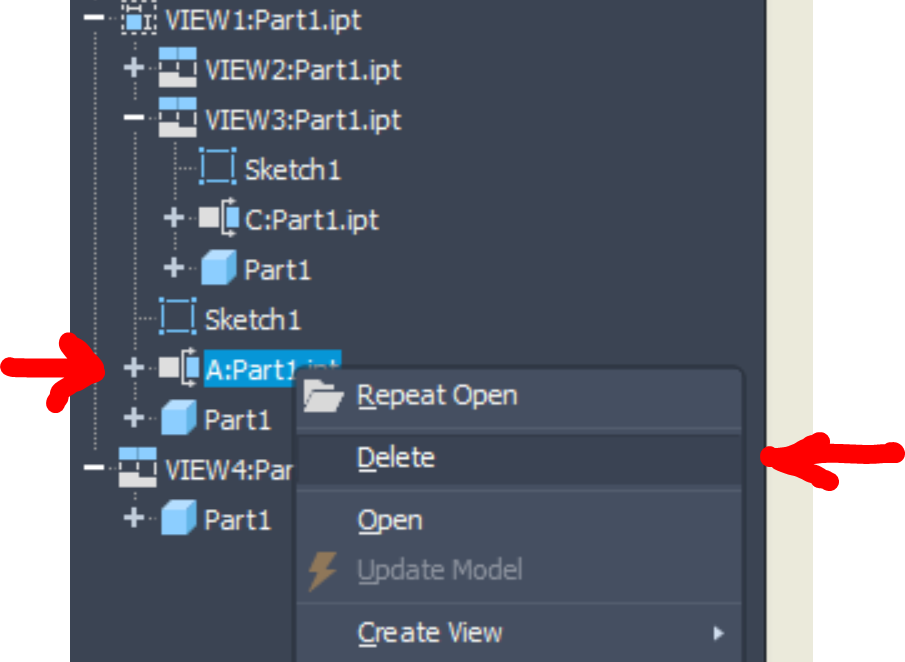
The section view get error. How to delete the section view on the idw drawing?

The section view get error. How to delete the section view on the idw drawing?

fshmin47
Contributor Contributor
703 Views
3 Replies
Message 1 of 4

The section view get error. How to delete the section view on the idw drawing?

fshmin47
Contributor
Contributor

The section view get error. I can't find the section line to delete.

The error text:

Delete Selections: problems encountered while executing this command.
The following errors occurred during command execution:
The sketch does not contain a valid section line.


How to delete the section view?

fshmin47_0-1724149835024.png

fshmin47_1-1724149854228.png


fshmin47_2-1724149886890.png


0 Likes
Accepted solutions (1)
704 Views
3 Replies
Replies (3)
Message 2 of 4

CGBenner
Community Manager
Community Manager

@fshmin47 

Hello.  Can you select the Section View directly from the browser, and delete from there?  It looks like someone edited the Section Line itself, which is controlled by a sketch, and removed part or all of it, resulting in this error.


Did you find a post helpful? Then feel free to give likes to these posts!
Did your question get successfully answered? Then just click on the 'Accept solution' button.  Thanks and Enjoy!


Chris Benner

Community Manager - NAMER / D&M


0 Likes
Message 3 of 4

johnsonshiue
Community Manager
Community Manager

Hi! If the right-click context menu isn't available, try copying the entire sheet from this drawing and paste it to a new drawing. Can the sick section view be deleted then?

Many thanks!


Johnson Shiue ([email protected])
Software Test Engineer
0 Likes
Message 4 of 4

fshmin47
Contributor
Contributor
Accepted solution
Yes, you're right. I found the answer on the "Inventor help" website. Now it has been done.
The answer website: https://help.autodesk.com/view/INVNTOR/2024/CHS/?caas=caas/sfdcarticles/sfdcarticles/CHS/The-sketch-...