Stainless Steel AISI 317

Stainless Steel AISI 317

Johan_Degreef
Advocate Advocate
705 Views
8 Replies
Message 1 of 9

Stainless Steel AISI 317

Johan_Degreef
Advocate
Advocate

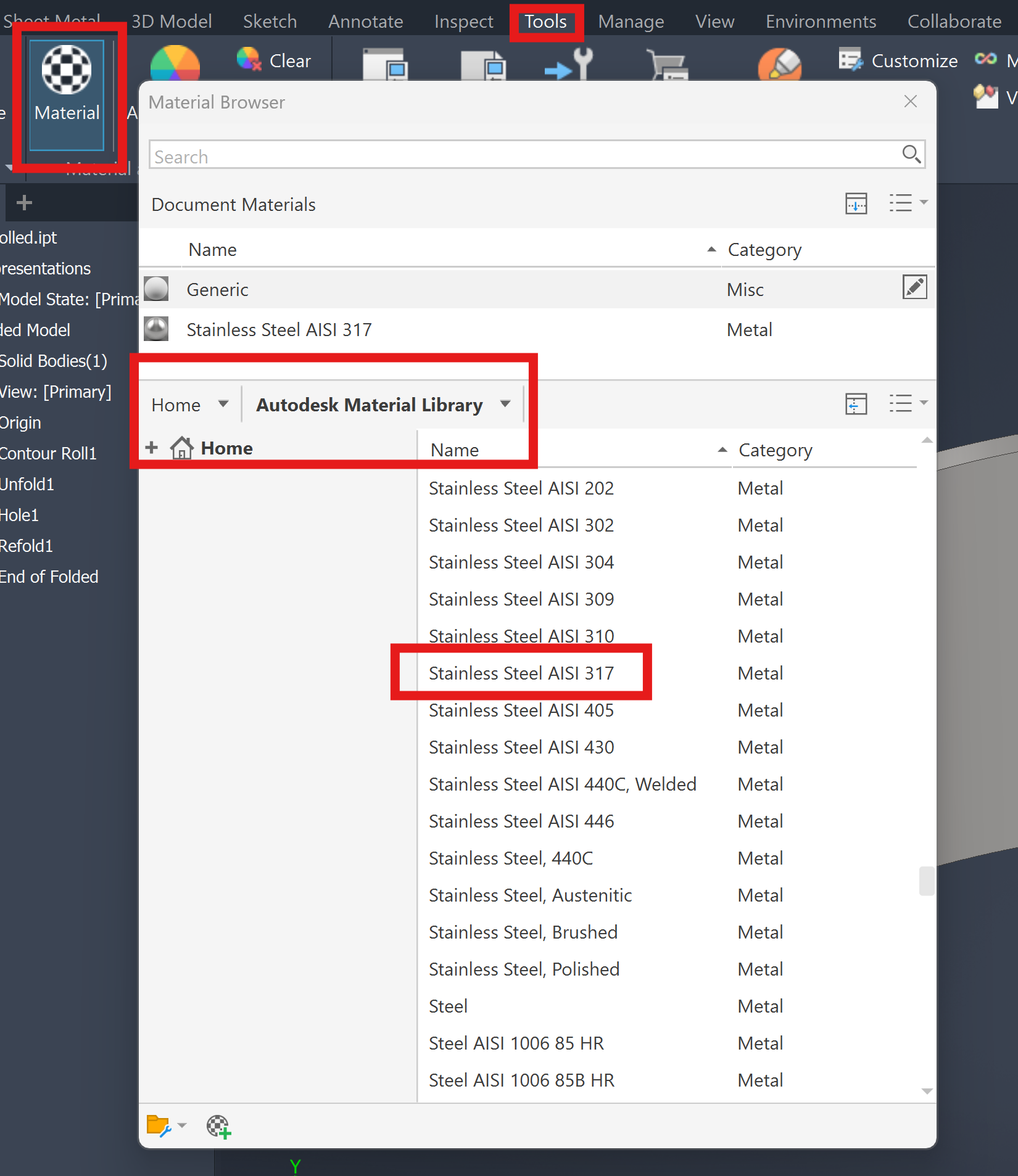
Why is there 317 stainless steel in the standard autodesk material library? It should be 316, right?

How can I change it in the standard material library?


New Bitmapafbeelding.jpg

0 Likes
Accepted solutions (1)
706 Views
8 Replies
Replies (8)
Message 2 of 9

CGBenner
Community Manager
Community Manager

@Johan_Degreef 

Hi Johan.  From Penn Stainless Steel website:  Alloy 317L is a molybdenum containing, low carbon austenitic stainless steel with increased additions of chromium, nickel, and molybdenum for better corrosion resistance and increased resistance to chemical attack for sulfurous, acetic, formic, citric, and tartaric acids. Due to its low carbon content, 317L also provides resistance to sensitization when welded and higher creep, stress to rupture, and tensile strength at elevated temperatures. It is non-magnetic in the annealed condition but may become slightly magnetic after welding.

Me:  It looks like it is legit, but not nearly as common as 316, and appears to be a modified 316.  SO... you could leave it and Add 316, or modify it to be 316.  As to why it is there... maybe a simple typo?

Did you find a post helpful? Then feel free to give likes to these posts!
Did your question get successfully answered? Then just click on the 'Accept solution' button.  Thanks and Enjoy!



Chris Benner

Community Manager - NAMER / D&M


0 Likes
Message 3 of 9

Johan_Degreef
Advocate
Advocate

@CGBenner wrote:

@Johan_Degreef 

SO... you could leave it and Add 316, or modify it to be 316.


Can I do that in the autodesk material library?

0 Likes
Message 4 of 9

CGBenner
Community Manager
Community Manager

@Johan_Degreef 

Yes, sorry.... this material is actually found in the Autodesk Material library, not the Inventor Material library.  When you place your cursor over the material, you will see the "pencil" icon next to it for editing.

I'm not terribly familiar with the process, so I'm also adding the Help documentation on Materials.

Did you find a post helpful? Then feel free to give likes to these posts!
Did your question get successfully answered? Then just click on the 'Accept solution' button.  Thanks and Enjoy!


Chris Benner

Community Manager - NAMER / D&M


0 Likes
Message 5 of 9

SBix26
Consultant
Consultant

Purely from memory, I believe 317 SS is the welding rod/wire alloy for welding 316 SS.  It's useful, therefore, to have it available to select when creating 316 weldments.


Sam B

Inventor Pro 2026.1 | Windows 11 Home 24H2
autodesk-expert-elite-member-logo-1line-rgb-black.png

Message 6 of 9

CGBenner
Community Manager
Community Manager

@SBix26  Thanks, Sam for that additional insight!  My first reaction was the same as Johan... is that a typo?  I worked a lot with 316, but had never seen 317.  Must have been a welder's secret. 😉

Did you find a post helpful? Then feel free to give likes to these posts!
Did your question get successfully answered? Then just click on the 'Accept solution' button.  Thanks and Enjoy!


Chris Benner

Community Manager - NAMER / D&M


0 Likes
Message 7 of 9

Johan_Degreef
Advocate
Advocate

Thx, but I still can't find a way to add 316 to the standard material library.... Is it a read only thing (like the Autodesk content center libs)?

0 Likes
Message 8 of 9

CGBenner
Community Manager
Community Manager
Accepted solution

@Johan_Degreef 

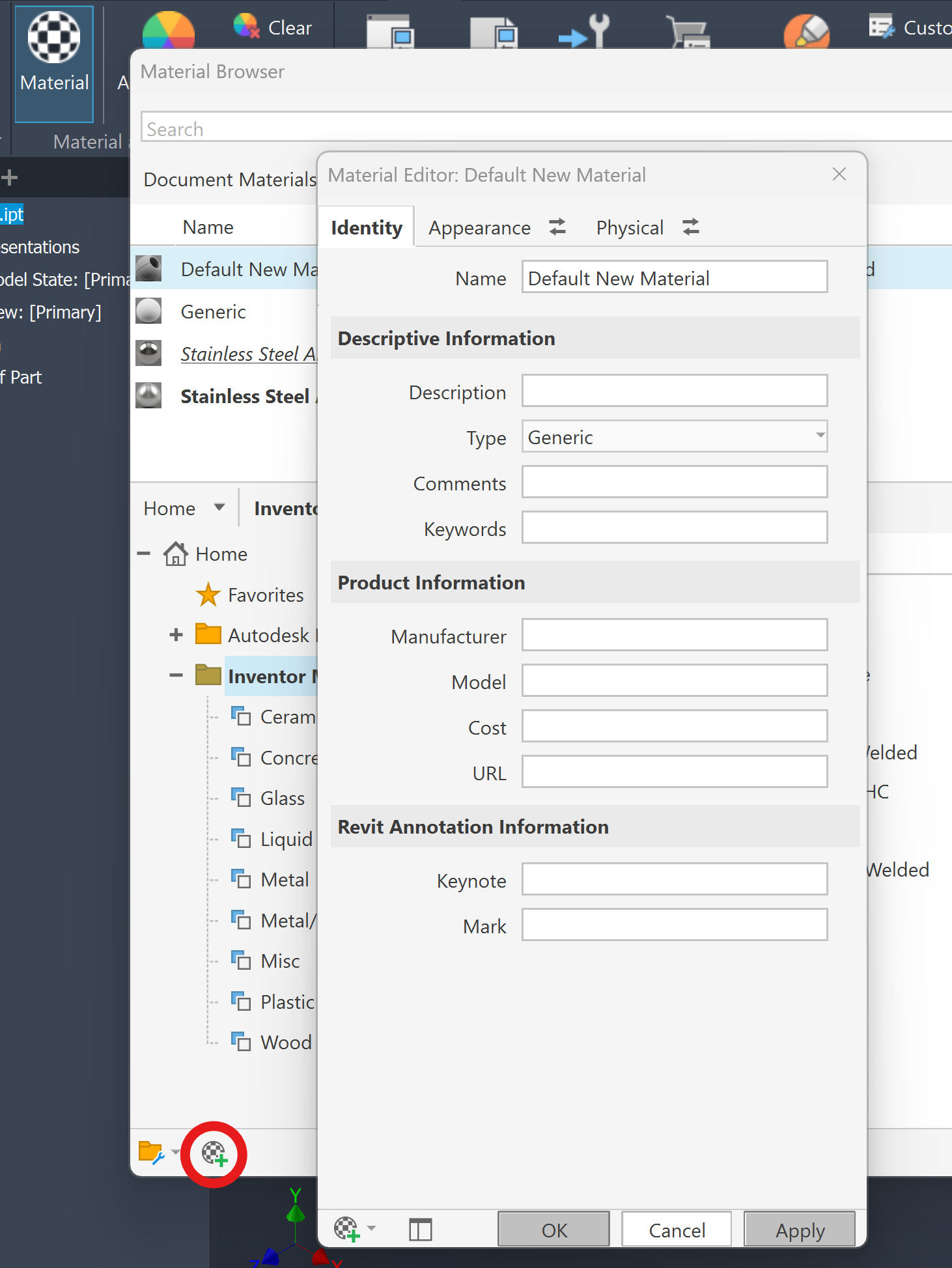
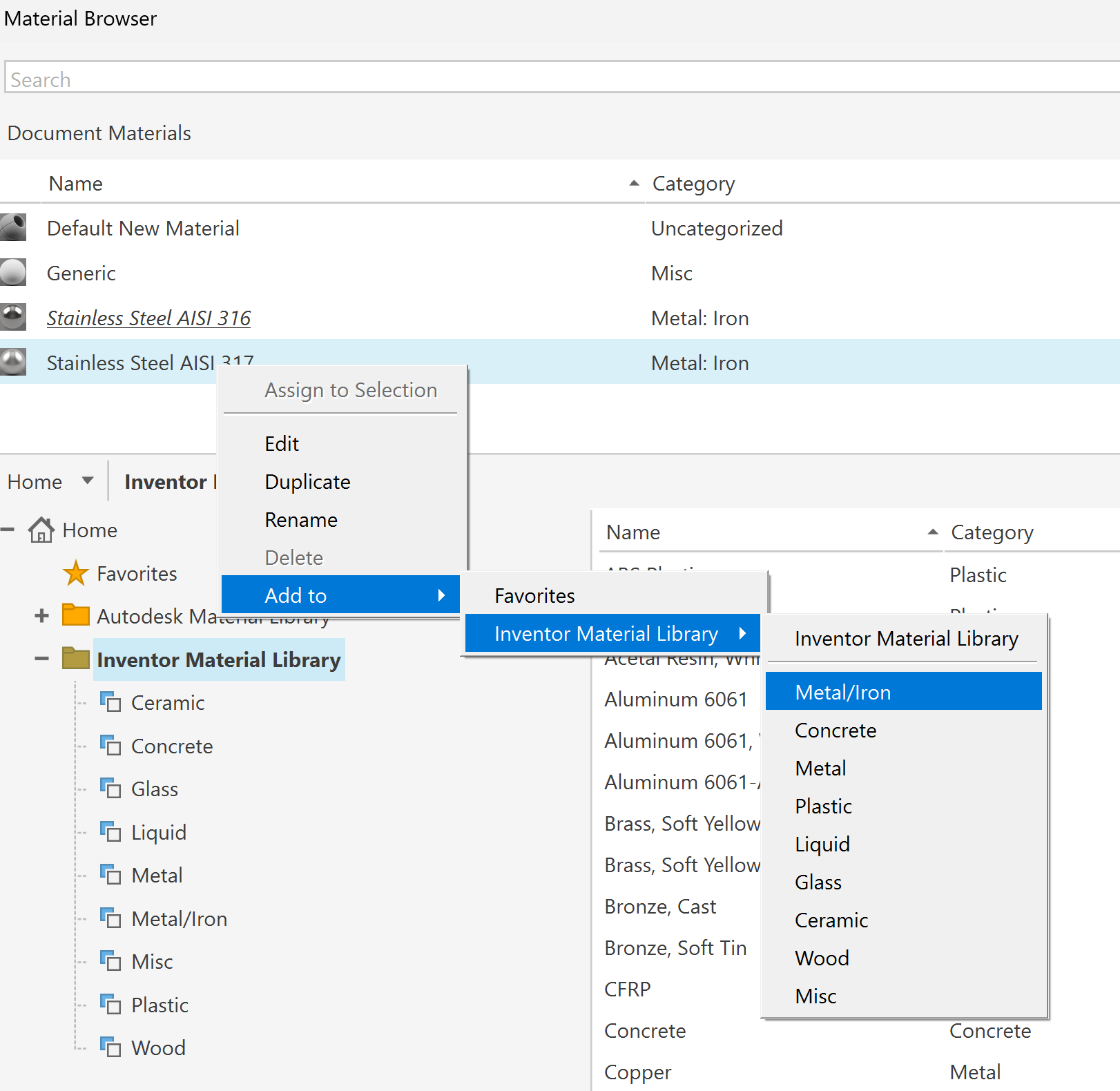
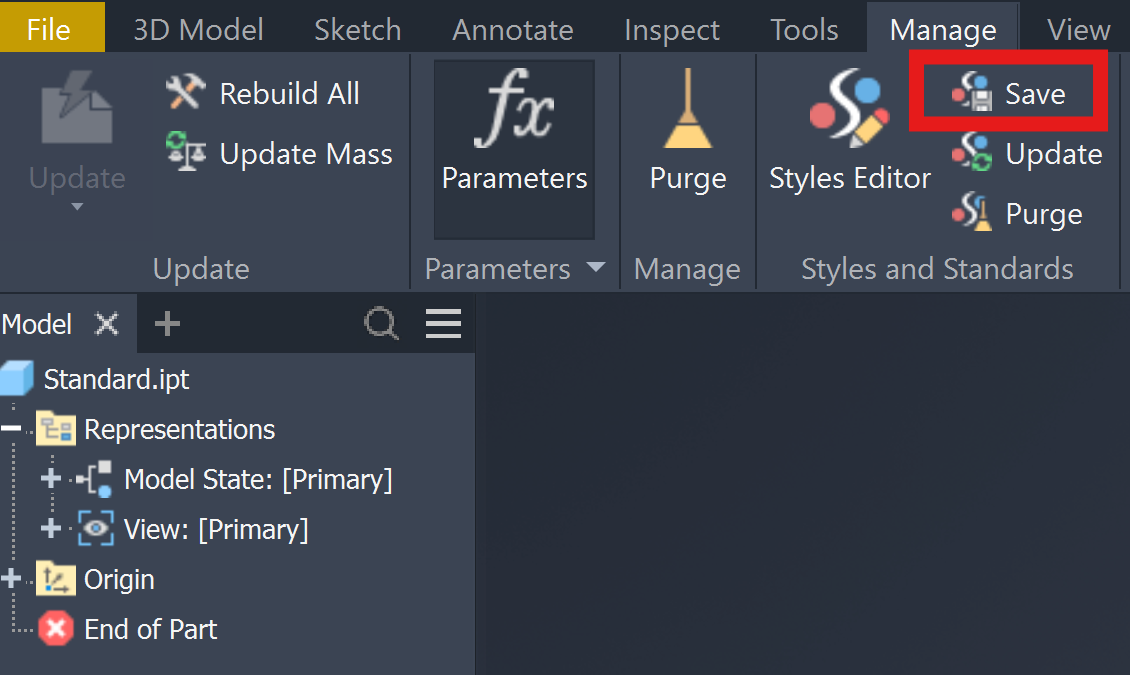
I just tried with this workflow.  The Autodesk Materials library is locked, so I had to create a new material in the Document (I did this in the part template).  You could also find the 317 material in the Autodesk Library and copy it to the Document, and then Edit it into a 316.  Once the material is in the Document and all of the information is set the way you want it for the 316, you can right click to add it to the Inventor Material library.  Once you have it in the Library, go to Manage\Styles & Standards and click on the Save tool.  This will show you that there is a mis-match between the saved styles, and the Styles in the template.  Say yes and hit save  It will warn you that this cannot be undone, but that's ok.  This will make the 316 you just created available in all new parts.


Did you find a post helpful? Then feel free to give likes to these posts!
Did your question get successfully answered? Then just click on the 'Accept solution' button.  Thanks and Enjoy!


Chris Benner

Community Manager - NAMER / D&M


0 Likes
Message 9 of 9

Johan_Degreef
Advocate
Advocate

Ow OK, there is a difference between the "inventor material library" and the "autodesk material library"...

One is locked, the other not. Not very clear.


Thanks Chris for helping

0 Likes