

Message 1 of 7
Nesting Utility - Processing both sides

- Mark as New
- Bookmark
- Subscribe
- Mute
- Subscribe to RSS Feed
- Permalink
- Report
Hi
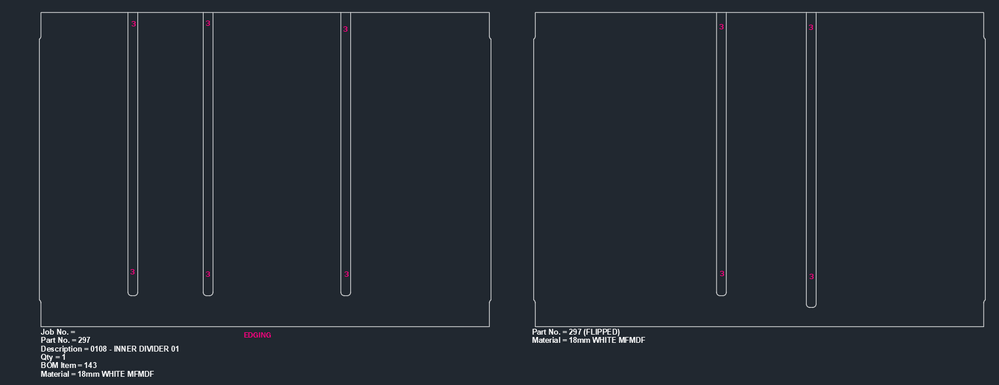
Im using the Nesting Utility to organise my MDF parts. Some of my parts have 2 sides of processing. manually, we would layout the part then flip it and carry out a 2nd process for the other side.
how can i (if at all possible) have the nested part and also include another instance of the part but flipped over to access the other side? see image below show 2 side processing
Red = process 1
Blue = process 2

Thanks
Nacho
Automation & Design Engineer
Inventor automation Programmer (C#, VB.Net / iLogic)
Furniture, Sheet Metal, Structural, Metal fab, Tradeshow, Fabrication, CNC

Did you find this post helpful? Feel free to Like this post.
Did your question get successfully answered? Then click on the ACCEPT SOLUTION button.