Sheet metal, varying width flanges

Sheet metal, varying width flanges

Anonymous
Not applicable
461 Views
6 Replies
Message 1 of 7

Sheet metal, varying width flanges

Anonymous
Not applicable

Hello,
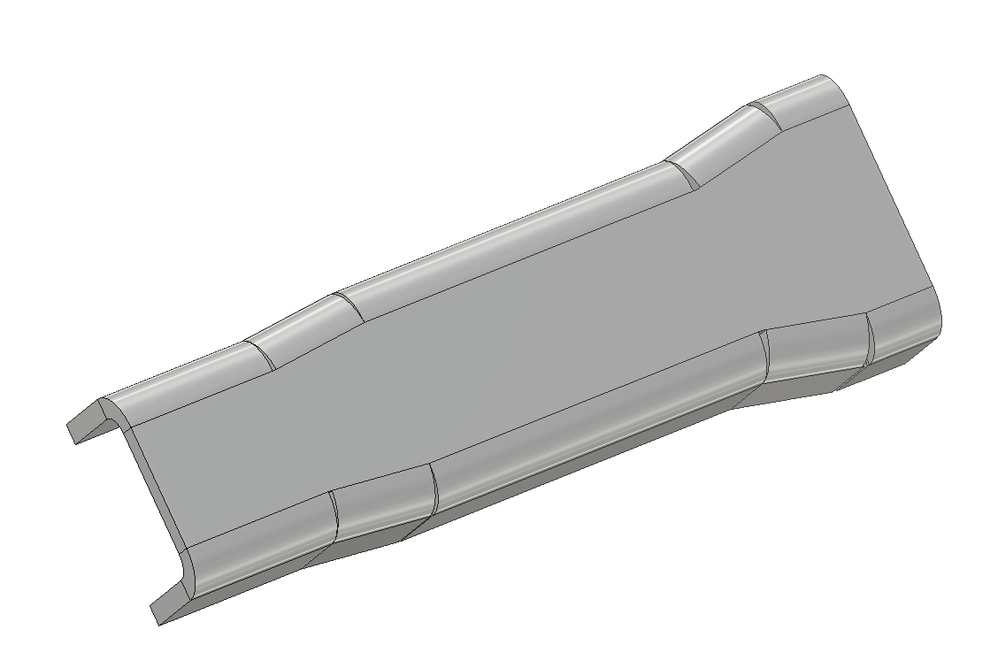
I'm having some problems with my sheetmetal model. I can't seem to fill the gaps beetween the flanges.

 I would like to fill them and smoothen it out, if possible. Any help is much appreciated.Képernyőfelvétel (63).png

0 Likes
462 Views
6 Replies
Replies (6)
Message 2 of 7

SBix26
Consultant
Consultant

If you fill in the gaps, the part will not produce a flat pattern.  If that's okay, the simplest way I can think of is to use the Delete Face tool with Heal checked and delete all those little faces between flanges.  Inventor will extend the faces to sharp corners, and you can then add appropriate fillets to round them off.


Hint: there are a bunch of surfaces to delete-- if the part is symmetric, as it looks to be, I would model half of it, then mirror solid to create the other half.


Sam B
Inventor Pro 2020.1 | Windows 7 SP1
LinkedIn

0 Likes
Message 3 of 7

johnsonshiue
Community Manager
Community Manager

Hi! Like Sam mentioned here, there is collision. The flat pattern cannot be made. There are 4 places where the flanges will run over each other as is.

Many thanks!


Johnson Shiue (johnson.shiue@autodesk.com)
Software Test Engineer
Message 4 of 7

JelteDeJong
Mentor
Mentor

If you dont need a flatpattern i would make a norma part.

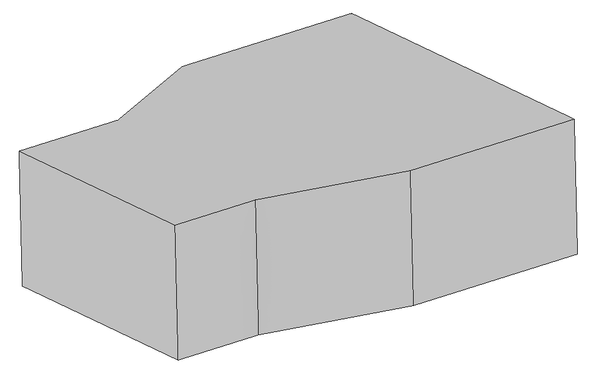
Create the (outer) shape that you need.

status1.png

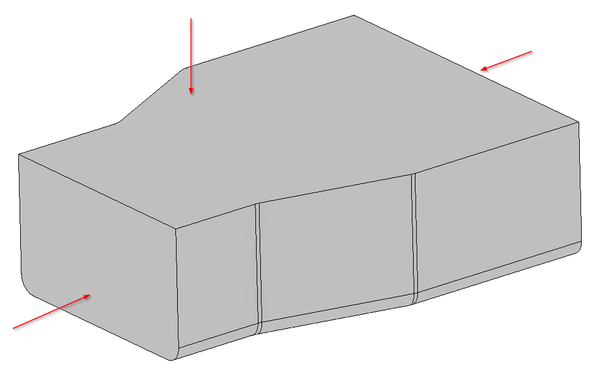
Add radii where you would expet them.

status2.png

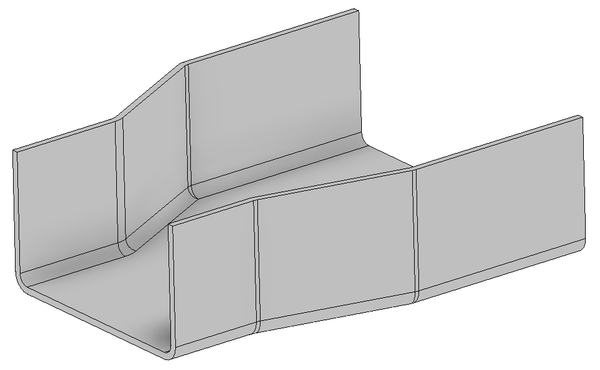
Use the shell command to create the sheetmatal look. (remove the faces shown by the red arrows)

status3.png

You could convert it then to a sheetmetal part.

Jelte de Jong
Did you find this post helpful? Feel free to Like this post.
Did your question get successfully answered? Then click on the ACCEPT SOLUTION button.

EESignature


Blog: hjalte.nl - github.com

Message 5 of 7

IgorMir
Mentor
Mentor

Hi Johnson and Sam;

How come I can not see any embedded images to the posts? Do you have a special settings I have missed? For me to view the image attached to the OP post I have to select Reply-->Quote. Where is the magick button I have to press?

Thanks in advance,

Igor.


@johnsonshiue wrote:

Hi! Like Sam mentioned here, there is collision. The flat pattern cannot be made. There are 4 places where the flanges will run over each other as is.

Many thanks!


Web: www.meqc.com.au
0 Likes
Message 6 of 7

johnsonshiue
Community Manager
Community Manager

Hi Igor,


I am sorry I don't know why you are not seeing the images. I am using Chrome browser, just FYI. It seems to work.

Many thanks!


Johnson Shiue (johnson.shiue@autodesk.com)
Software Test Engineer
0 Likes
Message 7 of 7

IgorMir
Mentor
Mentor

Hi Johnson;

Same here. I use Google Chrome. Yet if the image is attached - I see it. If it is embedded in the OP post - than to see it I have to go through the route I had described before. It is strange...

Thanks for getting back to me.

Cheers,

Igor.


@johnsonshiue wrote:

Hi Igor,


I am sorry I don't know why you are not seeing the images. I am using Chrome browser, just FYI. It seems to work.

Many thanks!


Web: www.meqc.com.au
0 Likes