- Mark as New
- Bookmark
- Subscribe
- Mute
- Subscribe to RSS Feed
- Permalink
- Report
Hi!
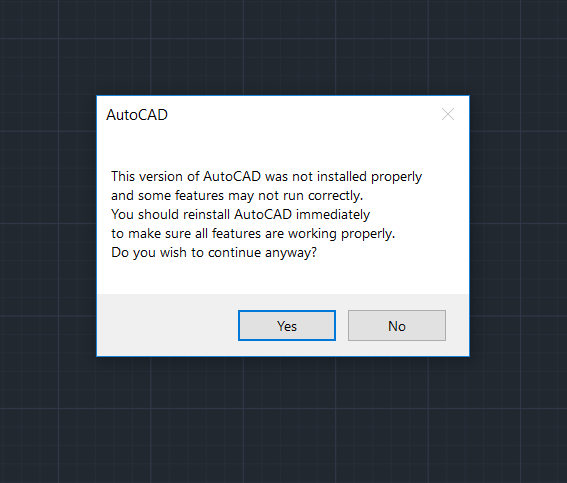
I have installed AutoCAD 2019 on my laptop and when I first started the program a pop up window showed the message that the AutoCAD was not installed correctly, and after that it showed me this errors:
- Unhandled exception e06d7363 (e06d7363h) at address ab9fa388h
- Unhandled exception c000005 access violation reading 0x0060 at address 5249b22fh
I can run AutoCAD and open DWG files on it, but every time I start te AutoCAD this error messages show up, and after few minutes the AutoCAD crashes.
I have tried reinstalling the AutoCAD, but it didn't helped. The same errors showed up again after the reinstallation.
Then I uninstalled the AutoCAD and installed Autodesk TrueView.
TrueView was working fine with most DWG files. But sometimes it crashes when opening some DWG files, and then showed me this error: FATAL ERROR: Unhandled access violation reading 0X0031 exception at 665aee95h
I have Dell 5570 laptop with Windows 10 64bit, Core i7, 16GB RAM, AMD Radeon graphic card
I couldn't find any solution on internet for my problem. Can you please help me.
Solved! Go to Solution.