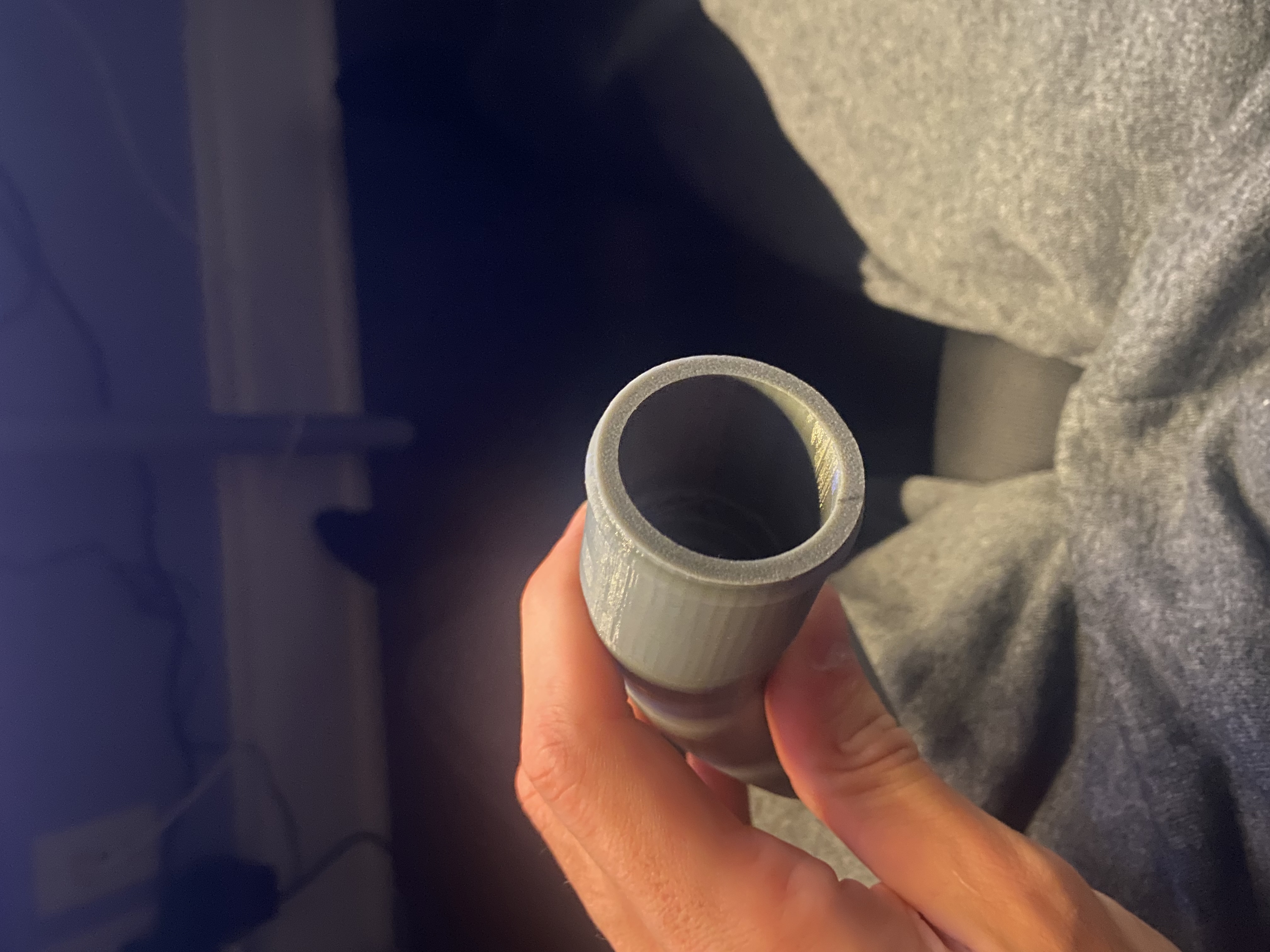
Shell fails on lofted curved vacuum adapter (3mm thickness)

Shell fails on lofted curved vacuum adapter (3mm thickness)

tscarrott07
Contributor Contributor
3,153 Views
34 Replies
Message 1 of 35

Shell fails on lofted curved vacuum adapter (3mm thickness)

tscarrott07
Contributor
Contributor

Hi,

I’m modeling a vacuum adapter in Fusion 360. It’s a lofted elbow that transitions from a circular bottom to a rounded-rectangle top.

When I try to Shell it at 3mm thickness (inside direction), I get: “The shell cannot be created at this thickness. Try adjusting the thickness, the selection set, or change the shell type.”

Details:

  • Lofted body (not mesh)

  • No mesh conversions

  • Thickness desired: 3mm

  • Shell fails even when selecting only one open face

  • Geometry includes a curved elbow transition

  • Some fillets exist after the loft

I suspect the inside offset is self-intersecting in the tight bend area.

What is the proper engineering approach here?

Is it better to:

  1. Shell before fillets?

  2. Use manual inner loft + Combine cut?

  3. Modify loft guide rails?

  4. Something else?

Or maybe none of these are the solution. I just need help, I am new to fusion 360 and put a lot of effort into this thing, and don't want to have to redo the whole thing.

I’ve attached the .f3d file.

Thank you.

0 Likes
3,154 Views
34 Replies
Replies (34)
Message 21 of 35

TheCADWhisperer
Consultant
Consultant
Accepted solution

@tscarrott07 

(view in My Videos)

Message 22 of 35

tscarrott07
Contributor
Contributor

Man these are great, i am following along and doing everything as you do it. I believe you skipped a part in between the two first sketch profile videos. You missed how you created the second revolve that we decided is straight and not starting to curve down yet. A video for that would be great. Or maybe I can try it myself.

0 Likes
Message 23 of 35

tscarrott07
Contributor
Contributor

Nevermind, I created it myself. this is amazing by the way!

0 Likes
Message 24 of 35

TheCADWhisperer
Consultant
Consultant
Accepted solution

@tscarrott07 

(view in My Videos)

Message 25 of 35

TheCADWhisperer
Consultant
Consultant
Accepted solution

@tscarrott07 

(view in My Videos)

0 Likes
Message 26 of 35

TheCADWhisperer
Consultant
Consultant

I realized that I forgot the Chamfer in the video.

Chamfer.png

Vaccuum.png


One hour of videos to model the part.

Attach your progress file here.

Message 27 of 35

tscarrott07
Contributor
Contributor

I can't thank you enough. Ok will do, just going through the last video, I will share file once I'm done.

0 Likes
Message 28 of 35

tscarrott07
Contributor
Contributor

Ok Great! I am done. However I would like to know the best way to engrave "VW GDI" into the face. Like my old one. That's the very last thing to do. Letter height is 5.5mm

0 Likes
Message 29 of 35

tscarrott07
Contributor
Contributor

Here is the file. Without text.

0 Likes
Message 30 of 35

tscarrott07
Contributor
Contributor

I made one adjustment to be more close to the original. Edited it so that the loft started from a smaller circle, and then chamfered the two different sized circles.

0 Likes
Message 31 of 35

tscarrott07
Contributor
Contributor

Hey nevermind I figured out the text.


0 Likes
Message 32 of 35

tscarrott07
Contributor
Contributor

Alright well I'm done. Thanks again, this was a huge help! Also one more question, I have a bunch of other adapters I need to replicate and re-engineer into CAD. There are all different shapes and sizes. Do you recommend I go about them the same way we did with this one? Go off the 3d scan for reference?

0 Likes
Message 33 of 35

tscarrott07
Contributor
Contributor

And here is my final, final model.

Message 34 of 35

TheCADWhisperer
Consultant
Consultant

@tscarrott07 

(view in My Videos)

Message 35 of 35

rosie_lucas1
Autodesk
Autodesk

Hello @tscarrott07,

Did the information provided by @TheCADWhisperer help you and answer your question?

If yes, please click on the "Accept Solution" button on the post(s) that solved your problem. This will assist other community users in finding and benefiting from this information.

If not, please do not hesitate to give an update in this thread so all community members receive an update on the progression of your question, and can suggest next steps that may be helpful for you to achieve what you're looking for.

All the best,

Rosie | Community Manager

Rosie | Community Manager