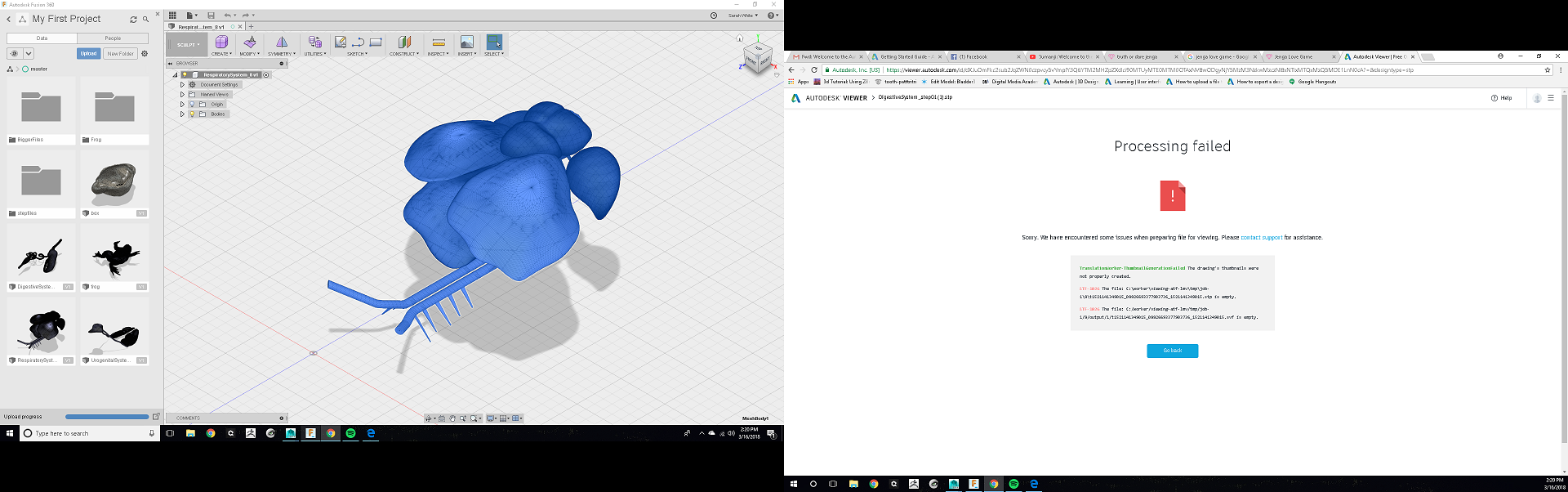
error exporting step files

error exporting step files

Anonymous
Not applicable
2,893 Views
2 Replies
Message 1 of 3

error exporting step files

Anonymous
Not applicable

 This is my first time using Fusion 360 so bare with me. 


So im trying to export my OBJ files that i made in Maya to step files. 


I uploaded them into Fusion 360 like i learned how to do, and everything seems to be working great, and then i exported the files as step files. 


But when they are exported and I send them to my boss, it is showing the files as only 4KB, which is really small. And when they try to view the files in Autodesk Viewer or any other place it is getting an error that says the file is empty. Why would that be? 


Am i missing a step in the exporting process? Everything is working on my end, i see the files and everything is working in Maya and Fusion 360, so why would the files be empty after i export them? 


Can anyone help me? Ive never had to deal with Fusion 360 before or step files, ive only ever dealt with Maya, zbrush, and Meshlab before. 

0 Likes
Accepted solutions (2)
2,894 Views
2 Replies
Replies (2)
Message 2 of 3

paul.clauss
Alumni
Alumni
Accepted solution

Hi @Anonymous


Thanks for posting! To export a Fusion design as a STEP file, you would first need to convert them to solid bodies. Fusions translators cannot convert a mesh body to STEP format directly.


This article explains how to convert a mesh to a solid body in Fusion 360 - I hope this helps! If looks like you have a fairly detailed mesh, so you may need to reduce it quite a bit or split it up before converting to get the conversion to go through. I've discussed this, along with some of the mesh limitations in Fusion, on this forum thread


I can't tell from the screenshot if the OBJ mesh body uses quads, but if it does, you could try converting the mesh to a t-spline and then converting the t-spline to a brep (solid) body (by right clicking the t-spline body and selecting "Convert"). There are limits to all of these conversion processes (usually based on number of mesh faces or vertices) and I would think you will need to reduce your mesh quite a bit to work with it in Fusion (current limit in Fusion for meshes to be converted = around 10,000 faces).


I hope this helps! Please let me know if you have any questions.

Paul Clauss

Product Support Specialist


Message 3 of 3

TrippyLighting
Consultant
Consultant
Accepted solution

If you modeled this with proper quad topology in Maya then:


Make sure that "triangulate mesh polygons" is NOT enabled in the mesh preferences:


Screen Shot 2018-03-16 at 4.46.32 PM.png

Turn of the timeline off by right-clicking on the browser and selecting "Do not capture design history"

Then select "Insert->Insert mesh"

Re-orient inf necessary.

Then you can find the mesh body in the browser.

Right-Click on it and select "Convert". The UI that pops u should look like this.

Screen Shot 2018-03-16 at 4.52.42 PM.png


If you OK this it shouldn't take too long for the Mesh to convert to a T-Spline.


You can then decide to urn the timeline back on and the T-Spline with automatically convert into a BRep.


I wonder however what the purpose of all this is ?


EESignature