Having Problems When Trying to Use "Pattern on Path" on a Helix

Having Problems When Trying to Use "Pattern on Path" on a Helix

Anonymous
Not applicable
1,784 Views
10 Replies
Message 1 of 11

Having Problems When Trying to Use "Pattern on Path" on a Helix

Anonymous
Not applicable

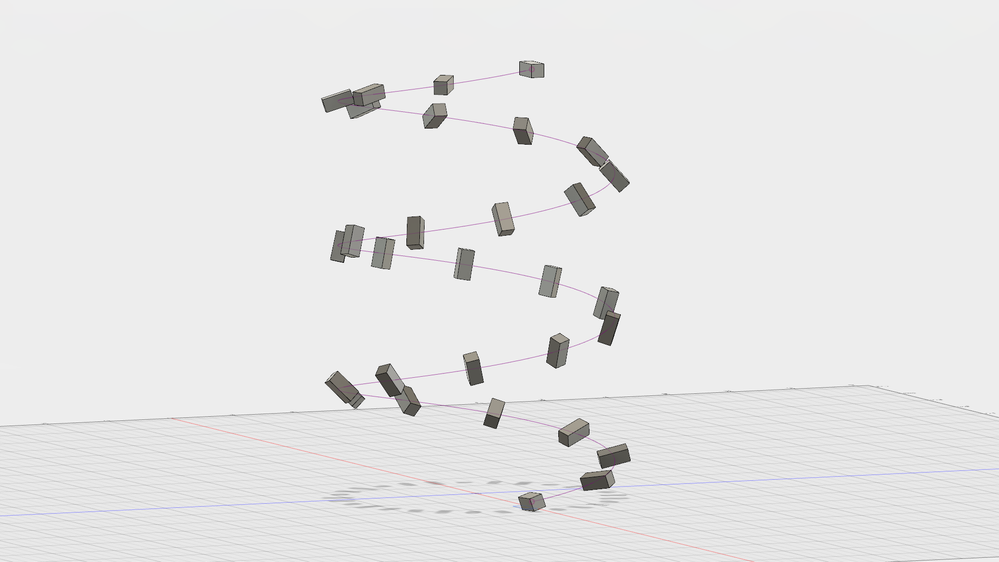
I'm having trouble when I make a body follow a helical path. It works okay when the orientation is set to identical as you can see on the leftbut when I switch it to path direction, it starts flaring out as shown on the right. Is there an easy fix for this?Organ 2 v100_00000.png

1,785 Views
10 Replies
Replies (10)
Message 2 of 11

TrippyLighting
Consultant
Consultant

Make sure the origin of the object you want to pattern coincides with the start of the path you want to pattern it along. That often helps.


EESignature

0 Likes
Message 3 of 11

Anonymous
Not applicable

Thanks for the reply! I'm still having trouble with this. As you can see in this picture here I had the body centered at the top of the path, but as I pull it down along the path, the new bodies are rotating. What I am trying to do is have them rotate around the helix, but still stay parallel to the floor.Untitled.png

0 Likes
Message 4 of 11

SaeedHamza
Advisor
Advisor

Hi,

I don't really understand you man, if you choose identical you will get what you want, I mean a body going down a helix and parallel to the ground at the same time, so why bother try the path direction ?

Here's a picture about what I'm explaining

Saeed Hamza
Did you find this post helpful? Feel free to Like this post.
Did your question get successfully answered? Then click on the ACCEPT SOLUTION button.

EESignature

0 Likes
Message 5 of 11

Anonymous
Not applicable

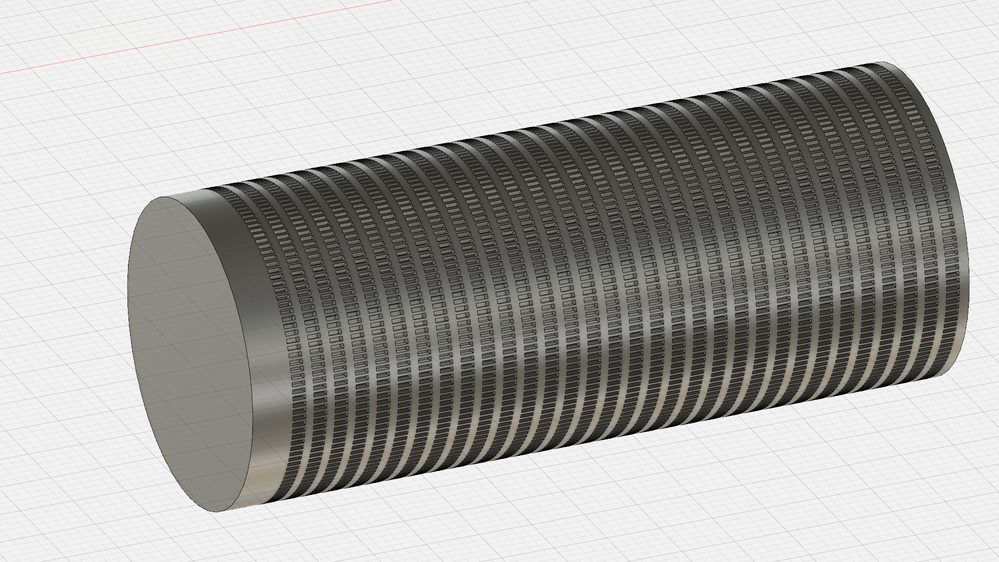
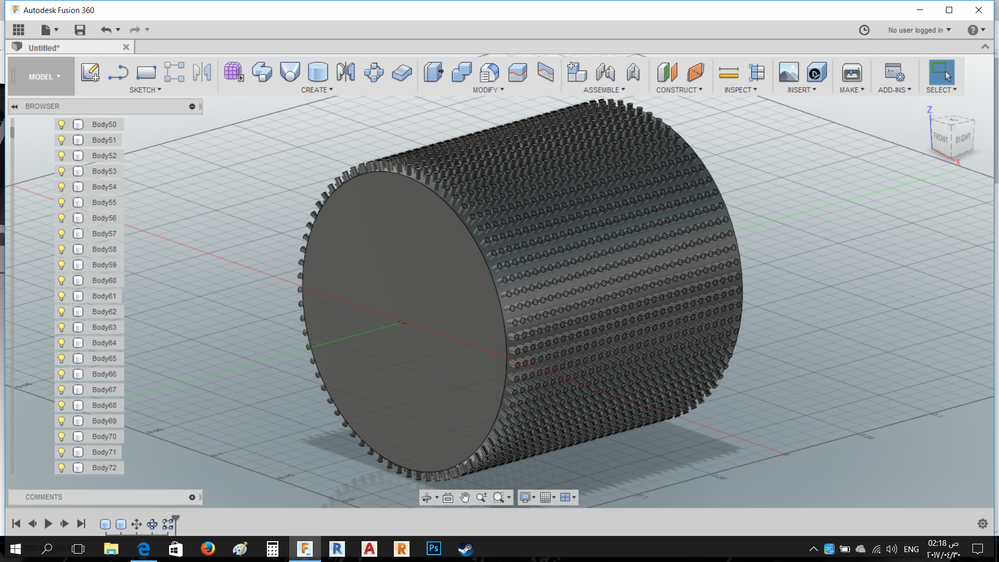
Ah, I should have explained better. If you look at the top-right of the first picture under this, you can see how the faces at the end of the cylinders are facing the center axis. That is what I need, but I also need the sides of the cylinders to be parallel with each other (as they are in the top-left of the photo).  My goal, if you can look at the second photo, is to make a big cylinder like that one, but instead of having a bunch of rectangular holes cut in it in circular rows, I want to have a bunch of cylindrical holes cut in a helical pattern along it. The big cylinder is going to be like a large roller in a music box and I am going to use the holes so that I can stick pegs in them to make custom songs.

I hope this makes sense. I appreciate the help.

Organ 2 v100_00000.pngOrgan v124.png

0 Likes
Message 6 of 11

SaeedHamza
Advisor
Advisor

oh I see,

I get it now that I tried to do this, it's my 1st time to face such a problem actually because I never needed to do such a thing in my models, but I recommend you ( if you didn't find an answer for this ) to use a circular pattern and then a rectangular one ( picture below ), but it won't be of a helix path though, and I don't think it's gonna be a problem because it will be hardly noticeable.


kind regards, Saeed.


Helix.png

Saeed Hamza
Did you find this post helpful? Feel free to Like this post.
Did your question get successfully answered? Then click on the ACCEPT SOLUTION button.

EESignature

0 Likes
Message 7 of 11

SaeedHamza
Advisor
Advisor

check this out, same as your problem ...

got to figure this out 😕

https://forums.autodesk.com/t5/design-validate-document/components-along-spiral-path/td-p/7045320

Saeed Hamza
Did you find this post helpful? Feel free to Like this post.
Did your question get successfully answered? Then click on the ACCEPT SOLUTION button.

EESignature

0 Likes
Message 8 of 11

Anonymous
Not applicable

Yes, this is tricky. Thanks for the help though!

0 Likes
Message 9 of 11

SaeedHamza
Advisor
Advisor
Check this article, I don't know if the script has been released yet, but will absolutely solve this issue

https://forums.autodesk.com/t5/autodeskhelp/creating-a-helix-around-a-3d-curve-with-fusion-360-amp-p...

Saeed Hamza
Did you find this post helpful? Feel free to Like this post.
Did your question get successfully answered? Then click on the ACCEPT SOLUTION button.

EESignature

0 Likes
Message 10 of 11

Anonymous
Not applicable

Alright, Thanks!

0 Likes
Message 11 of 11

adamsd5
Enthusiast
Enthusiast

I got the script to work to create a helix path, but I have the same problem.  The object I'm patterning around the helix rotates in ways I don't want it to.  I'll keep playing.

0 Likes