Cannot Trim Faces

Cannot Trim Faces

monstergabster
Explorer Explorer
742 Views
4 Replies
Message 1 of 5

Cannot Trim Faces

monstergabster
Explorer
Explorer

Hello all,

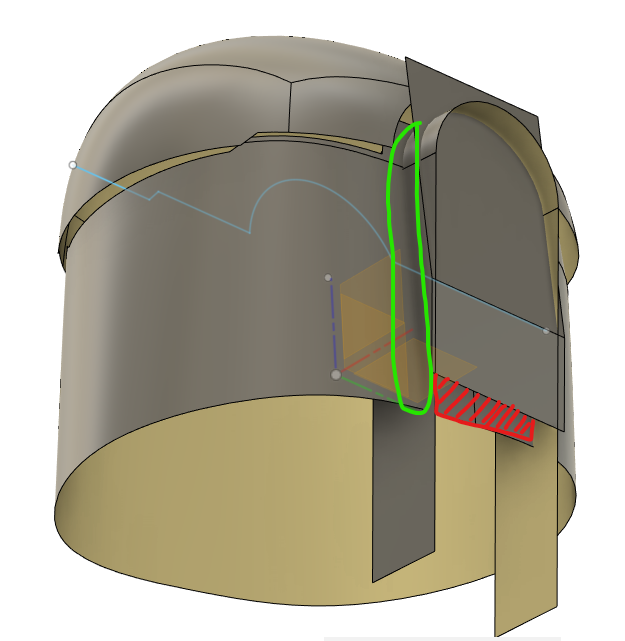
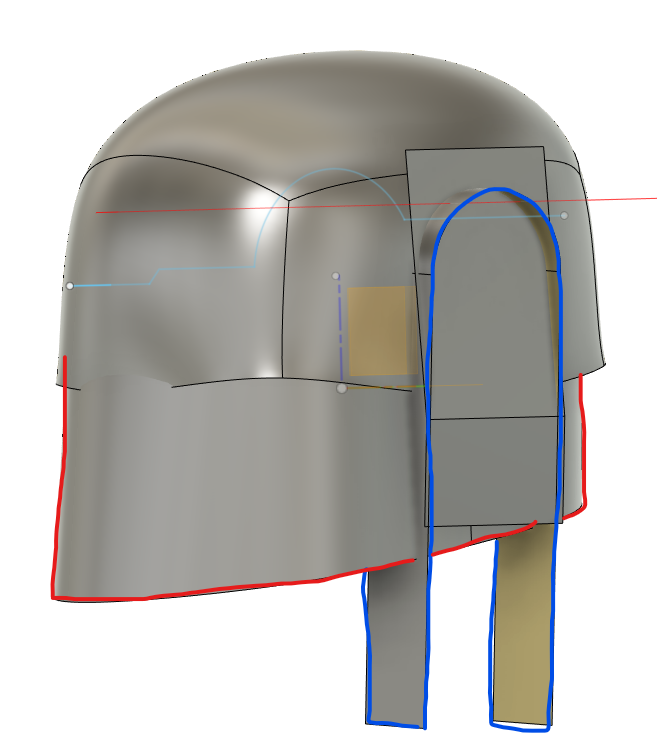
I'm having an issue trimming one face (blue) with the other face (red). I'm able to trim every surface with the blue and vice versa. I'm trying to remove the surface (hatched in red) in picture 2.... I noticed that where the two faces cross that line is not black (circled in green). 


Does anyone know why this issue is? I've tried sketching on various different planes and trimming in different orders. 


Thank you!

-G

0 Likes
Accepted solutions (1)
743 Views
4 Replies
Replies (4)
Message 2 of 5

g-andresen
Consultant
Consultant

Hi,

Please share the file.

File > export > save as f3d on local drive  > attach it to the next post


günther

0 Likes
Message 3 of 5

monstergabster
Explorer
Explorer

Hi Gunther, 

Thank you for taking a look! Please find attached 🙂

0 Likes
Message 4 of 5

aliobidi
Collaborator
Collaborator
Accepted solution

Hi, 

watch This .

Message 5 of 5

monstergabster
Explorer
Explorer

thank you Gunther and aliobidi!

0 Likes