How can I hollow this body?

How can I hollow this body?

Anonymous
Not applicable
6,479 Views
10 Replies
Message 1 of 11

How can I hollow this body?

Anonymous
Not applicable

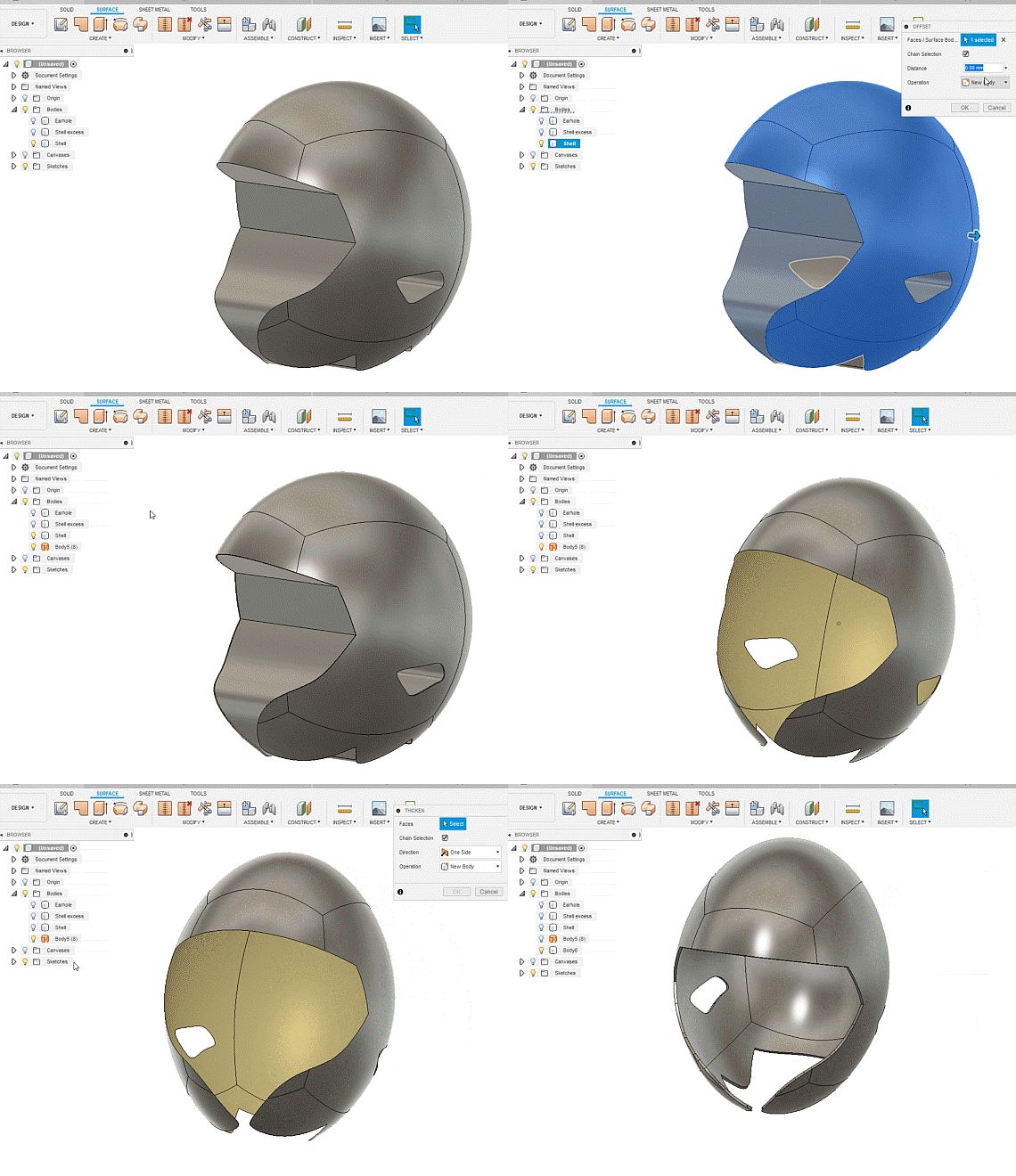
So I got well into creating a football helmet shell by starting with a quadball. I need to hollow the body so that the shell has a 3mm thickness, but the function isn't working as I expected. You'll be able to see in the attachment that I partially achieved it, but can't figure out what I need to do to get the whole body to hollow to the 3mm thickness I'm looking for.


Can anyone give me any guidance on this one? Did I miss a step somewhere?

0 Likes
Accepted solutions (1)
6,480 Views
10 Replies
Replies (10)
Message 2 of 11

g-andresen
Consultant
Consultant
Accepted solution

Hi Christopher,

The principle could be like this:


how to hollow somethinghow to hollow something


Then all you have to do is get your head in it.


günther

Message 3 of 11

HughesTooling
Consultant
Consultant

Is this closer to what you want? See attached File. Also do yourself a favour and do some of the hands on exercises in the help. Extrude does the job a lot better than split body.

Old.png


Mark

Mark Hughes
Owner, Hughes Tooling
Did you find this post helpful? Feel free to Like this post.
Did your question get successfully answered? Then click on the ACCEPT SOLUTION button.

EESignature


Message 4 of 11

davebYYPCU
Consultant
Consultant

Shell straight after the Quad ball, and before cutting any shapes or holes, 


Might help....

Message 5 of 11

Anonymous
Not applicable

Thank you! I'm going to practice what you showed me there so I can get it down pat. And yes, clearly have more work to do their to get the head in, lol. Thanks again!

0 Likes
Message 6 of 11

Anonymous
Not applicable

Yeah that's great. Would you be willing to tell me why extrude is a better process? I took several Autodesk tutorials and they showed me both ways. But I'm not sure I'm understanding why one would be better than the other. Thanks!

0 Likes
Message 7 of 11

HughesTooling
Consultant
Consultant

@Anonymous wrote:

Yeah that's great. Would you be willing to tell me why extrude is a better process? I took several Autodesk tutorials and they showed me both ways. But I'm not sure I'm understanding why one would be better than the other. Thanks!


In this case if you use extrude cut you're not left with the extra bodies. I'm assuming the 2 extra bodies in your version using split were not needed.


Mark

Mark Hughes
Owner, Hughes Tooling
Did you find this post helpful? Feel free to Like this post.
Did your question get successfully answered? Then click on the ACCEPT SOLUTION button.

EESignature


0 Likes
Message 8 of 11

Anonymous
Not applicable

Ok, but isn't that just a matter of right-clicking and deleting the extra body?

0 Likes
Message 9 of 11

HughesTooling
Consultant
Consultant

Did you try that? If you ever get into making bigger designs you want an efficient timeline so removing what you don't want with one extrude is better than 2 splits then 2 removes.


Mark

Mark Hughes
Owner, Hughes Tooling
Did you find this post helpful? Feel free to Like this post.
Did your question get successfully answered? Then click on the ACCEPT SOLUTION button.

EESignature


0 Likes
Message 10 of 11

Anonymous
Not applicable

Ok, will use extrudes going forward. Thanks Mark.

Message 11 of 11

xmasbad
Enthusiast
Enthusiast

Thank you sir 

0 Likes