The Problem With Repetitive Assembly Creation
Our projects frequently contain large numbers of units that are similar, but may just need to stretch or shrink. Our current process would require a series of repetitive manual modeling steps
Typically, an engineer would find an existing unit that was either the same design or close and then save it to a new name and manually stretch/shrink it to the next size. The engineer would then determine if the resulting parts already existed, create new files when necessary, place kits, and save the finished unit.
A single assembly could take around 30 minutes to create manually. The process worked, but engineers spent a significant amount of time performing Save As operations, searching Autodesk Vault for similar components, and waiting for files to process and save.
The bigger issue was not just speed. Doing all that work manually led to:
The goal was not simply to make modeling faster. The goal was to create a controlled and repeatable workflow.
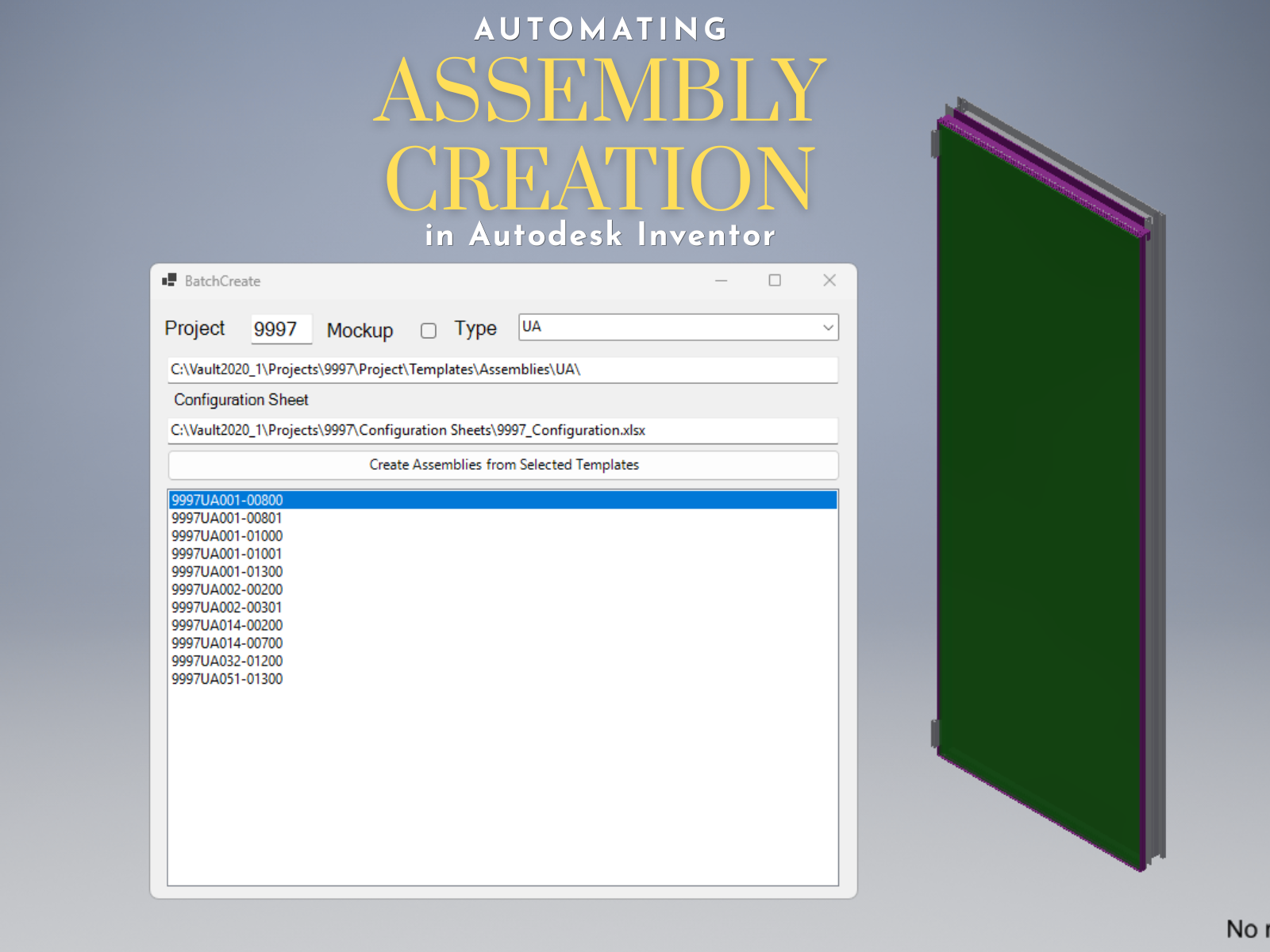
I developed an assembly creation workflow in Autodesk Inventor that automates these processes and reduces the time required to create a unit from approximately 30 minutes to three to five minutes.
Starting With a Configurable Template
The automation begins with a parametric Inventor assembly. Each parametric template uses standardized parameter names that correspond to the dimensions in the wireframe and configuration sheet.
For each unit, the workflow:
Reads the unit information from the configuration sheet.
Updates all named parameters with the dimensions from the configuration sheet.
Rebuilds the assembly.
Evaluates the resulting parts.
Reuses existing components or creates new ones.
Places the required kit components into the assembly based on built-in parameters stored inside the template parts.
Saves the completed assembly.

Reusing Parts Instead of Creating Duplicates
The most important part of the workflow is determining whether a component already exists in Vault.
Inside of our checker code that runs on every component save, I created a Comparison Value that gets updated based on the properties that define that part. It then searches Autodesk Vault for an existing component with the same Comparison Value.
The comparison value takes into account:
- Project and classification data
- Material and finish properties
- Overall dimensions
- Mass properties
- Geometric reference data
Absolute center-of-gravity values were not reliable because geometrically identical parts could be modeled at different offsets from the origin. Measuring relative to a consistent end reference allowed the workflow to identify those parts as matches.

When a match is found, the template component is replaced with the existing Vault file. When no match is found, the workflow creates a new part and saves it using our established Data Standard naming process. The newly created component is then checked into Vault and reused whenever the same condition appears again.
This allows the tool to make decisions while processing the configuration sheet instead of requiring a user to manually compare every model. It also means that repeated conditions across multiple assemblies use the same component rather than generating unnecessary duplicates.
Before completing the replacement, the workflow also validates the component’s placement. Existing parts may have been modeled using different User Coordinate System locations and offsets, so replacing a file alone does not guarantee that it will stay in the correct position. The automation compares the relevant coordinate systems and adjusts the component placement when necessary, helping ensure that reused parts align correctly within the assembly.
Integrating Autodesk Vault
Vault is a critical part of the workflow.
The automation does not treat file creation as a separate step after modeling. Vault searches, naming, file reuse, and file creation are built directly into the process.
This helps maintain:
The workflow can also determine whether a file already exists in Vault before attempting to check files into Vault. This is important when processing temporary files, templates, or newly created components that have not yet been added.
Building Vault awareness directly into the automation made the workflow more reliable than a process that simply generated files locally.
Automating More Than Geometry
Stretching a model is only one part of creating a usable production assembly. The workflow also runs internal tools that prepare the assembly for downstream engineering work. This includes placing kit components.
The tool is not replacing our modeling standards. It is using them.
Before developing the automation, I had already developed:
Parametric modeling standards
Standard parameter names
Template requirements
Kit placement tools
Modeling and fabrication guidelines
An engineering manual documenting the expected workflow
Those standards gave the automation a predictable structure to work with.
Without standardized templates and naming conventions, I would have had to account for a large number of exceptions. Standardization reduced those exceptions and made the workflow scalable.
Maintaining Traceability
To maintain traceability, each newly created part stores information identifying the template that produced it. This becomes especially valuable when a template changes due to a design change.

When a design issue is corrected in the original template, the workflow can be rerun on the template assemblies. Components that remain unchanged can be reused from Vault, while components affected by the template update can be recreated and saved using the next available file name.
This provides a path for updating assemblies without rebuilding every component manually. It also reduces the risk of having older assemblies continue using a condition that has already been corrected elsewhere.
Supporting Different Assembly Conditions
The workflow was initially developed for standard curtain wall units, but the same structure can support more complex conditions.
The tool can process:
Transition units and unusual conditions may still require manual review, but the automation can create the base assembly and complete the repetitive work before an engineer makes the final adjustments.
By completing most of the repetitive work, the automation allows engineers to focus on reviewing the assemblies and spend more time on more complex building conditions.
Results
The workflow can typically create an assembly in approximately three to five minutes, depending on assembly size, Vault operations, and the number of kit components being placed.
The larger benefit is that the process can be run through a full configuration list without requiring continuous user involvement. Engineers can start the process at the end of the day and review the assemblies it created overnight the following morning.
Instead of spending hours producing similar assemblies, the engineer can focus on:
Reviewing unusual conditions
Improving templates
Resolving design conflicts
Developing better standards
Checking the completed output
Lessons Learned
The most valuable work happened before the tool ever created its first assembly.
We needed consistent templates, documented modeling practices, predictable parameters, controlled file naming, and repeatable internal tools.
Once those pieces were in place, automation became less about teaching the software how to model and more about connecting established processes.
What Comes Next
The current workflow focuses primarily on assembly and component creation, but the same data can support additional automation. With components being created off the same templates, it makes it easier to automate drawing creation.
I have also developed several supporting tools that reduce repetitive modeling and file-management work:
Batch Data Standard: Saves or replaces multiple components at once using established numbering schemes.
Model Annotations: Allows users to update detail callouts within a template assembly so every unit created from that template inherits the correct production detail references.
Duplicate Scanner: Searches Vault for matching parts and warns modelers before an assembly is checked in with duplicate components.

The long-term goal is not one button that replaces engineering.
The goal is a connected workflow in which configuration data, Inventor models, Vault files, engineering
standards, and internal tools work together.
By automating repetitive modeling and file-management tasks, engineers gain more time to review complex conditions, resolve design problems, and improve future workflows.


You must be a registered user to add a comment. If you've already registered, sign in. Otherwise, register and sign in.