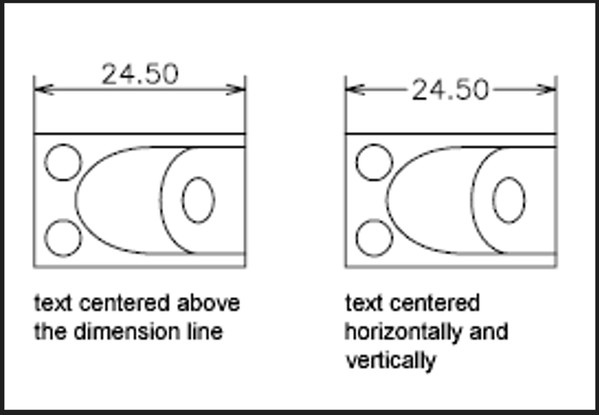
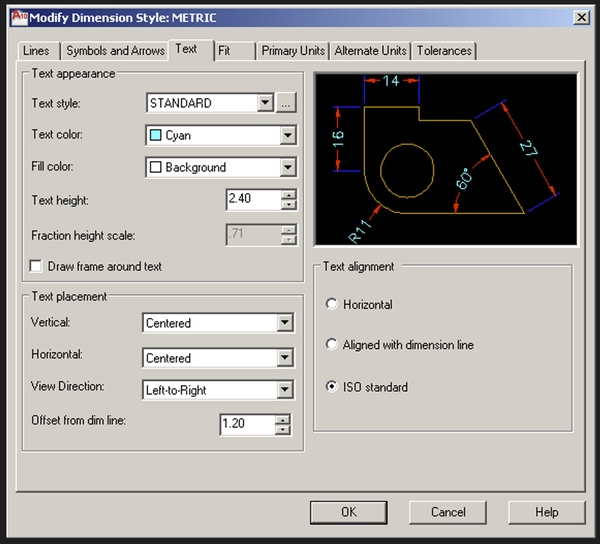
Wheelie22:
"I have a trick to change the text override to empty.
- select all dimensions
- do the properties (CTRL-1)
- text part
- change the Text override to nothing"
Get rid of the override by deleting in the Dimstyle Manager. It should be right under your current Dimstyle. (See attached) It may be an override setting in your template or even a routine which changes the system variable values at start-up. In that case you may want to delete and then re-save as your "working" .dwt template.
Wheelie22 this isn't directed towards you but I would like to make a general statement about "problems" like this one in general.
I don't know how non-standard or default settings like this ever get changed when a user only desires the default or standard result? I wish when users have problems like this, they would identify how the System Variable might have been changed from default in the first place. I could understand settings being changed when a user wants a result which requires customization. This problem, and many others just like it, is clearly a result of someone changing a setting or system variable and not knowing what that certain variable setting causes as a result of changing from the default setting. This never ceases to make me marvel at the expertise of a user. (Maybe not the user whom asked the question but someone in their office or another office where the user may have received the drawing.)
"No one can make you feel inferior without your consent. "-Eleanor Roosevelt