Layer Alphabetical Order

Layer Alphabetical Order

Anonymous
Not applicable
3,115 Views
9 Replies
Message 1 of 10

Layer Alphabetical Order

Anonymous
Not applicable

  Hi Everyone,

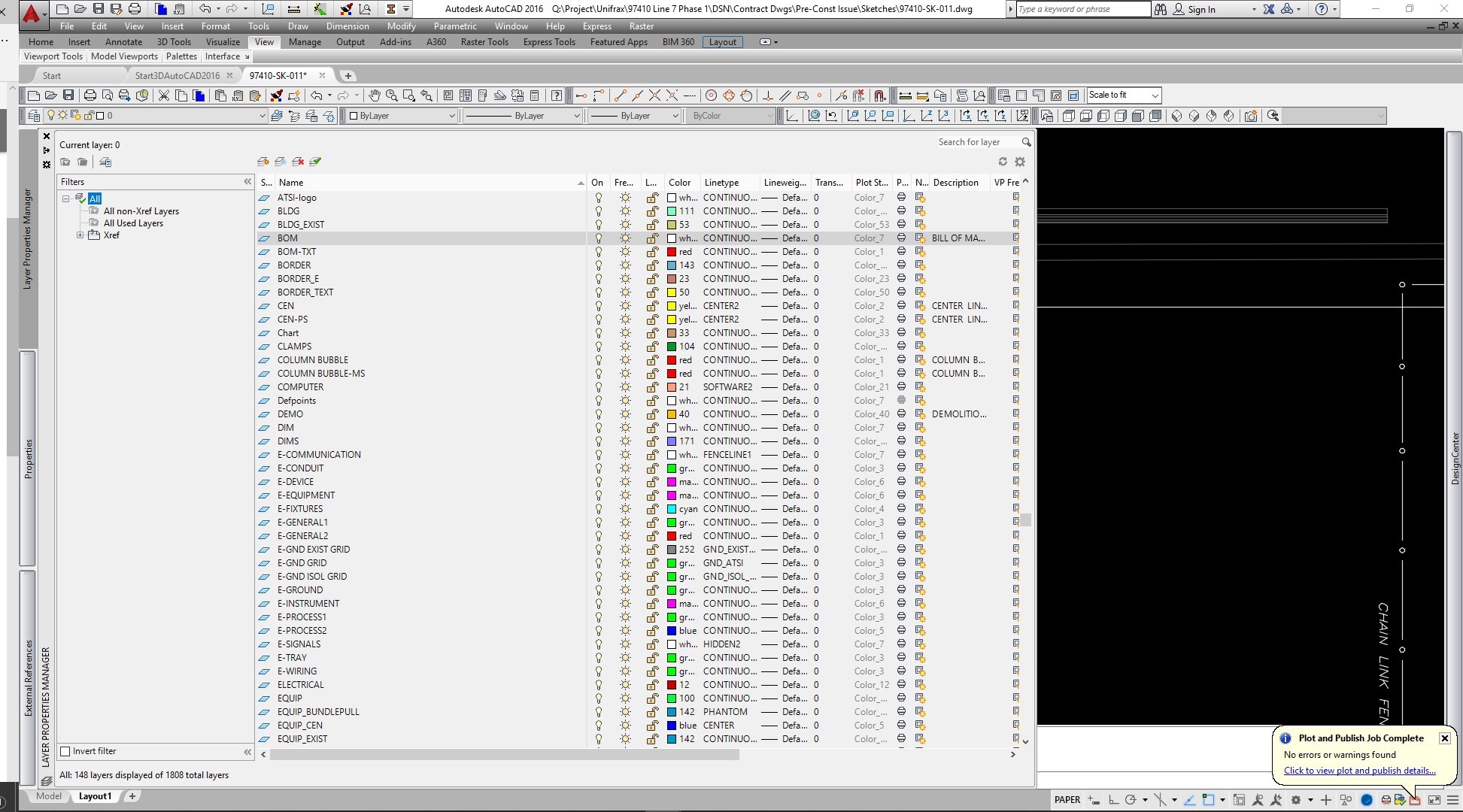
    I am working in AutoCAD 2016. If I have no XRef's in my model, I look at the Layer Properties Manager and the Layer Control Pulldown in the Layers Toolbar and all of the items are in Alphabetical Order. When I Xref certain Models, the listing is fine in the Layers Properties Manager, but everything is out of order in the Layer Control Pulldown of the Layers' Toolbar. Please see attachments...

    How do I correct this? Is there a command to tell the Layers Control Pulldown to list in Alphabetical order?

    thank you,

                      Patrick

0 Likes
Accepted solutions (2)
3,116 Views
9 Replies
Replies (9)
Message 2 of 10

user181
Mentor
Mentor
Accepted solution

Hi @Anonymous   Make sure the MAXSORT variable is set to a number higher than the number of layers in the drawing. I see over 1800 in the image. Maxsort can be 0 to 32767. 

Message 3 of 10

pendean
Community Legend
Community Legend
Accepted solution
Message 4 of 10

Anonymous
Not applicable

Thank you so much, user181... That was the issue! Maxsort was set to 1000. I changed it to 21,00...

     sincerely,

                      Patrick

0 Likes
Message 5 of 10

Anonymous
Not applicable

Thank you, pendean...

0 Likes
Message 6 of 10

PatricioANF294
Community Visitor
Community Visitor

HAD THIS ISSUE FOR A YEAR PLUS NOW. I DECIDED TO FIX IT. YOU GOT IT EXACTLY. I TYPED THE COMMAND AND ENTERED THE NEW VALUE AND IT WORKED. THANK YOU

0 Likes
Message 7 of 10

vandenoosterkamp
Collaborator
Collaborator

1

11

2

23


is now NOT alfabetically anymore and changed to

1

2

11

23


due to some 'smart' extra sorting order. And in case I would have wanted that I would have made a 01 layer... 


I'm afraid this unwanted interference in the way the layers are not alfabetically anymore is a great new feature that cannot be undone?

0 Likes
Message 8 of 10

chriscowgill7373
Mentor
Mentor

1 2 11 23 is alphabetical if you are considering counting, I thought it was some Windows thing along the way, not an AutoCAD setting.  Perhaps you can find the setting in Windows to turn it off?  Not sure if it translates into the software or not.


Christopher T. Cowgill, P.E.

AutoCAD Certified Professional
Civil 3D Certified Professional
Civil 3D 2026 on Windows 11

Please select the Accept as Solution button if my post solves your issue or answers your question.

0 Likes
Message 9 of 10

vandenoosterkamp
Collaborator
Collaborator

sortorder fixed this. Amazing new feature no one asked for but it's one of hundreds I reckon :s

0 Likes
Message 10 of 10

obulesub
Community Manager
Community Manager

Hi @vandenoosterkamp,

It's great to hear you have found a solution, feel free to mark your reply as the 'Accepted Solution' It may help others who run into the same problem.

Obulesu | Community Manager
 

Obulesu | Community Manager
0 Likes