Object Viewer not showing realistic, conceptual or hidden

Object Viewer not showing realistic, conceptual or hidden

Anonymous
Not applicable
6,171 Views
7 Replies
Message 1 of 8

Object Viewer not showing realistic, conceptual or hidden

Anonymous
Not applicable

Hi folks


I think this is graphic related but I am mystified.   When I view an object in the object viewer I can only see it in wireframe, and the realistic , conceptual and hidden modes just show nothing other than wireframe.   


Within an autocad viewport on main screen if I change the shading to conceptual / realistic or hidden, it shows perfectly.


Have I accidently switched something off on my laptop because I am at a loss at his moment.


Thanks in advance for your help


Keith

0 Likes
Accepted solutions (1)
6,172 Views
7 Replies
Replies (7)
Message 2 of 8

Anonymous
Not applicable

Hi Keith,


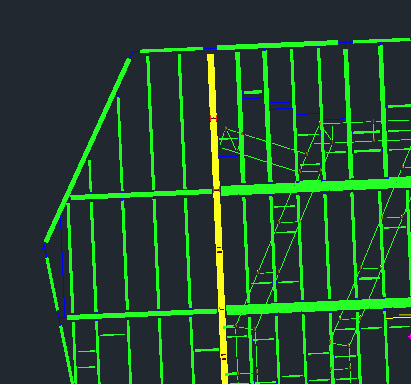
I am having the same problem it seems like. When I view from top down in Architecture, all I see are thin lines for my structural members. If I hold shift and the middle mouse button and rotate the display even slightly, all of my dtructural members show up perfectly. I usually use vanilla AutoCAD, but we are working with a vendor that has created all of their files in Architecture and they work much better in Architecture than vanilla AutoCAD.


I've attached a couple of screenshots that illustrate my problem...perhaps they match yours? The first one is top down and the second has been slightly rotated.


Thanks,

Jeremy


Top Down.PNG


Rotated.PNG

0 Likes
Message 3 of 8

MarySeufert
Advisor
Advisor

Hi Jeremy,

I would say that your 'problem' is not the same as Keith's. Within AutoCAD Architecture, each AEC object (walls, doors, structural members, etc.) has multiple visual styles assigned to it. Also at play, the Cut Plane. What you are seeing is as designed. When you view a beam from top view, it will show objects below the Cut Plane realistically, beam objects above the cut plane will show an 'axis' line. It is a complex system behind the scenes, but is very powerful and useful if understood and used properly. Here is a link to get you started on the ACA Display System. Look at the image below as an illustration...

AEC Structural.JPG

EXPERT ELITE MEMBER
Message 4 of 8

MarySeufert
Advisor
Advisor

Hi Keith,

I've seen this happen from time to time. Quitting the session of ACA and starting up again makes it go away for me.

EXPERT ELITE MEMBER
0 Likes
Message 5 of 8

Anonymous
Not applicable

Hello Mary,


That was it! I adjusted my cut plane and all is well. Like I said, I primarily use AutoCAD so your information was completely new to me and very helpful. Thank you very much!


@keithcotter, I apologize for hijacking your thread. I assumed incorrectly that our problems were similar. Good luck with yours!

0 Likes
Message 6 of 8

Anonymous
Not applicable

Glad you got your issue sorted out.  hopefully I will get mine sorted too

0 Likes
Message 7 of 8

MarySeufert
Advisor
Advisor

I'll throw some thoughts out there...

Is Layer 0 Frozen or Off?

Any layers in the objects display rep? If yes are they frozen/off?

Any Live Sections Enabled?


Post the drawing if you can, this sort of issue is usually drawing specific. Strip it down, if needed, to just a few of the objects that have the bad object viewer experience...


EXPERT ELITE MEMBER
0 Likes
Message 8 of 8

Anonymous
Not applicable
Accepted solution

Thanks for all the help everyone.


While sitting here, I realised maybe I may not have my ACA up to date, and sure enough when I checked....service pack 1 was not installed.   Once I installed it, the problem was solved.


Apologies for posting....I should have checked this before posting.


Thanks

0 Likes