Trying to achieve a Full Export from 3ds Max to OBJ (or FBX)

Trying to achieve a Full Export from 3ds Max to OBJ (or FBX)

Anonymous
Not applicable
2,154 Views
4 Replies
Message 1 of 5

Trying to achieve a Full Export from 3ds Max to OBJ (or FBX)

Anonymous
Not applicable

For background info, please see this post:


What is the deal with the OBJ and FBX file formats? 


There are too many geometry/clay only OBJ+FBX models out there. Both file formats are treated like some sort of 2nd. class citizens. I have been investigating both but I prefer to focus on OBJ because I get to see the contents of its material file. Additionally, a folder gets created and the exported material files are placed there (when it works, that is).


These are some of the models under experimentation and the results:


Exportable:

Kitchen Sink is fully exported perfectly 

Avocado is fully exported perfectly 

Medieval House is fully exported perfectly 

Luminaris Starship is fully exported perfectly 

Chesterfield Couch is fully exported perfectly 


==================================================


Non-Exportable:

Vases Shiny CANNOT be fully exported to OBJ or FBX 

Branches in Vases CANNOT be fully exported to OBJ or FBX 

Pallet Bed CANNOT be fully exported to OBJ or FBX 


Almost anything V-Ray fails.


==================================================


Semi-Exportable:

Lamps for the Loft (colors only) 

Bed Wood (colors only)

Modern House is deficiently exported 

McLaren (V-Ray): FBX fine, OBJ poor 


0 Likes
Accepted solutions (1)
2,155 Views
4 Replies
Replies (4)
Message 2 of 5

Anonymous
Not applicable

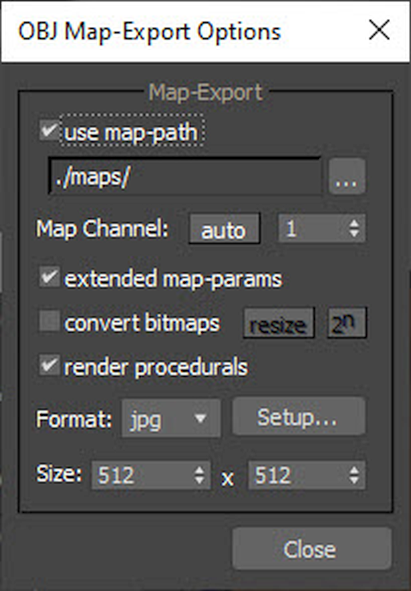
If you want to make a Full Export to OBJ, make sure that you click on the following dialog:


Extended Map Parameters.png


If the export is successful:


(1) You will see filenames like .jpg, .png, etc. inside the *.mtl file generated.

(2) A folder named "maps" (your choice of name) will be created. The material files will be placed there.


TIA,


-Ramon


0 Likes
Message 3 of 5

Anonymous
Not applicable

A case that shows the lack of consistent behavior by the 3ds Max export to OBJ function has been found.


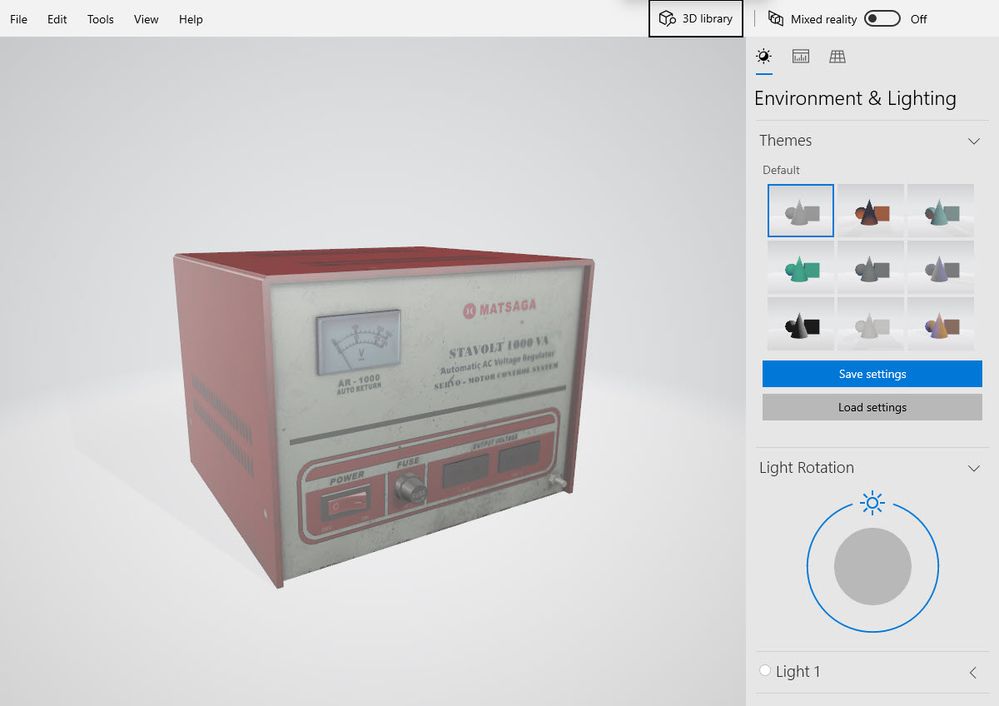
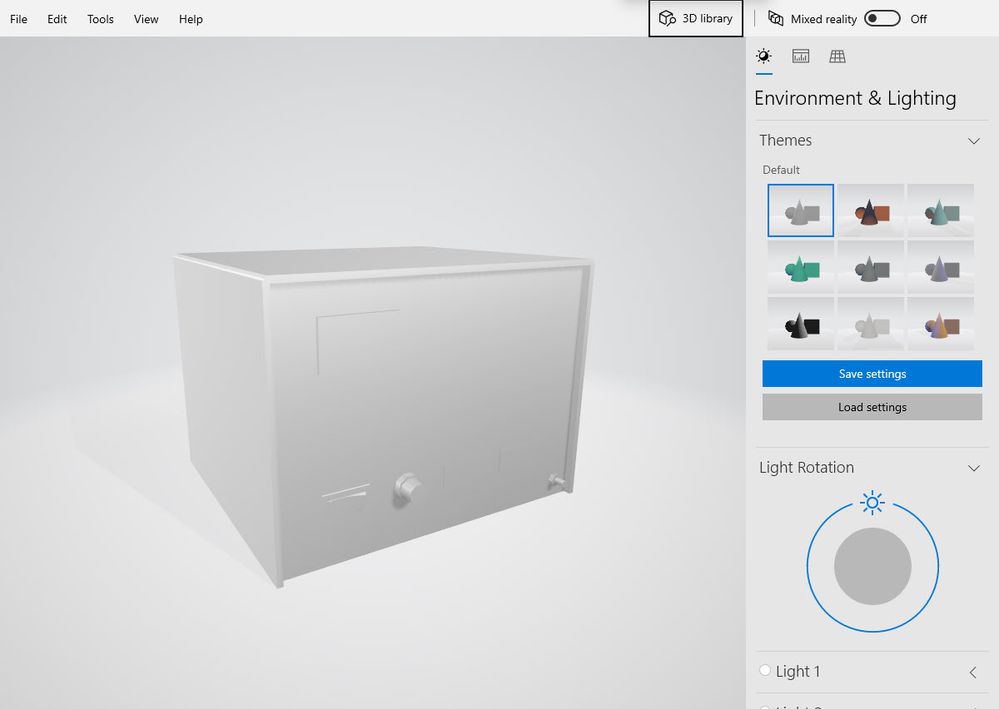
These OBJ+MTL files were generated by my laptop:


Exported to OBJ in my Laptop.jpg


These OBJ+MTL files were generated by my desktop:


Exported to OBJ in my Desktop.jpg


As far as I can tell, both computers are equivalent. They are running the same OS (Windows 10) and the latest version of 3ds Max 2020. The MTL files are essentially identical.


The model in question may be downloaded from here:


Vintage Voltage Regulator 


-Ramon


0 Likes
Message 4 of 5

Anonymous
Not applicable

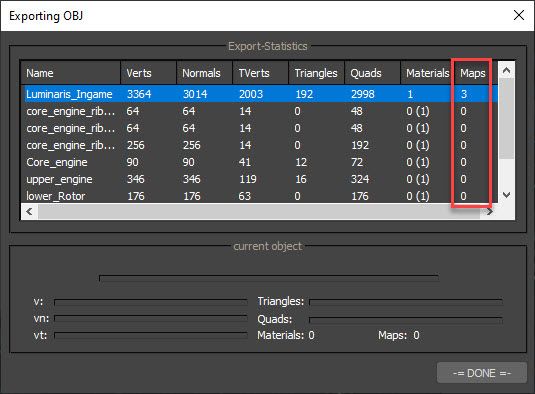
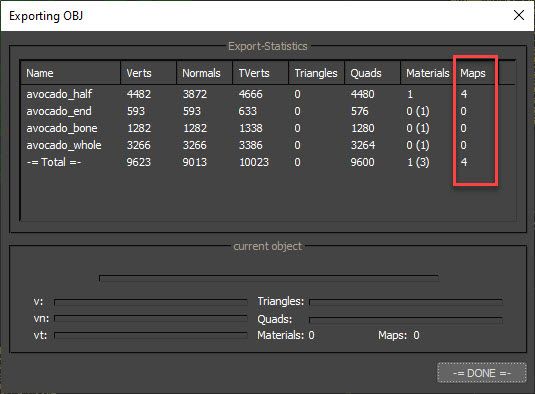
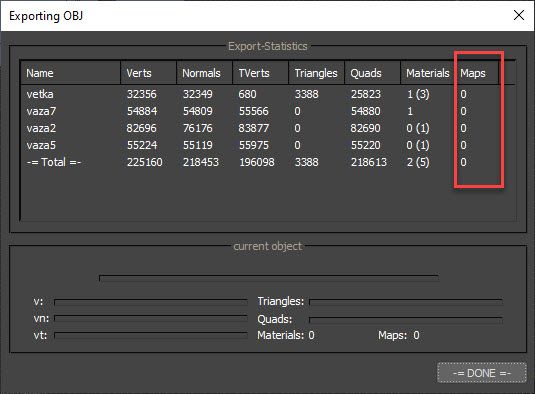
 It seems like the best way to know whether the Full Export worked is by noticing the dialog below:


These 2 succeeded:


Number of Maps 2.jpg


Number of Maps 3.jpg


This one failed:


Number of Maps 1.jpg


-RFH


0 Likes
Message 5 of 5

Anonymous
Not applicable
Accepted solution

A partial solution is here:


How come my object won’t export its texture maps? 


-Ramon

JFK Numbers

0 Likes