Blend Map problem

Blend Map problem

akzlsk
Explorer Explorer
2,823 Views
9 Replies
Message 1 of 10

Blend Map problem

akzlsk
Explorer
Explorer

Hello, I was using the old Max version and recently updated it to Max 2024.
The Blend Map of Render To Texture, which was previously used in the 3Dsmax 2014 version, does not come out properly.
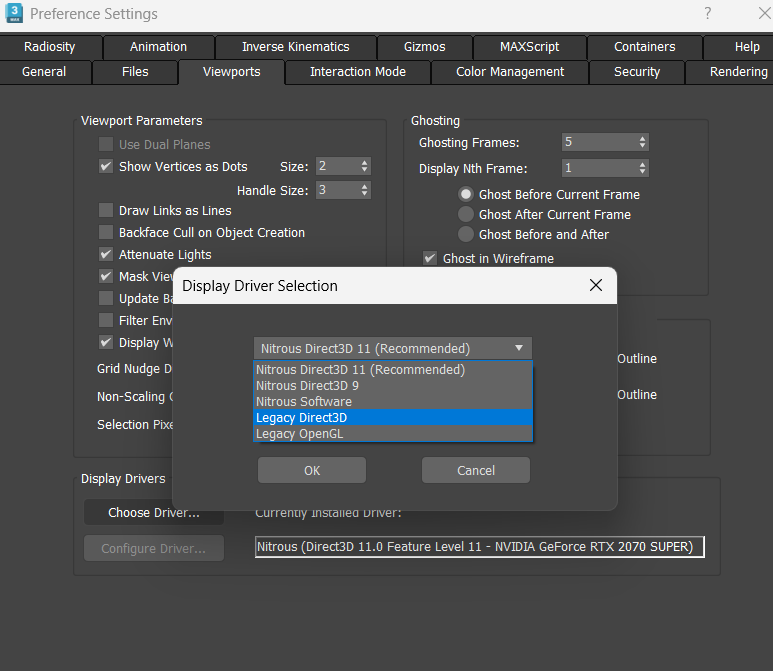
The settings have not changed except for changing from Legacy Direct3D to Nitrus Direct3D 11 in Display Driver Selection. Why does the map show shadows even though I unchecked them?
Legacy Direct3D can no longer be selected on the newly installed 3Ds Max 2024, as an error is occurring.
I want to set up a Bland map so that the entire map comes out as well as the area shown on the screen, so please tell me how.


2024-12-18 141916.png


2024-12-18 142056.png

0 Likes
2,824 Views
9 Replies
Replies (9)
Message 2 of 10

Diffus3d
Advisor
Advisor

First thing I would try is to make the material self illuminated.  It's cutting out the parts that aren't visible to the camera.  (At least, that's how it appears.)  Chances are the backfaces aren't getting any light, and self illumination is the best way to get an even bake there.  At least, it used to be.  


Best Regards,

0 Likes
Message 3 of 10

akzlsk
Explorer
Explorer

Can you tell me how to apply self-illumination?

0 Likes
Message 4 of 10

Diffus3d
Advisor
Advisor

What kind of material is it?


Best Regards,

0 Likes
Message 5 of 10

akzlsk
Explorer
Explorer

I simply want to extract the existing texture by moving the map, not to add a material with any of Max's characteristics.

I just want to change the applied texture to the uv map position and draw it as it is.

0 Likes
Message 6 of 10

Diffus3d
Advisor
Advisor

I understand, but the viewport has lighting.  Because you are capturing the complete map, you are also getting the lighting.  Apply the texture to self illumination and just bake the self illumination channel, or make the object self illuminated with the map in the diffuse slot, either way gets around the issue.  


Best Regards,

0 Likes
Message 7 of 10

borkheather375
Explorer
Explorer

Thank you so much for the information.

Message 8 of 10

Diffus3d
Advisor
Advisor

Ah, it's nothing.  You are very polite. 


Did it work out for you?


Best Regards,

0 Likes
Message 9 of 10

akzlsk
Explorer
Explorer
I was looking for a self illumination material, but when I found the standard material I used before and applied it, it came out well without any shadows. Thank you.
0 Likes
Message 10 of 10

Diffus3d
Advisor
Advisor

Nice!  Thanks for the update, and glad it worked out.  Please mark any post that helped with that and thank you!  Happy Holidays!

Best Regards,

0 Likes