patch constraint + spline IKsolver inaccuracies

patch constraint + spline IKsolver inaccuracies

Anonymous
Not applicable
3,058 Views
10 Replies
Message 1 of 11

patch constraint + spline IKsolver inaccuracies

Anonymous
Not applicable

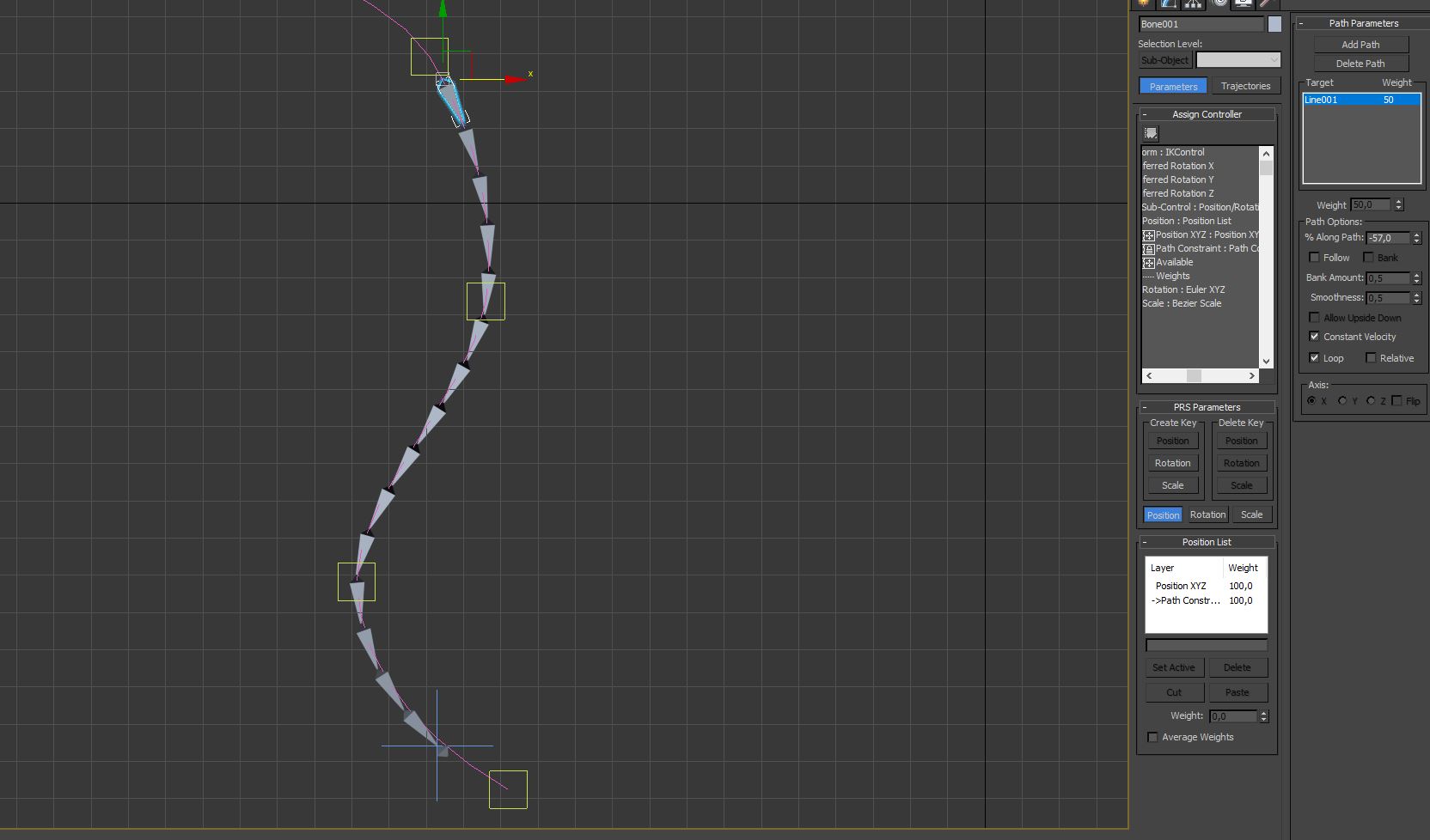
good day. Task: run the train along the rails. I try to realize this with the help of a bundle of "patch constraint" and "spline IKsolver" but I suddenly encountered an unpleasant problem. not all links lie strictly on the spline, especially for the "tail" of the chain, it is almost always located outside the spline. And this means that the "wagons" will be off the rails! Are there any adjustments to the accuracy of the position of each link?

0 Likes
3,059 Views
10 Replies
Replies (10)
Message 2 of 11

leeminardi
Mentor
Mentor

You could try increasing the Interpolation Steps of the spline and see if that is the issue.  The IK solver may be using a more precise interpolation of the spline than the display interpolation.

lee.minardi
0 Likes
Message 3 of 11

Anonymous
Not applicable

Thanks for your reply! 🙂 Sorry, my mistake, I did not list my attempts at a solution. Of course, first of all I tried to change the parameter "steps" of the original spline. No result. Even if you set "0", IKsolver, it seems, produces interpolation of the spline itself, so this parameter does not affect anything. Also, I found in the settings tab "inverse kinematics" (see the file) and tried to change the range. No result. Tried to even change the tolerances in the roll "rotational joints" (see the file), in the IK parameters of each of the bones in the chain! %)

There was an assumption that error is accumulated with each bunch of bones. But I did chains of 3 long bones and 25 short bones, in both cases, the degree of "runaway" of the tail is the same.

0 Likes
Message 4 of 11

leeminardi
Mentor
Mentor

Can you post a file with just the bones and path?

lee.minardi
0 Likes
Message 5 of 11

Anonymous
Not applicable

Sure, just a file created specifically for experiments. But even here this inaccuracy is reflected very well.

0 Likes
Message 6 of 11

leeminardi
Mentor
Mentor

The images below show the spline in your file with the default interpolation setting of 8 and then set to 18.  As you can see the bone's position doesn't change but the smoothness of the spline does displaying a better match between the path and the bone.

Bezier, B-splines, and NURBS are precise continuous functions.  They are evaluated for display purposes at a given increment of an independent variable (t).  A step size of 6 means that the spline will be represented by 6 straight line chords.  The smaller the step size the more chords and precision (and thus more processing).  The IK solver is using a smaller step size to evaluated the path than the display software.

spl1.JPGspl2.JPG

lee.minardi
0 Likes
Message 7 of 11

Anonymous
Not applicable

But this is not just a display problem. Here is the spline, its steps are set to 20. The spline is the target for the "spacing  tool" tool and for the ik solver, and their path solutions do not match. Moreover, the closer to the tail, the greater the divergence. Here is my problem.scr05.JPG

0 Likes
Message 8 of 11

leeminardi
Mentor
Mentor

I can't provide much more help without examining the actual Max file.

lee.minardi
0 Likes
Message 9 of 11

RGhost77
Advisor
Advisor

Check and vote for the improvement of SplineIK  because for now, SplineIK is buggy and far from calculations accuracy. 😞


Royal Ghost | veda3d.com
0 Likes
Message 10 of 11

Anonymous
Not applicable

Thank you for your help.

0 Likes