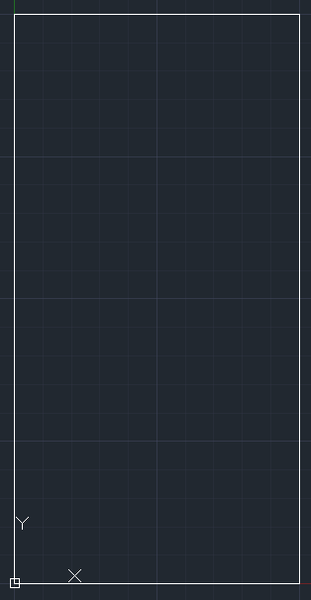
Hi to Everybody,
following the @jtm2020hyo suggestions I'm trying to do the opposite of the above code, developed in Autocad VBA, and perfectly working.
So I'm trying to use OpenOffice Calc for Windows, OOBasic, and linking with Autocad in order to pass the coordinates for drawing an object for example, or passing to Autocad dimensional data coming from a calculation obtained with OpenOffice Calc.
Here below the code, able to retrive data from OpenOffice Calc worksheet (same as Excel just more commercial product), open Autocad, but the procedure hangs whenever I'm trying to execute for drawing object,
Set Rectangle = AutocadDoc.modelspace.addlightweightpolyline(RectArray)
I tried also with a simple text I got the same error (see attached picture with error message).
I guess it's not dependent from Autocad but from the way as the OLE link will be established inside OpenOffice.
I tried to debug the Object created in BASIC, using a tools called MRI but too complicate for my product's knowledge
Perhaps somebody of group, or somebody of Autodesk company has some knowledge of both products, and could help us in this issue (perhaps @Anonymous could help us).
I asked the help into OpenOffice forum but of course the didn't know Autocad Application and they are not able to help us.
Bye
Sub Main
  Dim AutocadApp As Object
  Dim AutocadDoc As Object
  Dim RectArray(0 To 9) As Double
  Dim Rectangle As Object
  Dim oFactory, oApp, oSess, oFolder
  Dim oSheet As Object
  '****** Launch Autocad application****

  oSheets = ThisComponent.getSheets()
  oSheet = oSheets.getByIndex(0)
  oCell = oSheet.getCellByPosition(2, 5)
  oCell1 = oSheet.getCellByPosition(2, 6)
  Q=oCell.getValue()
  R=oCell1.getValue()

 ''****Point 1****
   RectArray(0) = 0
   RectArray(1) = 0
 ''****Point 2****
   RectArray(2) = Q
   RectArray(3) = 0
 ''****Point 3****
   RectArray(4) = Q
   RectArray(5) = R
 ''****Point 4****
   RectArray(6) = 0
   RectArray(7) =R

 ''****Point 5****
   RectArray(8) = 0
   RectArray(9) = 0

 	oFactory = createUnoService("com.sun.star.bridge.oleautomation.Factory")
 	oApp = oFactory.createInstance("Autocad.application")
  	oApp.Visible = True
 ''****Draw rectangle****
  	Set AutocadDoc = oApp.ActiveDocument
    Set Rectangle = AutocadDoc.modelspace.addlightweightpolyline(RectArray)

End Sub