


- Mark as New
- Bookmark
- Subscribe
- Mute
- Subscribe to RSS Feed
- Permalink
- Report
Vault Professional 2013.
We would love to be able to extract or link to the dwf of our released prints, which are in the Item Master. These, I know, go into the database... somewhere. it appears though, that the database buries them with a different naming scheme (I'm sure it's for protection).
is there any way to locate and link to these dwf's so that they can be viewed by a different program? Specifically, we'd like to link them to our inventory program so when a PO is placed for a part, a print with the Watermark stamp can be sent with it. best we can come up with right now is to link to the Web Viewer page so that purchasing can make a PDF of the approved print. It would be nice to have a more direct link to take as much human error out of the equation as possible.
Chris Benner
Inventor Tube & Pipe, Vault Professional
Cad Tips Tricks & Workarounds | Twitter | LinkedIn
Autodesk University Classes:
Going With The Flow with Inventor Tube and Pipe | Increasing The Volume with Inventor Tube and Pipe | Power of the Autodesk Community | Getting to Know You | Inventor Styles & Standards |Managing Properties with Vault Professional | Vault Configuration | Vault - What is it & Why Do I Need It? | A Little Less Talk - Tube & Pipe Demo | Change Orders & Revisions - Vault, Inventor & AutoCAD | Authoring & Publishing Custom Content
Solved! Go to Solution.

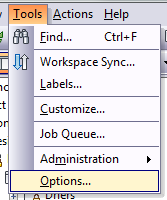
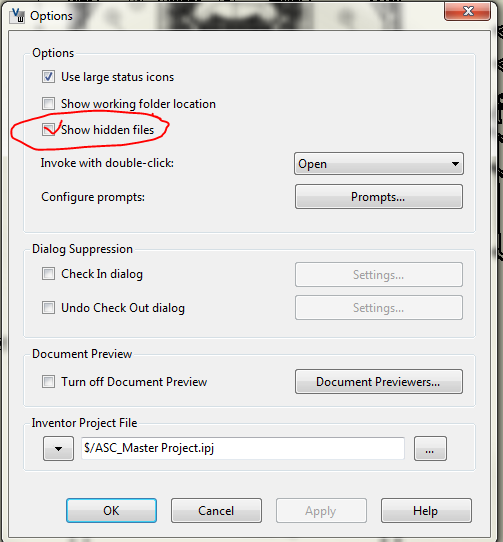

 If this solved your issue please mark this posting "Accept as Solution".
 are appreciated. Thanks!!!!





