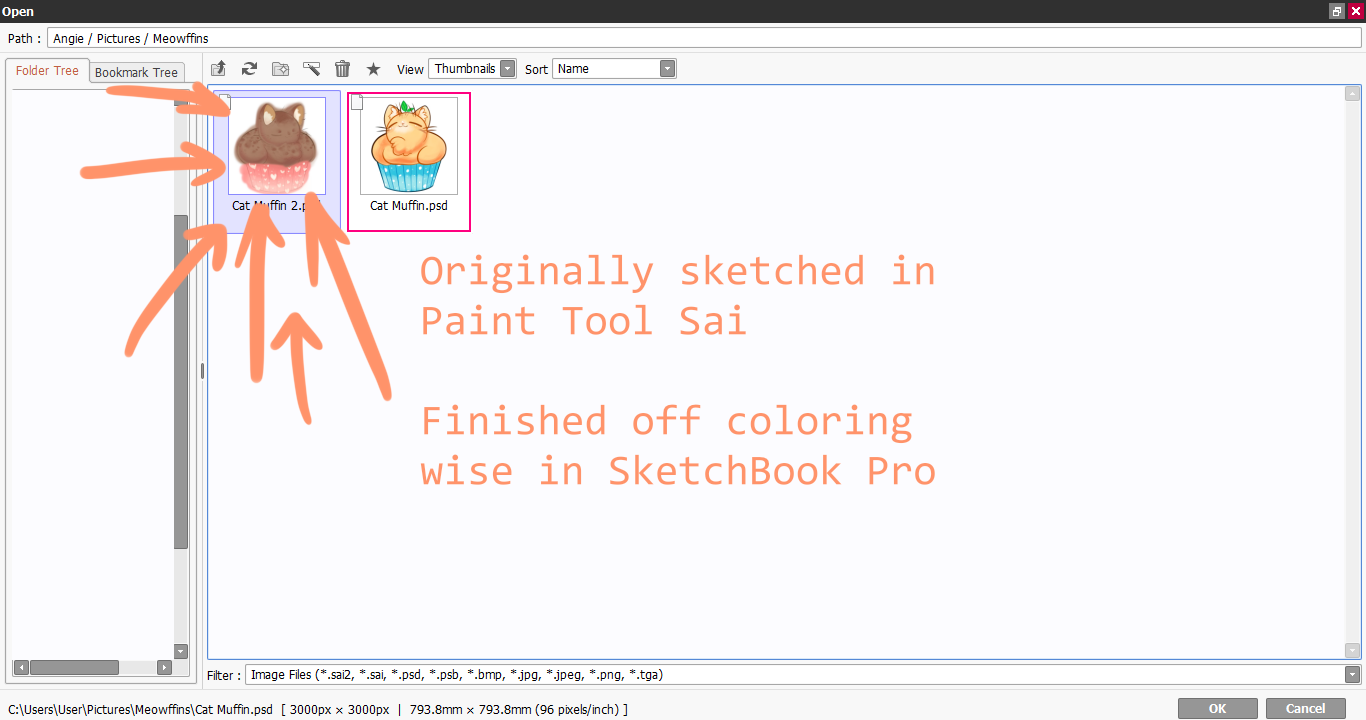
My layers made on Sketchbook is empty when opened Paint Tool Sai

- Mark as New
- Bookmark
- Subscribe
- Mute
- Subscribe to RSS Feed
- Permalink
- Report
Okay, so I have been having an issue with Sketchbook Pro. I am using a Windows 10 Lenovo laptop.
I generally gravitate towards two different programs. I use a program called Paint Tool Sai Ver. 2 and I've recently started using Sketchbook Pro. I usually do my quick sketching on Sai while I use Sketchbook for refining and coloring for a more interesting texture.
Here's my problem:
After sending the sketch I've made on Paint Tool Sai to SketchBook Pro as a .PSD file and work on. I save it as a .PSD file on Sketchbook, and as I reopen the .PSD file on Paint Tool Sai, it's as if whatever I worked on in the layers on are completely empty like there's nothing there even if I know those layers should have something in them. And it's not like Paint Tool Sai can't read it, it's done it before for some of the really quick doodles I've tested on SketchBook. I know it's not Paint Tool Sai since this is only a problem I ever had with when using Sketchbook as Photoshop drawn files read fine on it. Has anyone else experienced this?