Problems with graphics/screen

Problems with graphics/screen

Anonymous
Not applicable
1,138 Views
6 Replies
Message 1 of 7

Problems with graphics/screen

Anonymous
Not applicable

Hi,

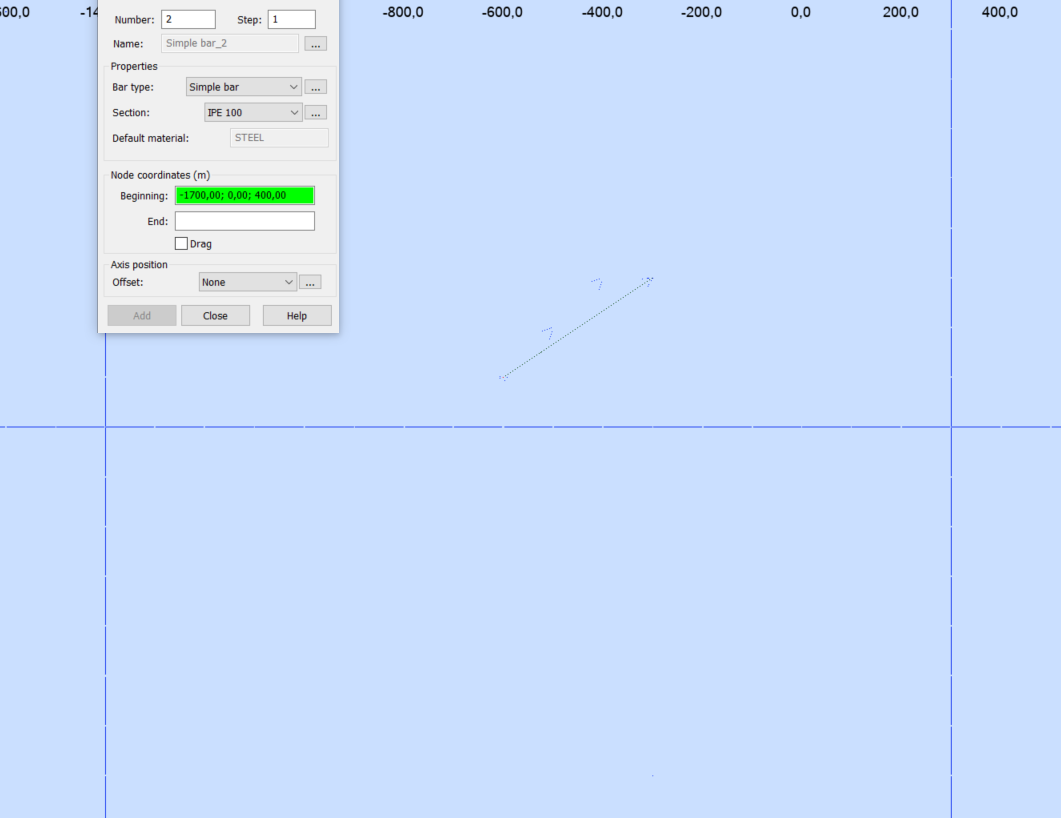
I have a problem with the screen/graphics. My model is ok(it's visibel) when I don't do anything. If I hold the pointer over my model I can hardly see my beams/columns. If I choose to draw a bar, the same happens. See the attached picture. 

Could it be the screen settings on my computer or is it something with Robot? I've tried some troubleshooting without any luck.


Tore

0 Likes
1,139 Views
6 Replies
Replies (6)
Message 2 of 7

Romanich
Mentor
Mentor

Hi @Anonymous ,

Please check this topic:

https://forums.autodesk.com/t5/robot-structural-analysis-forum/disappearing-inactive-bars-and-panels/m-p/8113111

Do you find the posts helpful? "LIKE" these posts!
Have your question been answered successfully? Click 'ACCEPT SOLUTION' button.

Roman Zhelezniak

Robot Evangelist & Passionate Civil Structural Engineer

LinkedIn | Robot & Хобот | App Store for Robot
EESignature


0 Likes
Message 3 of 7

Anonymous
Not applicable

Hi,

Thank you for your answer,


I forgot to mention that it also happens if I open a new file or another project. Something is clearly wrong, because when I open Robot the workspace is black, but it changes to normal when i start to work in it. But the elements are in "hidden" lines, see the attached pictures. And the pointer behaves weird to(skjermbilde3)

0 Likes
Message 4 of 7

Romanich
Mentor
Mentor

Try to do the following:

 - close Robot

 - rename  this folder c:\Users\YOUR USER NAME\AppData\Roaming\Autodesk\Autodesk Robot Structural Analysis Professional 2020\CfgUsr   (e.g. CfgUsrOLD)

 - start Robot and check

Do you find the posts helpful? "LIKE" these posts!
Have your question been answered successfully? Click 'ACCEPT SOLUTION' button.

Roman Zhelezniak

Robot Evangelist & Passionate Civil Structural Engineer

LinkedIn | Robot & Хобот | App Store for Robot
EESignature


0 Likes
Message 5 of 7

Anonymous
Not applicable

I tried that but it didn't change. I uninstalled 2019 and 2020-version, and installed the 2020 again, but it's still the same problem. Now there is two folders; one  "CfgUsr" and one "CfgUsrOLD". I don't know why it's two suddenly...

I'm a bit frustrated now...


0 Likes
Message 6 of 7

Romanich
Mentor
Mentor

CfgUsrOLD can be deleted manually

Do you find the posts helpful? "LIKE" these posts!
Have your question been answered successfully? Click 'ACCEPT SOLUTION' button.

Roman Zhelezniak

Robot Evangelist & Passionate Civil Structural Engineer

LinkedIn | Robot & Хобот | App Store for Robot
EESignature


0 Likes
Message 7 of 7

Anonymous
Not applicable

Ok. Now I have uninstalled and installed 2020-version 3 times, and still have the same problem so I wonder if it's something with the settings on my computer. I appreciate your answers, thank you.

I guess the default parameters regarding visibility etc is ok when the program is installed.

0 Likes