Total connected load not calculated

Total connected load not calculated

Anonymous
Not applicable
2,437 Views
7 Replies
Message 1 of 8

Total connected load not calculated

Anonymous
Not applicable

Hi,


I'm having some problems with electrical panels. I changed some circuit numbers and my total connected load doesnt work anymore. It remains 0 VA

So my panel schedule wont calculate the totals either. Anyone know how to solve this porblem?  


Kind regards,

Kai-Wing

 

0 Likes
2,438 Views
7 Replies
Replies (7)
Message 2 of 8

Anonymous
Not applicable

I'm about 90% sure that the problem is that the load parameter in your families isn't mapped to the connector element properties in the families.


To fix this, open each family, select the electrical connector, and in the properties palette click the little gray button next to the apparent load property and select whichever parameter you're using to store that data.  Repeat this process for the voltage, number of poles, and load class also.  Then do it for each family that requires an electrical connection.


Better yet, get an intern to do it because it's a very tedious process.

0 Likes
Message 3 of 8

Anonymous
Not applicable

The strange thing is that it used to work. Thanks for your help,

I will check the load parameters in the family connector.e


0 Likes
Message 4 of 8

Anonymous
Not applicable

I have tried this for a few families but it didnt work. I  have loaded the families and the electrical panel into a new project and that worked fine. 

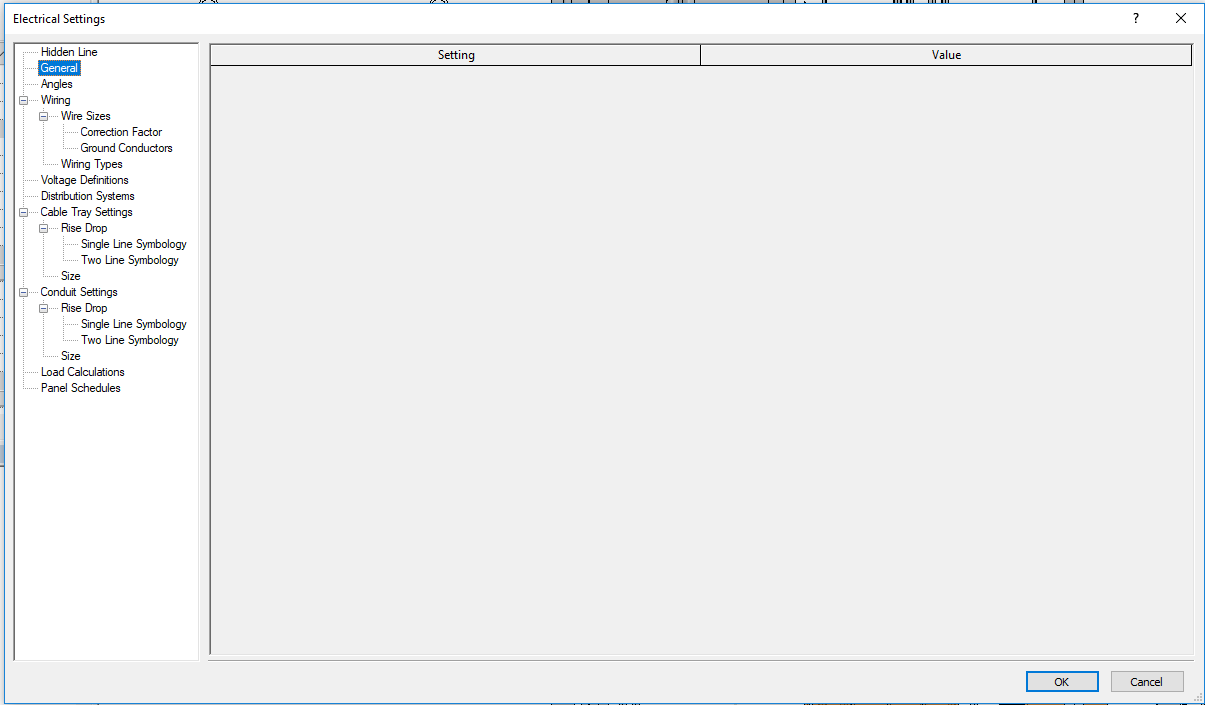
Somehow my Electrical settings-> Panel schedules is greyed out. 

0 Likes
Message 5 of 8

Anonymous
Not applicable

It looks from that last image like someone deleted all of the panel schedule templates from your project (or template).  Try this - open the original broken project and the new one that worked.  In the original one, go to Manage>Transfer Project Standards, select the new project, check none, and scroll down to Panel Schedule Templates and check that box, then hit OK.  

0 Likes
Message 6 of 8

Anonymous
Not applicable

I have already tried that. I even tried to overwrite all the parameters, audit, purge etc.

Just noticed that my Electrical settings >> General settings have also been greyed out. I think something in the model is bugged. 

I have run a test by upgrading the model from Revit 2016 to 2017 and everything works again. 


0 Likes
Message 7 of 8

Anonymous
Not applicable

Whoa.  That's a new one.  Given that upgrading fixed it and creating a new model fixed it, I'd guess that you had a network drop during a sync and that data got lost.  Or the gremlins were particular creative that day.

0 Likes
Message 8 of 8

eric_grey
Autodesk
Autodesk

Hi Kai-Wing,


The issue you have run into was fixed in the 2017 release.  A few other customers have also had their electrical settings deleted, but we don't know what caused it to happen.  We can fix your project and keep it in either the 2015 or 2016 version of Revit using special in-house builds.  Please contact support for assistance.


Thanks,

Eric


Eric Grey
Software QA Analyst
0 Likes