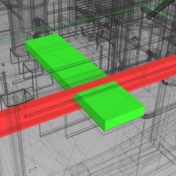
Orphaned elements issue

Orphaned elements issue

-Navisworker-
Advocate Advocate
3,359 Views
5 Replies
Message 1 of 6

Orphaned elements issue

-Navisworker-
Advocate
Advocate

I’m having an issue within some of my Revit models. I have 88 objects in a model which are orphaned. Orphaning occurs when an object is hosted by an element in a Linked model and then later on the host is deleted from the linked model. In my case a number of plumbing fixtures have lost their hosting.


These orphaned objects (as result) have really long lines extending from their mechanical connections. The attached video shows what I mean by long lines. I tried rehosting the toilet to a wall in a linked model and now the objects are no longer orphaned, however the long lines still appear. They create an issue as they extend the drawing boundaries such that when you ‘zoom all’, you are really really far from the model.


I’ve tried duplicating the object and removing the old, I’ve tried removing the connections from the family. Neither option works. Beyond deleting the objects entirely, does anyone have any suggestions to correct this issue?

0 Likes
Accepted solutions (1)
3,360 Views
5 Replies
Replies (5)
Message 2 of 6

Anonymous
Not applicable

It is not a big issue Just reduce your Scale.


Suppose you have the Scale 1:500 or above

Reduce it to Scale 1:200 and below.


Hope got the solution.

Message 3 of 6

-Navisworker-
Advocate
Advocate

Scale is 1:100. I don't believe you are right.

0 Likes
Message 4 of 6

kadmonkee
Advisor
Advisor
Accepted solution

what view type are you rehosting in ?

if you have a plan view open disconnect the family from the pipe.

rehost the family to the wall 

reconnect the pipe to the family

reload from the Architectural link

try changing the level of detail from fine to course and then change it back again.


just thinking out loud sometimes the view does not respond as expected


If there is any information shared that is of value please give Kudos
If a solution is provided by any posters please mark them as Solved to benefit everyone else.
thank you
Message 5 of 6

PaulineP54QC
Enthusiast
Enthusiast

Hello, I have had same situation when copy and paste bim objects.  In my case, I have 543 light fixtures that I copied (from another ceiling view) and pasted to another ceiling plan view, however all 543 light fixtures are orphans. So you are saying that I have to "pick" each light fixtures of the 543individually and do "Pick New" so it will find a "host"?


Should be a better way to do this. Please any help will be appreciated. Thanks.


0 Likes
Message 6 of 6

iainsavage
Mentor
Mentor

This should only become an issue if the ceiling moves in which case the fixtures will not automatically move with it.

You can however do it en masse if you use the Edit Workplane option.

Select the fixtures

iainsavage_0-1711994398135.png

Use "Edit Workplane" and "Pick  Plane"

iainsavage_1-1711994452692.png

Pick the underside of the ceiling

iainsavage_2-1711994494724.png

Fixtures attach to ceiling

iainsavage_3-1711994549709.png

Now they will move if the ceiling level changes.

0 Likes
