Revit Architecture Forum
Welcome to Autodesk’s Revit Architecture Forums. Share your knowledge, ask questions, and explore popular Revit Architecture topics.
abbrechen
Suchergebnisse werden angezeigt für 
Anzeigen  nur  | Stattdessen suchen nach 
Meintest du: 

Work grid

2 ANTWORTEN 2
GELÖST
Antworten
Nachricht 1 von 3
Anonymous
351 Aufrufe, 2 Antworten

Work grid

Hello, 


there's possibility to cancel work grid?

What change between work grid and reference plane?

Are similar to use?


Thank's

2 ANTWORTEN 2
Nachricht 2 von 3
ToanDN
als Antwort auf: Anonymous

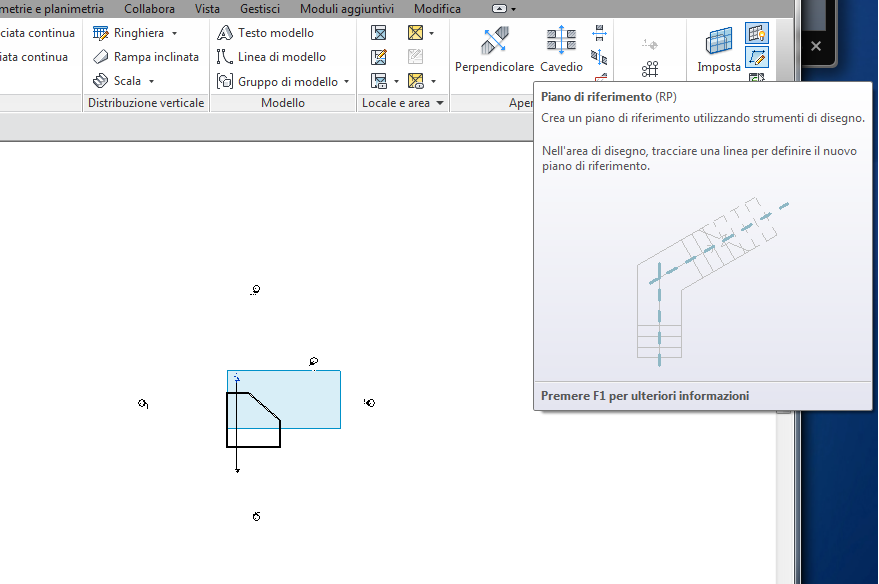
Use "Show" workplane button on the Ribbon to toggle it On and Off.


Capture.PNG


Nachricht 3 von 3
rimacoca
als Antwort auf: Anonymous

Hi @Anonymous


  1. Yes is possible turn off.

You are in sheet view to see this kind of grid  (Guide Grid)  (checking your image Work grid.png)


To turn off or on you need go to sheet and don't select anything.

Go to properties tool and in the last line you can change GUIDE GRID to none.


2. 

Guide grids help arrange views so that they appear in the same location from sheet to sheet.

You can display the same guide grid in different sheet views. Guide grids can be shared between sheets.

The reference plane  is guideline in your design you can  host object in this references planes.


A KUDO is always welcomed; However, when the above answer helps and/or clarifies your query; kindly mark this reply.

Submitted ideas
/ All Revit up dates
Projects BIM Integrated Services

Sie finden nicht, was Sie suchen? Fragen Sie die Community oder teilen Sie Ihr Wissen mit anderen.

In Foren veröffentlichen  

Autodesk Design & Make Report