- Home
- /
- Architecture, Engineering & Construction
- /
- Revit Products Forums
- /
- Revit Architecture Forum
- /
- Re: why room tag not work ?
why room tag not work ?
- Subscribe to RSS Feed
- Mark Topic as New
- Mark Topic as Read
- Float this Topic for Current User
- Bookmark
- Subscribe
- Mute
- Printer Friendly Page
why room tag not work ?




- Mark as New
- Bookmark
- Subscribe
- Mute
- Subscribe to RSS Feed
- Permalink
- Report
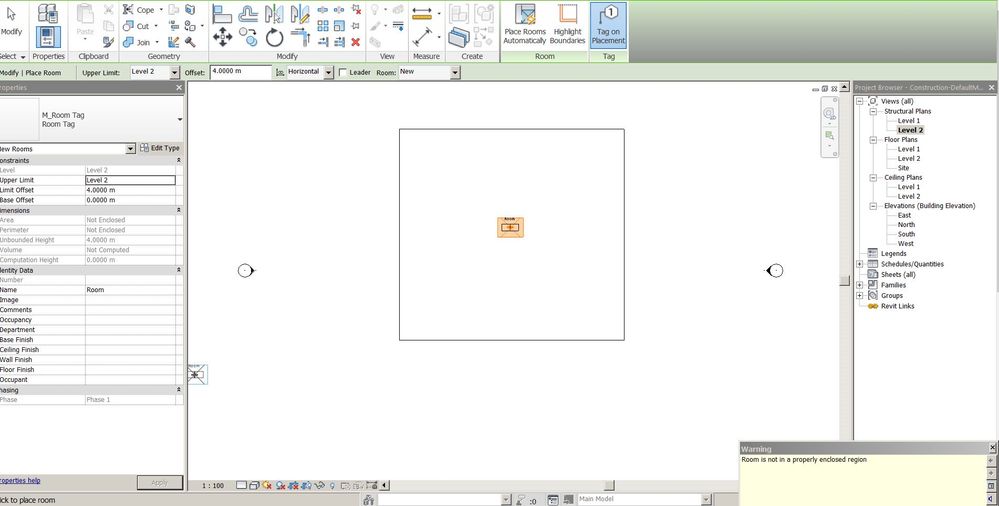
You try to place a room together with a room tag. However as mentioned in the error message you do not have an enclosed area, so no room can be created. And without a room also the tag can not be placed
The enclosed area should be made of room bounding elements (e.g wall, doors, columns, separator lines). Normal lines do not count as room bounding elements
Louis
Please mention Revit version, especially when uploading Revit files.

- Mark as New
- Bookmark
- Subscribe
- Mute
- Subscribe to RSS Feed
- Permalink
- Report
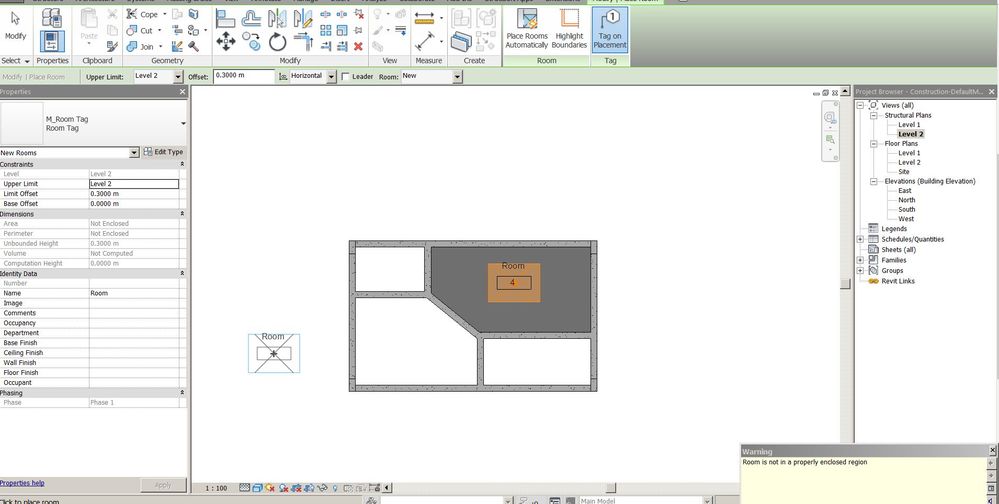
You still have the same error, so the issue remains. Possibly you have underlay of level 1, so you are looking at walls of level 1 while trying to place room on level 2. Or for some reason the area is not completely enclosed with room bounding elements. You would have to upload project so we can have a look
Louis
Please mention Revit version, especially when uploading Revit files.
- Mark as New
- Bookmark
- Subscribe
- Mute
- Subscribe to RSS Feed
- Permalink
- Report
here
- Mark as New
- Bookmark
- Subscribe
- Mute
- Subscribe to RSS Feed
- Permalink
- Report
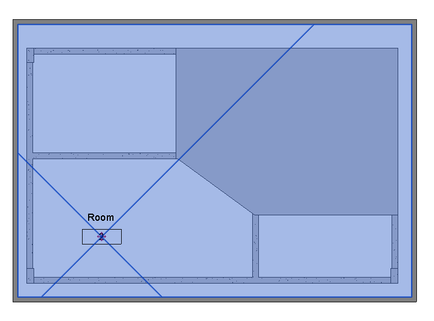
As expected, no enclosed areas with room bounding elements.
Only elements that are room bouding are the columns, but they do not enlcose an area

If you would use walls to enclose an area than no problem with creating the room(s)
HERE more detailed information about room bounding elements
Louis
Please mention Revit version, especially when uploading Revit files.
- Mark as New
- Bookmark
- Subscribe
- Mute
- Subscribe to RSS Feed
- Permalink
- Report


- Mark as New
- Bookmark
- Subscribe
- Mute
- Subscribe to RSS Feed
- Permalink
- Report
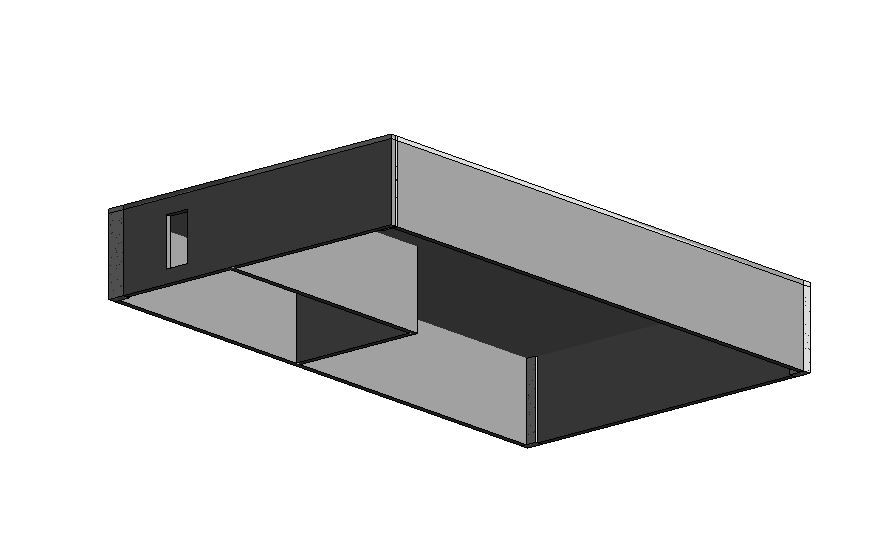
Edit: looked at you picture again and you have more than two walls, so my apology. But I think @L.Maas is right that the walls seem to be on the lower level and you may want to create rooms on the upper level.
You need a closed boundary to create a Room. Two walls don't make it.
- Mark as New
- Bookmark
- Subscribe
- Mute
- Subscribe to RSS Feed
- Permalink
- Report
Probably you are trying to create the room on the second level while your walls are on the first level
Louis
Please mention Revit version, especially when uploading Revit files.
- Mark as New
- Bookmark
- Subscribe
- Mute
- Subscribe to RSS Feed
- Permalink
- Report

- Mark as New
- Bookmark
- Subscribe
- Mute
- Subscribe to RSS Feed
- Permalink
- Report
Can i show perimeter of room or area only ?

- Mark as New
- Bookmark
- Subscribe
- Mute
- Subscribe to RSS Feed
- Permalink
- Report
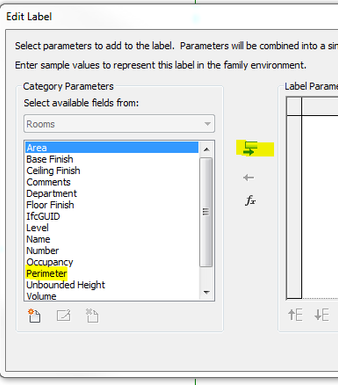
Yes. You can add a label with this information to your room tag.
Again for the room tag to work you need
1) four walls
2) all walls must be 'room bounding'
3) or room separation lines
Rina Sahay
Autodesk Expert Elite
Revit Architecture Certified Professional
If you find my post interesting, feel free to give a Kudo.
If it solves your problem, please click Accept to enhance the Forum.
- Mark as New
- Bookmark
- Subscribe
- Mute
- Subscribe to RSS Feed
- Permalink
- Report
i mean in tag
- Mark as New
- Bookmark
- Subscribe
- Mute
- Subscribe to RSS Feed
- Permalink
- Report
Yes. If you are in a tag family, you can Create>>Label, and then this dialog box comes up. If you pick Perimeter and hit the green arrow, the label will read the Perimeter.
Rina Sahay
Autodesk Expert Elite
Revit Architecture Certified Professional
If you find my post interesting, feel free to give a Kudo.
If it solves your problem, please click Accept to enhance the Forum.