Hi @GlenJNorris
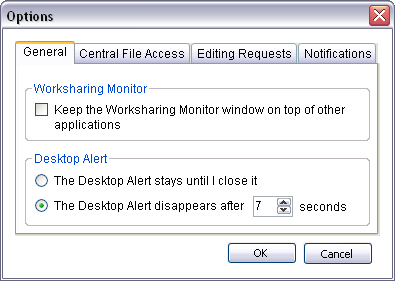
You could try putting your windows to a region using this app HERE. The worksharing monitor defaults to the center of the screen, but you can use options on the General tab to specify the following:
- Whether the Worksharing Monitor window always stays on top of other application windows. This option makes sure that you see new information as it becomes available.
- If you use desktop alerts (specified on the other tabs), how long they display on the Windows desktop.
Please mark this response as "Accept as Solution" if it answers your question.