Export generic annotation to DWG in cropped view makes text disappear

Export generic annotation to DWG in cropped view makes text disappear

john_nordmark2
Advocate Advocate
3,466 Views
11 Replies
Message 1 of 12

Export generic annotation to DWG in cropped view makes text disappear

john_nordmark2
Advocate
Advocate

Hi,

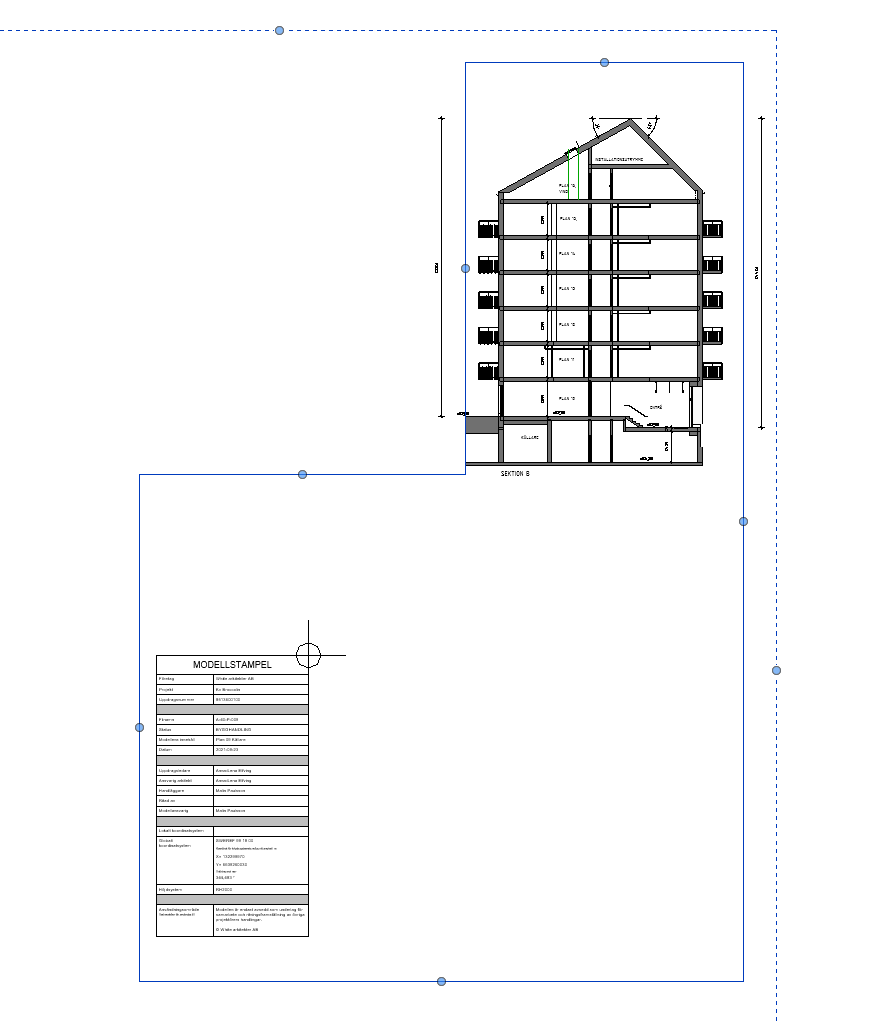
We have a family witch we use as a model stamp when we export 2d dwg files. Tha family is a Detail Item witch contains a generic annotation family. The family has parameters so we can edit the information text for each view. The method works fine except in cropped views. If a wiew is cropped the text disapperars. Any ideas?

0 Likes
Accepted solutions (1)
3,467 Views
11 Replies
Replies (11)
Message 2 of 12

john_nordmark2
Advocate
Advocate

Clarification. It doesn't work in views where the crop region is edited to a polygonal form and it doesn't work even if the crop is active or not. If the view is croped with a rectangular form it works.

0 Likes
Message 3 of 12

hmunsell
Mentor
Mentor

families are often exported as blocks. Does exploding the "model stamp" block effect it at all. I assume you have checked that all your layers are on and thawed?

Howard Munsell
Did you find this post helpful? Feel free to Like this post.
Did your question get successfully answered? Then click on the ACCEPT SOLUTION button.


EESignature


0 Likes
Message 4 of 12

john_nordmark2
Advocate
Advocate

@hmunsell No, the info block comes out as lines and no text. The family contains both text elements and labels, but nothing comes out in the export. I solved it by resetting the crop region and adding some masking regions.

0 Likes
Message 5 of 12

ToanDN
Consultant
Consultant

@john_nordmark2 wrote:

Hi,

We have a family witch we use as a model stamp when we export 2d dwg files. Tha family is a Detail Item witch contains a generic annotation family. The family has parameters so we can edit the information text for each view. The method works fine except in cropped views. If a wiew is cropped the text disapperars. Any ideas?


Have you tried a generic annotation family instead of a detail family with a nested annotation?

0 Likes
Message 6 of 12

RDAOU
Mentor
Mentor

@john_nordmark2 


Unable to replicate what is happening at your end...I created a Detail Item with nested Generic Annotations (Labels), placed in plan view with edited crop region ... They export fine with the Generic Annotations.


Maybe you can post that family or try replicate in an empty model which you can attach


Test DWG1.gif


YOUTUBE | BIM | COMPUTATIONAL DESIGN | PARAMETRIC DESIGN | GENERATIVE DESIGN | VISUAL PROGRAMMING
If you find this reply helpful kindly hit the LIKE BUTTON and if applicable please ACCEPT AS SOLUTION


0 Likes
Message 7 of 12

john_nordmark2
Advocate
Advocate

@RDAOU Try the attached file. The project runs in Revit 2020 and the attached file is a 2020 file. I tied to open it in 2021 and there the export works! So something in 2021 fixed the problem.

0 Likes
Message 8 of 12

RDAOU
Mentor
Mentor

@john_nordmark2 


It could be an issue with 2020 but I cannot confirm that because I only have 2022 on this laptop. In 2022 it opens and exports as expected (no missing text)


However, I couldn't but notice 1 thing...die Stampel is actually modeled entirely in a generic annotation and you are just nesting it into a detail item as a bridge.


  1. Why not simply use the Generic Annotation Family?!
  2. Warum auf die Pläne und nicht auf die Planköpfe?!


YOUTUBE | BIM | COMPUTATIONAL DESIGN | PARAMETRIC DESIGN | GENERATIVE DESIGN | VISUAL PROGRAMMING
If you find this reply helpful kindly hit the LIKE BUTTON and if applicable please ACCEPT AS SOLUTION


0 Likes
Message 9 of 12

john_nordmark2
Advocate
Advocate
  1. The reason that we put the Generic Annotation in a Detail Item is that we would like to controll the info blocks in a schedule. Detail Items are schedulabe, Generic Annotations are not.
  2. Why german? I'm from sweden. But I think the question is, "Why on the plan views and not on the Sheet Title Block? But we doesn't export sheets, we want to export the view with this info block on.
0 Likes
Message 10 of 12

TripleM-Dev.net
Advisor
Advisor
Accepted solution

Hi,


I've tested the Revit2020 file, and here to the text is missing from the Detailitem.

If the Generic annotation is used, this does export.


As far as Generic annotations goes; they can be scheduled, it's named "Note Block" schedule.

Rightclick Schedules in the project browser > New Note Block > select correct family > config the Schedule.


The schedule is a schedule per family, so in a single schedule only types of thesame family can occur.

Bonus; parameters in the family don't need to be shared parameters, all Family parameters are seen by the Schedule and schedulable.


Another bonus; as it's a Annotation, so won't be cropped by the view crop (only hidden if annotation crop is active and the family is partially outside it (so all or nothing is viewed)


Attached some screenshots,


Create Note BlockCreate Note Block

Select FamilySelect FamilySetup scheduleSetup schedule


- Michel

Message 11 of 12

ToanDN
Consultant
Consultant

@john_nordmark2 wrote:

@RDAOU Try the attached file. The project runs in Revit 2020 and the attached file is a 2020 file. I tied to open it in 2021 and there the export works! So something in 2021 fixed the problem.


Open in Revit 2020.2, print to PDF  and nothing is missing.


ToanDN_0-1633376626547.png


Message 12 of 12

john_nordmark2
Advocate
Advocate

Hi everyone,

Thanks for all response. The info block is quiet old and the idea of having a Generic Annotation inside a Detail Item is not mine :-). I didn't know about the Note Block. I hadn't used that before. It works fine only to have the block as a Generic Annotation. We will use it like this from now.

0 Likes