CAD file fails to be imported,

CAD file fails to be imported,

JamaL9722060
Collaborator Collaborator
1,457 Views
6 Replies
Message 1 of 7

CAD file fails to be imported,

JamaL9722060
Collaborator
Collaborator

CAD file fails to be imported,


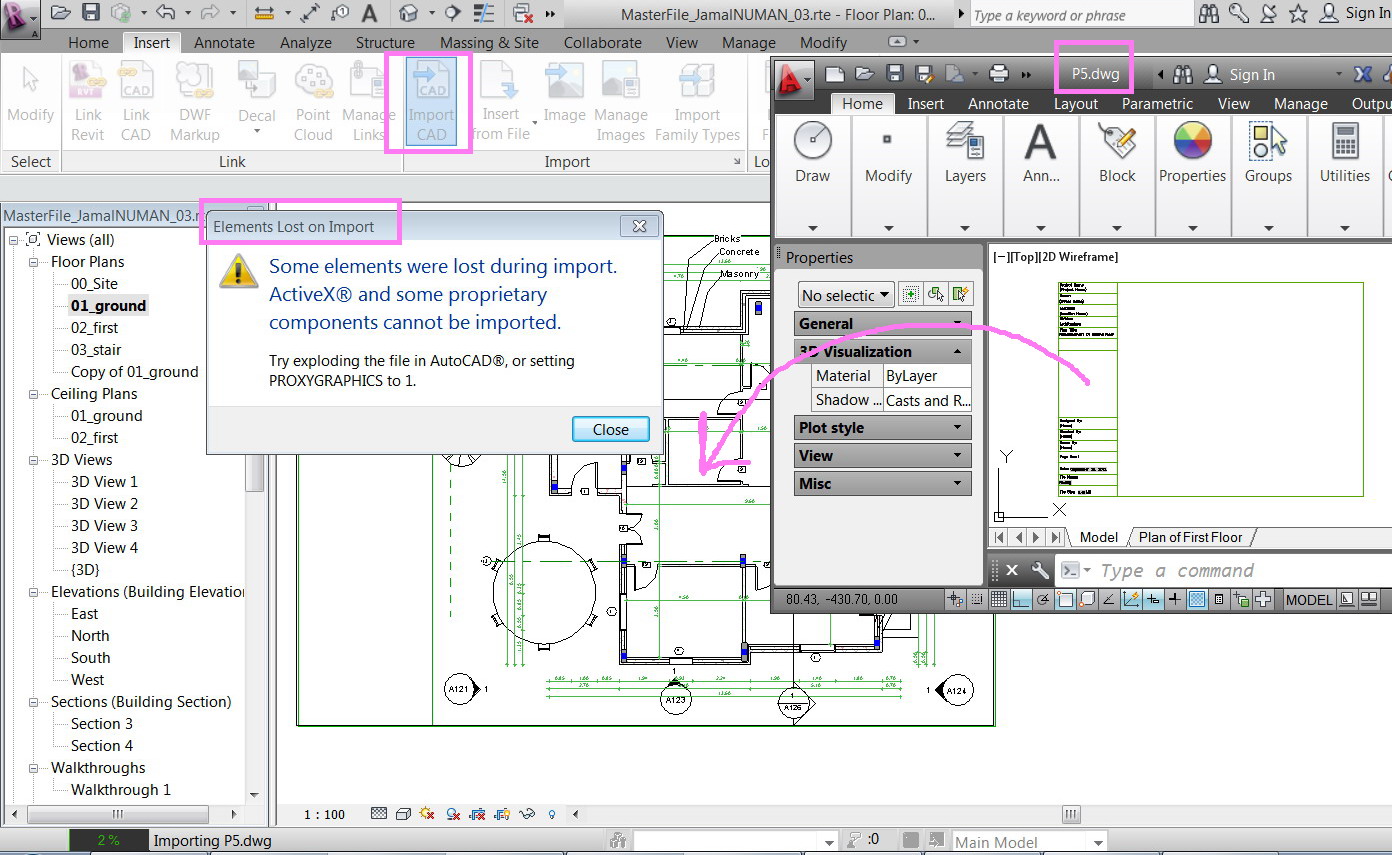
As I attempted to import dwg file, I got the message below. What might be the problem?

The dwg file is attached


Thank you


Best


Jamal
 

Clip_150.jpg

---------------------------
Jamal Numan
0 Likes
Accepted solutions (2)
1,458 Views
6 Replies
Replies (6)
Message 2 of 7

pendean
Community Legend
Community Legend
On that popup, the sentence in black in smaller letters explains the fix needed.
Message 3 of 7

JamaL9722060
Collaborator
Collaborator

many thanks.


the dwg is already exploded, nevertheless, the problem is still there!


---------------------------
Jamal Numan
0 Likes
Message 4 of 7

CoreyDaun
Mentor
Mentor

I was unable to open your .dwg file to test (I only have Revit 2013 installed at the moment), but I have read about a possible solution in the past that instructed to purge out all blocks and delete the existing Layout tabs. All of your geometry is in Modelspace, right?

Corey D.                                                                                                                  ADSK_Logo_EE_2013.png    AutoCAD 2014 User  Revit 2014 User
──────────────────────────────────────────────────────────────────────
⁞|⁞ Please use Mark Solutions!.Accept as Solution and Give Kudos!Give Kudos as appropriate to further enhance these forums. Thank you!
Message 5 of 7

JamaL9722060
Collaborator
Collaborator

Many thanks for the answer.


I’m attaching the dwg file with version 2000. I purged but the problem persists to exist.


What might other solutions be?


Clip_169.jpg


Clip_170.jpg

---------------------------
Jamal Numan
0 Likes
Message 6 of 7

CoreyDaun
Mentor
Mentor
Accepted solution

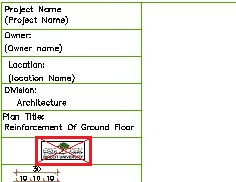
The source of this error appears to the OLE Object, the imported image. See image below. Upon deleting it and importing into Revit, the error desisted. The image does not appear to come through at all when imported.


ImportImage.JPG


I will suggest importing the dwg file into a new Detail Item Family. Then you can import the image into Revit from there. Load this family into Revit and you shouldn't have any more issues with this.

Corey D.                                                                                                                  ADSK_Logo_EE_2013.png    AutoCAD 2014 User  Revit 2014 User
──────────────────────────────────────────────────────────────────────
⁞|⁞ Please use Mark Solutions!.Accept as Solution and Give Kudos!Give Kudos as appropriate to further enhance these forums. Thank you!
Message 7 of 7

JamaL9722060
Collaborator
Collaborator
Accepted solution

Thank you for the prompt answer. Sounds to work fine. Very much appreciated.


Best


Jamal


Clip_178.jpg

---------------------------
Jamal Numan
0 Likes