Area Boundary not visible

Area Boundary not visible

johannes_steidleTZK2Q
Contributor Contributor
3,268 Views
9 Replies
Message 1 of 10

Area Boundary not visible

johannes_steidleTZK2Q
Contributor
Contributor

I'm encountering an unusual issue with the visibility of area boundaries.


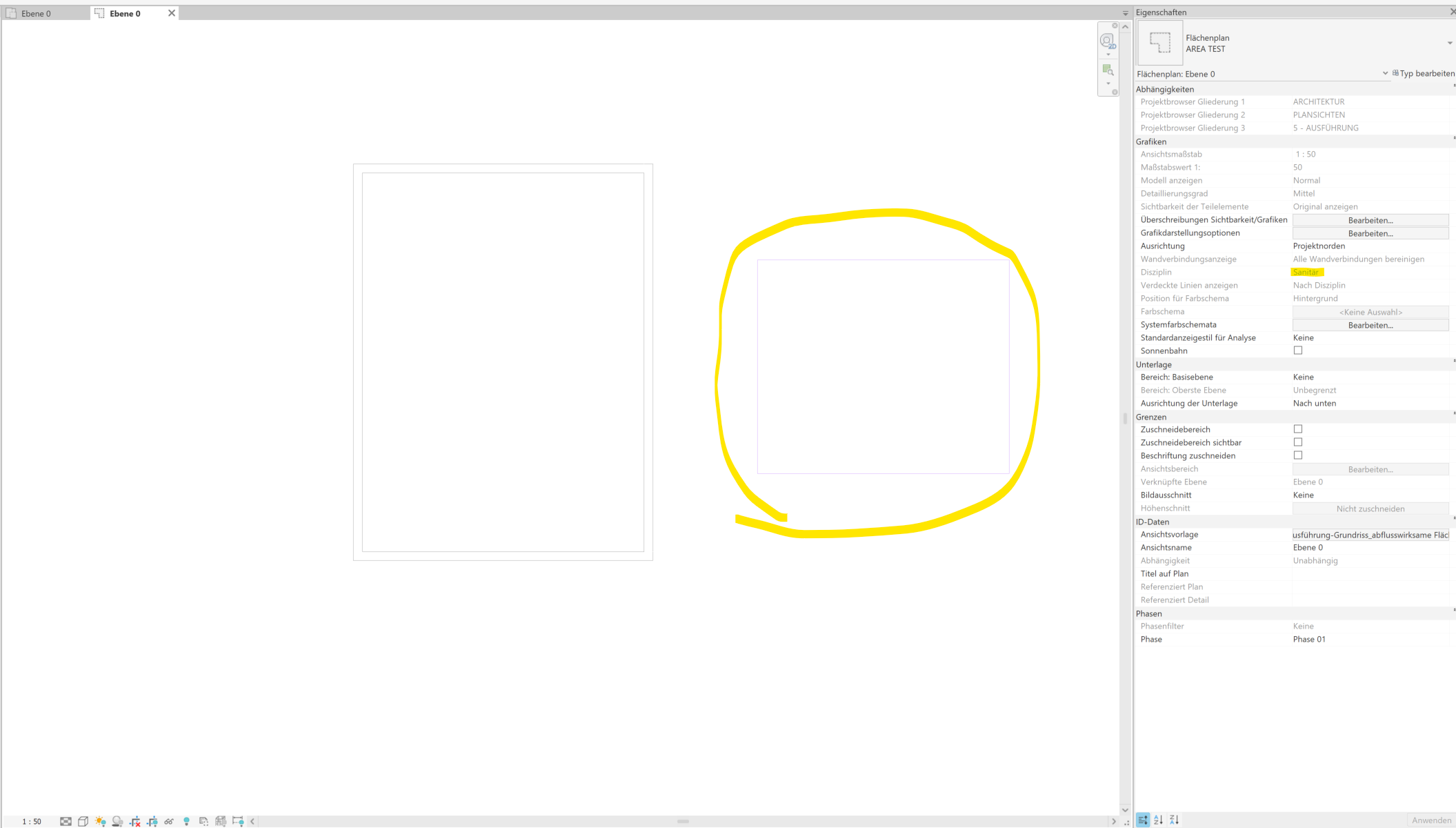
I'm working in a ground floor with an activated view template that sets the discipline to "plumbing."


I can draw my area boundaries, but as soon as I finish drawing, they disappear.


Initially, I suspected it was due to the discipline setting. However, when I add a toposurface to the project, the boundaries become visible. Conversely, if I remove the toposurface, the boundaries disappear instantly.


Could someone please clarify this phenomenon?

0 Likes
Accepted solutions (1)
3,269 Views
9 Replies
Replies (9)
Message 2 of 10

barthbradley
Consultant
Consultant
0 Likes
Message 3 of 10

johannes_steidleTZK2Q
Contributor
Contributor

I am sorry, i wasn´t clear. 
i work already in an area plan. 

0 Likes
Message 4 of 10

barthbradley
Consultant
Consultant

Sorry. I misread you. Post your RVT here.  


....Are you sure it's not visible? Area Boundaries should show as Halftone in Plumbing Discipline. 


  https://help.autodesk.com/view/RVT/2022/ENU/?guid=GUID-5D8831F6-6F15-4BF3-ACEB-06FBC14A5491   

0 Likes
Message 5 of 10

johannes_steidleTZK2Q
Contributor
Contributor

Unortunately, I can´t post the original file. 
I just startet a new file and tried to reproduce the bug. Now everthings works fine. 

Area boundaries are now in Halftone. 

Thanks for jour help! 

0 Likes
Message 6 of 10

barthbradley
Consultant
Consultant

You had to start a brand new Project to resolve???  That's a little extreme - as well as impractical.  I'm sure there's a resolution that doesn't involve starting a Project all over from scratch. I'm sure it's not a "bug". I would bet money that it's a Project setting.   


BTW: if it is a "Bug" like you think (I  don't), wouldn't the same thing eventually happen again in this new Project?    

0 Likes
Message 7 of 10

johannes_steidleTZK2Q
Contributor
Contributor

No i do not have to start a new projekt. 
As i said, the area boundaries just dissapear when there is no toposolid in the project. 


I attached a video, for me it still looks like a bug. 

I also send you a dm. 


Thanks for your help! 

0 Likes
Message 8 of 10

mohammedHBLFT
Community Visitor
Community Visitor

I think the issue is in the worksets. maybe you changed the workset for the area boundray lines . check your worksets and if one is turned off then turn it on and you may find your lines. Area boundray lines are areaplan based and one of the few things that you can change is the workset.

0 Likes
Message 9 of 10

jose_Miquelao
Contributor
Contributor
Accepted solution
  1. Why the area boundaries disappear in your plumbing view

    • Area boundaries belong to the Area Schemes / Area system, not to plumbing or any MEP discipline.
    • In some disciplines (especially non‑Architectural ones) Revit heavily filters what’s displayed to only “relevant” categories.
    • In your case, with a plumbing discipline + view template, Revit is effectively treating the view as an MEP plan and deprioritizing / suppressing some architectural categories—area boundaries included—once the sketch is completed.
    • While sketching, Revit temporarily forces them visible (so you can edit), but after you finish the sketch, the visibility reverts to what the view discipline and template allow, so they appear to vanish.
  2. Why adding a toposurface makes them visible

    • When you add a toposurface, you’re introducing a site/architectural category that Revit “expects” in a more architectural context.
    • Internally, this combination of categories and context seems to trigger Revit to treat the view more like a mixed/architectural view, so the area boundaries’ category is again considered relevant and stays visible.
    • Removing the toposurface moves the view back toward a purely MEP/plumbing context, and Revit’s filtering hides the area boundaries again.
Message 10 of 10

johannes_steidleTZK2Q
Contributor
Contributor

Hey @mohammedHBLFT an @jose_Miquelao,
thanks for comming back to such an old case!
thanks for your help!