Creation components in mode MODEL IN-PLACE

Creation components in mode MODEL IN-PLACE

Adamchuk_Nicolay
Enthusiast Enthusiast
2,612 Views
5 Replies
Message 1 of 6

Creation components in mode MODEL IN-PLACE

Adamchuk_Nicolay
Enthusiast
Enthusiast

Hi,


is it possibility to create some components (for example mass) in mode - model in-place ?


Some methods (for example NewLoftForm) are availabel in Revit editor only.


Thank you for advance.


0 Likes
2,613 Views
5 Replies
Replies (5)
Message 2 of 6

saikat
Autodesk
Autodesk

Unfortunately, Inplace family creation is not supported with the API. Sorry about that.


Workaround would be to programmatically create the mass family, load the mass family into the project and insert an instance of it in the model.


Saikat Bhattacharya
Senior Manager - Technology Consulting
0 Likes
Message 3 of 6

GeomGym
Advocate
Advocate

Are there any other options for creating in-place objects in Revit?


Trouble is Revit has many restrictions such as limited categories for mass and generic model families.

If I want to categorize a bespoke object as a floor (so that say walls could be manually attached to it), then this is a problem.


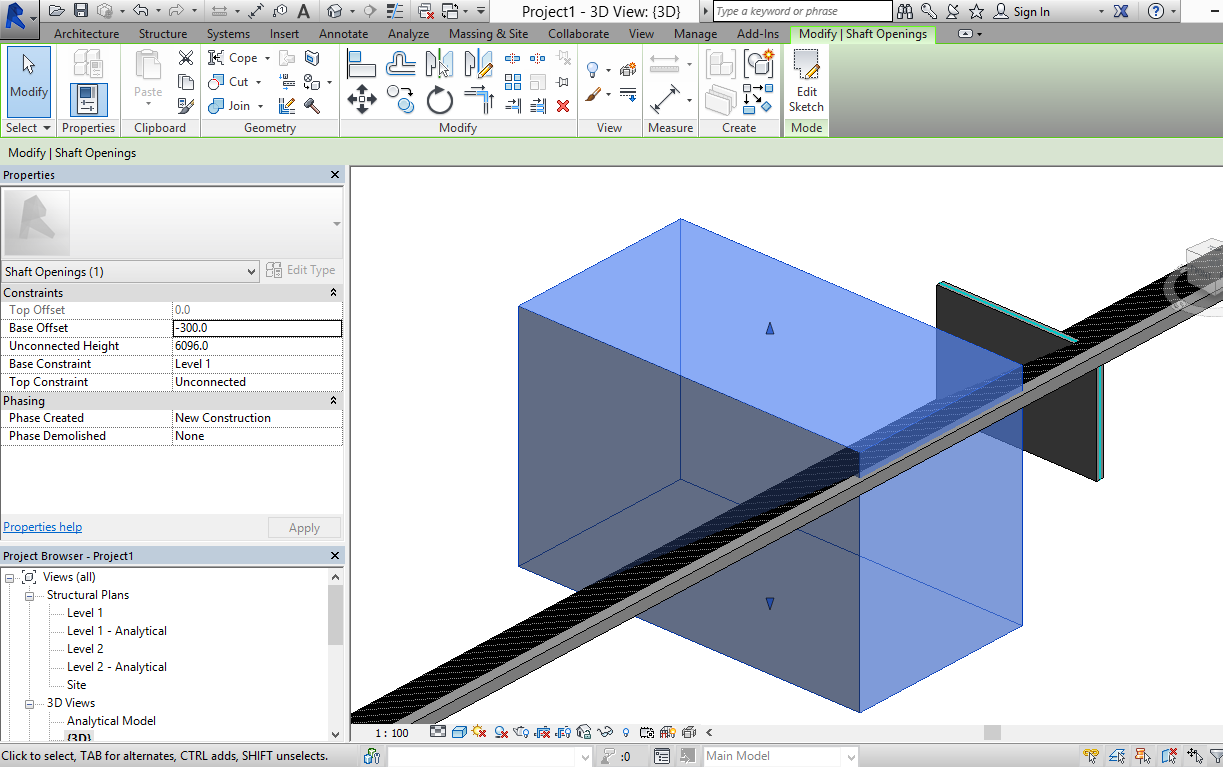
One work around I have thought of it to generate the geometry in a generic model object, and then have the user cut and paste this (using clipboard) into a manually created in-place object.  But this is far from ideal and even then shaft openings don't cut in-place floors.  I can generate voiding extrusions into the family, but then when cutting and pasting into an in-place these don't automatically cut the object (they do automatically cut if manually place it).


Any suggestions or ideas are gratefully appreciated.


Thanks,


Jon

0 Likes
Message 4 of 6

Revitalizer
Advisor
Advisor

Dear Nicolay Adamchuk,


since Revit 2015, you can use DirectShape to create prototype objects in project context.

Such objects are similar to in-place families.


Best regards,

Revitalizer


Rudolf Honke
Software Developer
Mensch und Maschine


0 Likes
Message 5 of 6

GeomGym
Advocate
Advocate

Thanks for your reply.  Yes I do use these objects in 2015.


But I guess it depends on your definition of similar.  They are not editable downstream by users, and you can't attach walls to them or cut them with voids or shafts (it seems you can't cut in-place floors with shafts manually either).


Image and model attached.


Cheers,


Jon


140925 solid floor shaft and wall.png

0 Likes
Message 6 of 6

Revitalizer
Advisor
Advisor

Hi GeoGym,


yes, DirectShape is not the equvalent to the in-place family.

Autodesk may improve DS to match IPFs behaviour in the future, who knows.


DS seems  to be a sort of Element for which there is no senseful use case.

You can create it, you can add materials to each of its faces, but that's it.


I had a discussion with Jeremy a month ago because you cannot get the volume parameter of them, e.g. of a Wall DS.

So you cannot sum it up in schedules.


After all, if DirectShape does not fit your needings at the moment, and if you need to create persistent geometry, there is no other way than use Families which are created and placed at runtime.

As Saikat already suggested.


Greetings,

Revitalizer


Rudolf Honke
Software Developer
Mensch und Maschine


0 Likes