Assign Material to generic model framing instance

Assign Material to generic model framing instance

GeomGym
Advocate Advocate
2,729 Views
3 Replies
Message 1 of 4

Assign Material to generic model framing instance

GeomGym
Advocate
Advocate

Hi All,


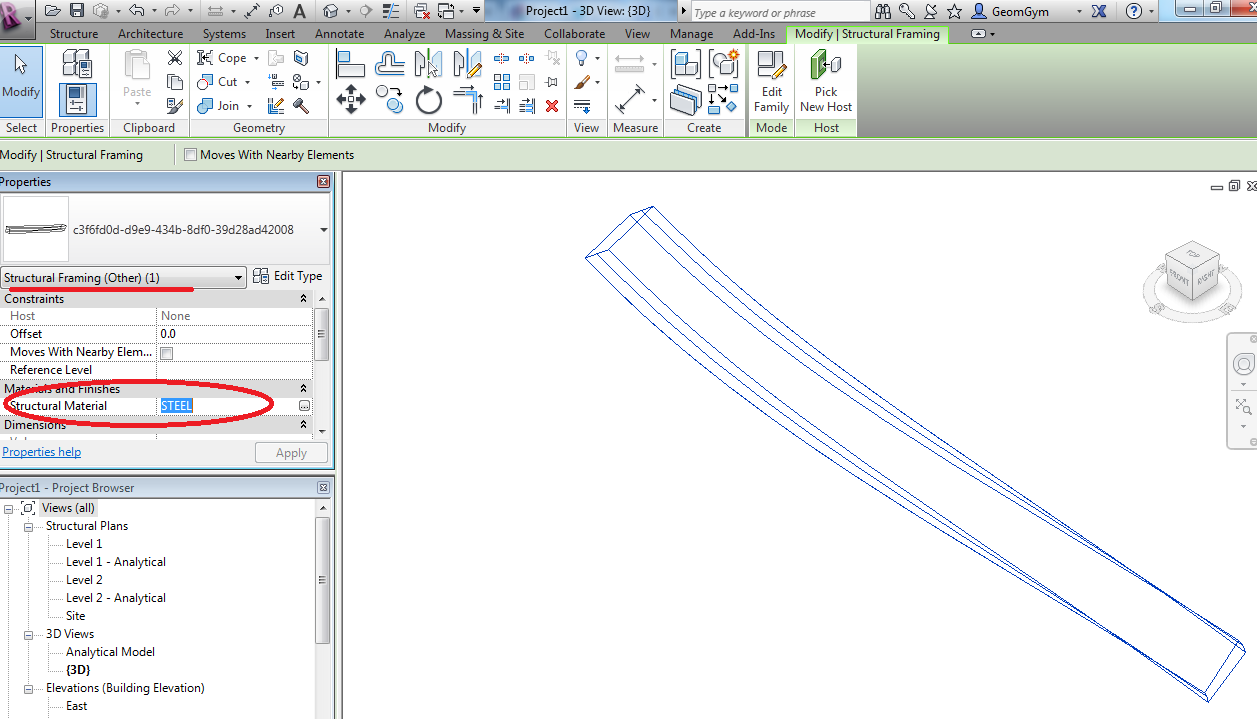
Can someone please advise how to assign the structural material to an instance created from a generic model family, type set to Framing?  I've tried a few like property StructuralMaterialId or BuiltInParameter.MATERIAL_ID_PARAM

with no luck.  I can manually set it.

I can post a revit file if needed.


Thanks in advance,


Jon
 

131005 assign material.png

0 Likes
Accepted solutions (1)
2,730 Views
3 Replies
Replies (3)
Message 2 of 4

Anonymous
Not applicable

I too am struggling with this issue.  I've got a framing family composed of multiple nested generics that all have associated material parameters.  I need to be able to assign/change the material through the API.  I can do it manually though the UI, and it works beautifully.  It's just a giant pain in the --- to keep having to do it this way.

0 Likes
Message 3 of 4

saikat
Autodesk
Autodesk
Accepted solution

Here is something I tried quickly and it seemed to work fine. For testing purposes, I have hard coded the 'Carbon Steel' material ID in the code and used that ElementId in the material assignment process:


UIApplication uiApp = commandData.Application;


UIDocumentuiDoc = uiApp.ActiveUIDocument;


foreach (Element ele in

uiApp.ActiveUIDocument.Selection.Elements)

{

FamilyInstance box = ele asFamilyInstance;


if (null!= box)

{

using (Transaction trans = newTransaction(uiDoc.Document, "SetMaterial"))

{

trans.Start();

box.get_Parameter(

BuiltInParameter.STRUCTURAL_MATERIAL_PARAM).Set(newElementId(164753));

trans.Commit();

}

}

}


and eventually was able to see this:


material.JPG


Saikat Bhattacharya
Senior Manager - Technology Consulting
Message 4 of 4

GeomGym
Advocate
Advocate

Thanks for the reply, that indeed does seem to be the solution.  


Cheers,


Jon

0 Likes
