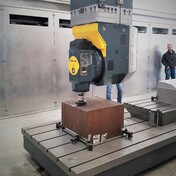
collision detection in blisks

collision detection in blisks

Meysam_Ghorbani
Collaborator Collaborator
12,876 Views
14 Replies
Message 1 of 15

collision detection in blisks

Meysam_Ghorbani
Collaborator
Collaborator

Hello.

.

1st : why powermill can not detect and solve collision between tool and model(tool ,not holder)(in tool axis = blisk)

 i know, if i use automatic collision avoid , I can prevent the holder and the model from colliding

But it works properly in automatic tool axis (with the same setting)!

.

.

2nd: in the blisk tool axis (with radial vector /angle= 20) The fifth axis is locked , but in the Automatic tool axis (with radial vector /angle= 20)The fifth axis is not fixed and has a rotation!

 

0 Likes
12,877 Views
14 Replies
Replies (14)
Message 2 of 15

jentelman.mq
Participant
Participant

This is one of the problems with PowerMill, and has not yet been fixed in version 2021.1

0 Likes
Message 3 of 15

Meysam_Ghorbani
Collaborator
Collaborator

nobody can answer this question ?!!!

Why are the representatives of Autodesk not accountable ???

0 Likes
Message 4 of 15

Meysam_Ghorbani
Collaborator
Collaborator

?????

0 Likes
Message 5 of 15

tesatoolsmaker
Contributor
Contributor

it is interesting ! I have this question too.

Message 6 of 15

Meysam_Ghorbani
Collaborator
Collaborator

?????

0 Likes
Message 7 of 15

Jonathan_Artiss19
Advisor
Advisor

@Meysam_Ghorbani 


Autodesk employees do not fully monitor the public forums, this is here for users to help users. 

If you have found an issue or a bug, you should be sending this directly to Autodesk by form of a support case. You can do this directly through your Autodesk account. 


There is no better way to get a direct response from the support staff of Autodesk

Jonathan Artiss
Senior Applications Engineer | DSI

Autodesk Expert Elite member
DSI, Design and Software International Autodesk Gold Partner

Message 8 of 15

Meysam_Ghorbani
Collaborator
Collaborator

Thank you  

0 Likes
Message 9 of 15

mark.cundy
Autodesk
Autodesk

Taking the second point first. With the Automatic tool axis, the target tool axis will be with elevation 20 degrees pointing towards the z axis, but this will be adjusted as necessary to avoid collisions (not necessarily keeping the elevation constant). The toolpath calculation will stop early at a point it is unable to safely machine a segment. You can however use tool axis limits to restrict how the collision avoidance moves the toolaxis.

The Automatic tool axis is the advisable option to use for blisks as it is designed to give a safe toolpath.


On the first point. The blisk tool axis (or anything other than automatic) will (by design) give a complete toolpath with no effort of safety (unless automatic collision avoidance is used). It is intended to be used as a last resort (when the automatic tool axis fails to completely machine the part) to provide a starting point for manual tool axis editing. 

Message 10 of 15

Meysam_Ghorbani
Collaborator
Collaborator

You did not give us a clear answer!

We need to lock the titillating axis in the Blisks strategy .for example 20 degree .Without any movement , Absolutely fixed.
Is it possible in PowerMill or not?


1.jpg


0 Likes
Message 11 of 15

mark.cundy
Autodesk
Autodesk

You can use tool axis limits (with the same upper and lower elevation and 'move toolaxis') to fix the elevation angle, though it appears this may result in incomplete toolpaths.

0 Likes
Message 12 of 15

Anonymous
Not applicable

Note that the Automatic collision avoidance option controls the collision of the tool and the shank and holder.

And with the automatic method, you are not able to control the collision of the holder.


https://www.youtube.com/watch?v=cmLK-f9P_lQ

0 Likes
Message 13 of 15

Meysam_Ghorbani
Collaborator
Collaborator

That was a good tip, thank you.
But with these settings, toolpath' order is disrupted
We also need the B axis to be locked at an angle.
And make no move.


25.jpg26.jpg27.jpg

0 Likes
Message 14 of 15

Anonymous
Not applicable

مسلما تولپس کمی دچار مشکل خواهد شد ولی نه در این حدی که شما نشون دادید. به تنظیمات خود توجه کنید و یا اینکه سطوح مشکل داره. در مورد ثابت ماندن زاویه این اتفاق می افته. در کلیپی که ارسال کردم مشخصا کاملا ثابت موند. در کل این مود کمی مشکل داره و باید حلش کنند

Message 15 of 15

Meysam_Ghorbani
Collaborator
Collaborator


ممنونم 🙏🏻🌹

0 Likes